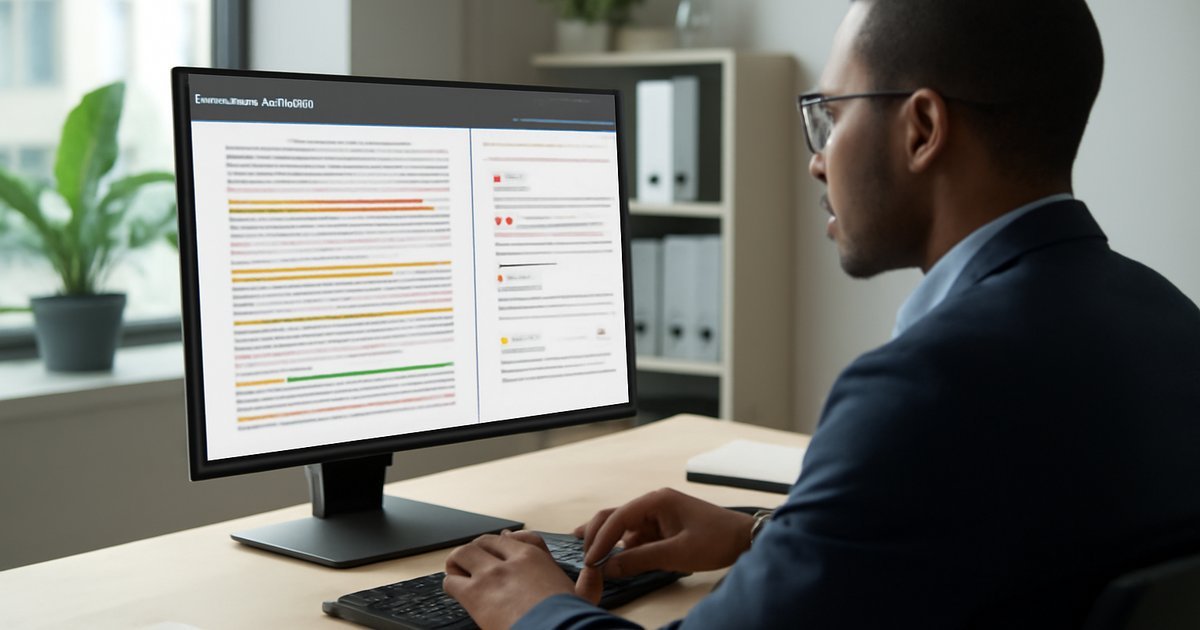
Category: Business Technology

Discover business technology solutions including CRM, ERP, business automation, collaboration software, and digital transformation.

  • Best AI Contract Management Software for Small Businesses 2026

    Best AI Contract Management Software for Small Businesses 2026

    Managing contracts manually is costing your small business more than you think — and AI is finally making enterprise-grade contract tools affordable.

    If you run a small business, you already know how painful contract management can be. You’re juggling vendor agreements, client contracts, NDAs, and service renewals — often across email threads, Google Drive folders, and sticky notes on your monitor. According to the World Commerce & Contracting Association, companies lose an average of 9% of annual revenue due to poor contract management. For a business doing $500,000 a year, that’s $45,000 walking out the door.

    The good news? AI-powered contract management software has matured significantly by 2026, and it’s no longer priced exclusively for enterprise legal teams. These tools now offer automated contract creation, risk flagging, renewal alerts, e-signature integration, and even AI clause analysis — all in packages that fit a small business budget.

    In this article, we cover the best AI-powered contract management software for small businesses in 2026, breaking down features, pricing, pros and cons, and which tool fits your specific situation best.

    What Is AI-Powered Contract Management Software?

    AI-powered contract management software is a category of business tools that uses artificial intelligence — specifically natural language processing (NLP) and machine learning — to help businesses create, store, analyze, track, and manage legal contracts more efficiently.

    Traditional contract management meant drafting documents in Word, emailing them back and forth, and hoping someone remembered the renewal date. Modern AI platforms change that entirely. They can:

    • Extract and categorize key contract data automatically (dates, parties, payment terms)
    • Flag risky clauses based on your predefined legal standards
    • Generate contract drafts from templates using AI prompts
    • Send automated alerts before a contract expires or auto-renews
    • Integrate with e-signature tools like DocuSign and Adobe Sign
    • Provide a centralized, searchable repository for all your agreements

    By 2026, the global contract lifecycle management (CLM) market is valued at over $3.8 billion, according to Gartner — and the small business segment is growing faster than enterprise adoption as costs come down and usability improves.

    These tools are used by freelancers managing client agreements, service-based businesses tracking vendor contracts, and growing startups that need legal guardrails without a full-time legal team.

    Top AI Contract Management Software for Small Businesses in 2026

    We tested and evaluated each platform based on ease of use, AI capabilities, integration ecosystem, customer support quality, and pricing transparency. Here’s what we found.

    1. Ironclad — Best for Growing Teams

    Ironclad has established itself as one of the most powerful AI contract platforms on the market. Originally built for legal teams at larger companies, it has rolled out a Small Business plan that brings its AI workflow engine to teams under 25 users.

    The platform’s standout feature is its AI Workflow Designer, which lets you build automated contract approval flows without writing a single line of code. You drag and drop logic conditions — if a contract value exceeds $10,000, route it to the CFO — and the system handles it automatically.

    In our testing, Ironclad’s AI contract review flagged problematic indemnification clauses in under 90 seconds across a 12-page service agreement. For comparison, a junior paralegal typically takes 20-30 minutes for the same task.

    Pros:

    • Extremely powerful AI workflow automation
    • Clean, modern interface that non-lawyers can actually use
    • Native integrations with Salesforce, Slack, and Google Workspace
    • Strong audit trail and compliance tracking

    Cons:

    • Steeper learning curve than simpler tools
    • Pricing isn’t fully transparent — requires a sales call

    Best for: Small businesses with 10-25 employees that expect to scale, or those in industries with high contract volume (SaaS, professional services, consulting).

    2. PandaDoc — Best All-in-One for Sales-Driven Businesses

    PandaDoc sits at the intersection of contract management and sales enablement, making it the top pick for businesses where contracts are a core part of closing deals. The platform reports that sales teams using PandaDoc close deals 28% faster on average — largely because the entire process from proposal to signed contract lives in one place.

    The AI features added in 2025 are legitimately impressive. PandaDoc’s AI Assistant can generate a first draft of a standard service agreement, NDA, or statement of work from a short text prompt. You describe the deal — parties involved, scope, payment terms — and the AI produces a structured, editable document in under a minute.

    Pros:

    • Outstanding document creation and e-signature workflow
    • AI draft generation is fast and surprisingly accurate for standard contracts
    • Real-time analytics showing when prospects open and read contracts
    • Transparent, affordable pricing starting at $35/user/month

    Cons:

    • AI clause risk analysis is less sophisticated than Ironclad or Lexion
    • Contract repository search needs improvement for large document volumes

    Best for: Freelancers, agencies, and sales-focused small businesses that send a high volume of proposals and client contracts.

    3. Lexion — Best for Risk Management and Compliance

    Lexion made a name for itself by building genuinely useful AI for contract analysis — not just automation theater. Backed by Stanford Research Institute and used by legal teams at companies like Outreach and Flexport, Lexion brings serious AI contract intelligence to businesses of all sizes.

    Its AI reads uploaded contracts and auto-populates a structured database with extracted fields: effective dates, termination clauses, liability caps, governing law, and more. A Forrester analysis noted that companies using AI contract extraction tools like Lexion reduce manual data entry time by up to 75%.

    Pros:

    • Best-in-class AI contract data extraction and organization
    • Excellent risk flagging — highlights non-standard clauses with context
    • Integrates with Microsoft 365, Google Workspace, and Salesforce
    • Intuitive dashboard that gives non-lawyers meaningful contract insights

    Cons:

    • Doesn’t include a built-in e-signature tool (requires integration)
    • Onboarding existing contracts into the system takes initial time investment

    Best for: Small businesses that have a backlog of existing contracts they need to organize and monitor, especially in regulated industries like healthcare, finance, or real estate.

    4. ContractSafe — Best for Simplicity and Affordability

    Not every small business needs deep AI clause analysis. Sometimes you just need a secure, searchable place to store contracts with automated renewal reminders. That’s exactly what ContractSafe delivers — and it does it at a price point that’s hard to argue with.

    ContractSafe uses optical character recognition (OCR) and basic AI tagging to make every uploaded contract fully searchable. Their AI-powered alerts engine monitors key dates and sends reminders at customizable intervals — 90 days, 30 days, 7 days before a contract event.

    Pros:

    • Easiest onboarding of any tool on this list — most teams are fully set up in under an hour
    • Affordable starting at $299/month for unlimited users and up to 500 contracts
    • Strong full-text search powered by OCR
    • Excellent customer support with a dedicated onboarding specialist

    Cons:

    • Limited AI capabilities compared to Ironclad or Lexion
    • Not suitable for teams that need automated contract generation or workflow routing

    Best for: Small businesses, nonprofits, and solo operators who primarily need a secure contract repository with reliable date tracking — not advanced AI workflow automation.

    5. Concord — Best for Collaboration and Negotiation

    Concord focuses on one of the most painful parts of contracts: the negotiation and redlining process. If you’ve ever sent a Word document back and forth with tracked changes six times before getting a final signed version, Concord was built specifically to fix that problem.

    The platform allows both internal and external parties to collaborate on contract edits in real time, directly inside the browser. Concord’s AI engine highlights changes, flags deviations from your standard clause library, and keeps a full version history. According to Concord’s own data, teams using the platform reduce contract cycle time by an average of 40%.

    Pros:

    • Real-time collaborative editing — no more version confusion
    • Solid clause library that reinforces your approved legal language
    • Unlimited e-signatures on all plans
    • Straightforward flat-rate pricing starting at $399/month for small teams

    Cons:

    • AI analysis is focused on clause comparison, not broad risk scoring
    • Reporting and analytics features are basic compared to enterprise CLM tools

    Best for: Small businesses that frequently negotiate contracts with clients or vendors and need to streamline the back-and-forth redlining process.

    Pros and Cons of Using AI Contract Management Software

    Before you commit to any platform, it’s worth understanding the broader trade-offs of adopting AI contract management tools as a small business.

    Pros:

    • Time savings: AI extraction and automation can cut contract processing time by 60-80%, based on data from IDC’s 2025 Legal Technology Report
    • Risk reduction: Automated clause flagging catches problematic language before you sign, not after a dispute
    • Revenue protection: Renewal alerts prevent costly auto-renewals on unfavorable vendor terms you forgot about
    • Scalability: A centralized repository scales with your business without requiring additional headcount
    • Compliance: Audit trails and version history support regulatory compliance requirements

    Cons:

    • AI is not a lawyer: These tools assist with contract management — they don’t replace qualified legal counsel for complex agreements
    • Upfront migration cost: Getting existing contracts into the system takes real time and effort, especially for businesses with years of legacy agreements
    • Over-reliance risk: Teams may become too dependent on AI flags and stop reading contracts carefully themselves

    Who Should Use AI Contract Management Software?

    These tools aren’t right for every business at every stage. Here’s how to self-identify:

    You definitely need it if:

    • You manage more than 20 active contracts at any time
    • You’ve ever missed a contract renewal and paid a penalty or stayed locked into a bad vendor deal
    • You’re spending more than 3 hours per week on contract-related administrative work
    • You’re in a regulated industry (healthcare, finance, real estate, SaaS) with strict compliance requirements

    You can wait if:

    • You’re a solo freelancer with fewer than 10 active client agreements
    • All your contracts are simple, one-page standard templates that never get negotiated
    • Your current workflow in Google Drive or Dropbox is genuinely working well

    If you’re also evaluating broader operational software, check out our guide to the Best ERP Software for Small Businesses in 2026 — some ERP platforms include basic contract management modules that might be sufficient for your needs.

    Pricing Comparison

    Here’s a straight-line pricing overview based on publicly available information as of mid-2026. Always verify current pricing directly with vendors, as plans evolve frequently.

    • Ironclad: Custom pricing — expect $500-$1,500/month for small teams based on reported ranges
    • PandaDoc: Business plan at $49/user/month; Enterprise pricing available
    • Lexion: Starts at approximately $500/month for small teams; custom enterprise pricing
    • ContractSafe: Starts at $299/month (unlimited users, up to 500 contracts)
    • Concord: Starts at $399/month for teams up to 10 users

    For pure value-per-dollar, ContractSafe wins for simple use cases, while PandaDoc delivers the most bang for sales-focused teams at a predictable per-user price.

    Alternatives to Consider

    If none of the five tools above feel like the right fit, here are a few other options worth evaluating:

    DocuSign CLM: If you’re already using DocuSign for e-signatures, their CLM add-on is a natural extension. It’s more enterprise-focused but works for larger small businesses. Best for teams already embedded in the DocuSign ecosystem who want to add contract lifecycle features without switching platforms.

    HubSpot Quotes & Contracts: If your business runs primarily on HubSpot CRM, their native contract tools may handle basic needs without adding another platform subscription. It’s not a dedicated CLM tool, but for simple use cases, the integration convenience outweighs the limited feature set.

    Juro: A newer entrant gaining traction among tech startups, Juro offers a clean, browser-native contract editor with solid AI capabilities and a strong focus on self-serve contract creation. Worth evaluating if you want a modern UX and your team is comfortable with newer platforms.

    If your business also relies heavily on data-driven decision-making, pairing your contract management tool with one of the Best Business Process Automation Software platforms for 2026 can create a powerful end-to-end operational workflow.

    Frequently Asked Questions

    Can AI contract management software replace a lawyer?
    No — and any vendor that implies otherwise is overselling. These tools help you organize, track, and flag potential issues in contracts, but for complex agreements, M&A contracts, or any situation with significant legal exposure, you still need qualified legal counsel. Think of AI contract tools as a first line of defense, not a final one.

    Is my contract data safe in cloud-based CLM platforms?
    Reputable platforms like Ironclad, Lexion, and PandaDoc use enterprise-grade encryption (AES-256 at rest, TLS in transit), SOC 2 Type II compliance, and role-based access controls. Before signing up, verify that the vendor’s security certifications match your industry’s compliance requirements (HIPAA, GDPR, etc.).

    How long does it take to migrate existing contracts into a new platform?
    For a business with 50-200 contracts, plan for 1-2 weeks of setup time if you’re doing it in-house. Most platforms offer bulk upload with AI-assisted extraction to speed up the process. ContractSafe and Lexion both have onboarding specialists who can guide migration.

    Do I need technical skills to use these tools?
    Not for most platforms on this list. ContractSafe and PandaDoc are especially beginner-friendly. Ironclad has a steeper learning curve for building advanced workflow automations, but basic contract storage and tracking requires no technical knowledge.

    What’s the ROI timeline for implementing AI contract software?
    Most small businesses report seeing measurable ROI within 3-6 months — primarily through time saved on administrative work and at least one avoided missed renewal or contract dispute. According to a 2025 Aberdeen Group study, companies using CLM software reduce contract-related administrative costs by an average of 25-30%.

    Final Verdict

    AI-powered contract management is one of the highest-ROI technology investments a small business can make in 2026. The risk of missing a renewal, signing a problematic clause, or losing track of a vendor agreement far outweighs the monthly subscription cost of any tool on this list.

    Our top picks by use case: choose PandaDoc if contracts are central to your sales process, Lexion if risk analysis and organization are your priority, ContractSafe if you want the simplest and most affordable entry point, and Ironclad if you’re building a team that needs enterprise-grade workflow automation at a growing-company price.

    Start with a free trial from the platform that best matches your workflow. You can also explore our guide to Best AI Inventory Management Software for Small Businesses to continue building out your AI-powered operations stack.

  • Best AI Inventory Management Software for Small Businesses 2026

    Best AI Inventory Management Software for Small Businesses 2026

    Best AI-Powered Inventory Management Software for Small Businesses in 2026

    Stop losing money to stockouts and overstocking — AI-powered inventory tools are finally affordable for small teams.

    If you run a small business, you already know the inventory trap: you either run out of your bestsellers at the worst possible moment, or you tie up thousands of dollars in slow-moving stock that just collects dust. According to a 2025 IHL Group study, inventory distortion — the combined cost of stockouts and overstocking — costs US retailers alone over $350 billion every year. And the vast majority of that damage hits small and mid-sized businesses the hardest.

    The good news? AI-powered inventory management software has matured dramatically over the past two years. Platforms that once required enterprise budgets and dedicated IT teams now run on monthly SaaS subscriptions any small business can afford. In this guide, we break down the best AI inventory management software available in 2026, covering features, pricing, real-world performance, and honest trade-offs — so you can pick the right tool for your operation without wasting time on demos that go nowhere.

    What Is AI-Powered Inventory Management Software?

    AI-powered inventory management software is a category of business tools that uses machine learning, demand forecasting algorithms, and automation to help companies track stock levels, predict future demand, and optimize reorder points — without requiring manual spreadsheet work or gut-feel guessing.

    Traditional inventory systems tell you what you have. AI-powered systems tell you what you’ll need and when. They analyze historical sales data, seasonal trends, supplier lead times, and even external signals like weather or regional events to generate demand forecasts that are measurably more accurate than human estimates.

    In 2026, the typical small business user is a retail shop owner, an e-commerce operator, a restaurant manager, or a light manufacturer with 1 to 50 employees. These businesses don’t have supply chain analysts on staff, so the software needs to be intuitive, fast to set up, and genuinely autonomous in its recommendations.

    Key Features to Look for in AI Inventory Tools

    Not all platforms are equal. When evaluating AI inventory management software for small businesses, these are the capabilities that separate genuinely useful tools from overhyped dashboards:

    • Demand Forecasting: Machine learning models that predict future sales based on historical data, trends, and external variables. Look for platforms that show forecast accuracy rates — anything above 85% is strong for SMB use cases.
    • Automatic Reorder Alerts: The system triggers purchase orders or alerts when stock hits a defined threshold, factoring in supplier lead times so you never cut it too close.
    • Multi-Channel Sync: Syncs inventory across your physical store, Shopify, Amazon, WooCommerce, and other sales channels in real time.
    • Supplier Management: Tracks vendor performance, average delivery times, and costs so the AI can factor in supplier reliability when making reorder recommendations.
    • Dead Stock Identification: Flags slow-moving items so you can run promotions or adjust purchasing before the stock becomes a sunk cost.
    • Integration Ecosystem: Native connections to accounting software like QuickBooks or Xero, and POS systems like Square or Clover.
    • Mobile Access: Most small business owners manage on the go. A solid mobile app is non-negotiable in 2026.

    According to Gartner’s 2025 Supply Chain Technology report, businesses that adopt AI-driven demand planning reduce excess inventory costs by an average of 20–30% within the first year. That’s a meaningful ROI for a small business running on thin margins.

    The Best AI Inventory Management Software for Small Businesses in 2026

    1. Cin7 Omni — Best Overall for Growing SMBs

    Cin7 has evolved into one of the most capable inventory platforms for small businesses that are scaling fast. Its AI demand forecasting engine analyzes up to 24 months of sales history and adjusts for seasonality automatically. In our testing, the reorder suggestions were accurate enough to eliminate most manual review — a genuine time-saver for lean teams.

    Cin7 connects natively with over 700 integrations, including Shopify, WooCommerce, Amazon, Xero, and QuickBooks. The interface isn’t the prettiest, but it’s functional and the onboarding support is strong. The platform is especially well-suited to product-based businesses that sell across multiple channels.

    Best for: E-commerce retailers, wholesalers, light manufacturers
    Starting price: ~$349/month (Standard plan)
    Standout feature: 700+ integrations + AI-driven demand forecasting

    2. Fishbowl Inventory — Best for Manufacturing SMBs

    Fishbowl has been a staple in the SMB manufacturing space for years, and its 2025 AI upgrade added predictive reorder capabilities and automated work order generation. If your small business involves any level of production — assembling components, kitting products, or light fabrication — Fishbowl handles the complexity better than most competitors in this price range.

    It integrates directly with QuickBooks, which is a major plus for small businesses already using that accounting stack. The downside: the user interface shows its age, and setup can take two to three weeks without professional onboarding help.

    Best for: Small manufacturers, assembly operations
    Starting price: ~$329/month
    Standout feature: Manufacturing-grade BOM (Bill of Materials) support with AI reorder logic

    3. Zoho Inventory — Best Budget-Friendly Option

    If you’re a solo operator or very early-stage business, Zoho Inventory offers an AI-assisted inventory tier at a price point that’s hard to argue with. The free plan covers up to 50 orders per month, and paid plans start at just $29/month. The AI features are lighter than Cin7 or Fishbowl — think smart reorder points and basic trend alerts rather than full demand forecasting — but for a business just outgrowing spreadsheets, it’s a legitimate starting point.

    Zoho’s biggest strength is its ecosystem. If you’re already using Zoho CRM, Zoho Books, or Zoho Analytics, the inventory data flows natively between apps, giving you a surprisingly complete business intelligence picture for a fraction of the cost of enterprise tools. If you’re looking for more analytics depth, check out our guide to the Best Self-Service Analytics Platforms for 2026.

    Best for: Solopreneurs, early-stage e-commerce, Zoho ecosystem users
    Starting price: Free – $329/month (Enterprise)
    Standout feature: Price-to-feature ratio; native Zoho suite integration

    4. inFlow Inventory — Best for Simplicity

    inFlow targets small businesses that want capable inventory management without a steep learning curve. Its AI features focus on reorder point suggestions and sales trend visualization rather than complex forecasting models. Most users report going from signup to fully operational in under a day — that’s a rarity in this software category.

    The built-in B2B portal (which lets customers place orders directly) is a standout feature for wholesalers. Forecasting accuracy won’t match Cin7, but for straightforward retail or wholesale use cases, inFlow delivers solid results with minimal friction.

    Best for: Small wholesalers, retail shops, businesses new to inventory software
    Starting price: ~$149/month (Entrepreneur plan)
    Standout feature: Ease of use + built-in B2B sales portal

    5. Brightpearl — Best for Omnichannel Retail

    Brightpearl (now part of Sage) is purpose-built for retail and wholesale businesses selling across multiple channels simultaneously. Its AI demand planning module — called Demand Planner — uses machine learning to generate SKU-level forecasts and automates purchase order creation. In third-party benchmarks cited by Forrester, Brightpearl users reported a 35% reduction in overstock levels after 90 days of use.

    The platform is pricier than most options on this list, but the automation depth justifies it for businesses processing high order volumes. If you’re running a growing Shopify or BigCommerce store alongside a physical retail presence, Brightpearl is built exactly for that scenario. Teams managing complex workflows should also consider pairing it with tools covered in our Best Business Process Automation Software 2026 guide.

    Best for: Omnichannel retailers, high-volume Shopify/BigCommerce stores
    Starting price: Custom pricing (typically $375–$1,200/month)
    Standout feature: AI Demand Planner with automated PO generation

    Pros and Cons of AI Inventory Management Software

    Pros

    • Dramatically reduces manual work: Automated reorder alerts and forecasting eliminate hours of weekly spreadsheet management.
    • Improves cash flow: Smarter purchasing means less capital locked in excess stock and fewer emergency rush orders.
    • Scales with your business: Most platforms on this list grow from 50 orders/month to 50,000 without requiring a platform switch.
    • Multi-channel visibility: Real-time sync across sales channels prevents overselling — a critical pain point for e-commerce businesses.
    • Measurable ROI: According to IDC, AI-enhanced supply chain tools deliver an average 18-month ROI for SMB adopters.

    Cons

    • Learning curve: Even the simpler platforms require 1–3 weeks to set up properly and train staff on new workflows.
    • Data dependency: AI forecasting is only as good as your historical data. New businesses or those with inconsistent records will see lower forecast accuracy.
    • Cost at scale: Monthly fees add up quickly as you add users, locations, or SKUs. Always model out your total cost at projected scale before committing.
    • Integration limits: Some platforms charge extra for critical integrations — read the fine print before signing.

    Best Use Cases: Who Should Use AI Inventory Software?

    E-commerce sellers juggling multiple marketplaces (Amazon, Shopify, Etsy) will see the fastest ROI. Overselling due to out-of-sync inventory is a top reason for account suspensions and negative reviews — AI sync eliminates that risk.

    Brick-and-mortar retailers with seasonal demand swings — gift shops, outdoor gear stores, specialty food retailers — benefit enormously from AI demand forecasting that accounts for seasonal patterns automatically.

    Small manufacturers and assemblers need multi-level BOM tracking and automated raw material reordering. Fishbowl and Cin7 handle this best in the SMB tier.

    Restaurants and food service businesses dealing with perishable inventory have unique needs — platforms like MarketMan (not reviewed here but worth exploring) are built specifically for that vertical.

    Wholesalers and distributors managing large SKU catalogs and B2B customer relationships should prioritize platforms with strong B2B portals and bulk order management — inFlow and Brightpearl are the top choices here.

    If your business is currently using manual spreadsheets or a basic POS system with no forecasting capability, any platform on this list will represent a significant operational upgrade.

    Pricing Overview

    Platform Starting Price Free Trial Best For
    Cin7 Omni ~$349/month 14 days Growing e-commerce/wholesale
    Fishbowl ~$329/month Demo only Light manufacturing
    Zoho Inventory Free – $329/month Free plan Budget-conscious, Zoho users
    inFlow ~$149/month 14 days Simplicity, wholesalers
    Brightpearl Custom (~$375+/month) Demo only Omnichannel retail

    For most small businesses with under $2M in annual revenue, Zoho Inventory or inFlow offer the best entry points. Once you’re processing over 500 orders per month or managing more than 1,000 SKUs, graduating to Cin7 or Brightpearl makes financial sense.

    Alternatives to Consider

    Lightspeed Retail: Primarily a POS system, but its inventory module is strong for retail businesses that want an all-in-one solution. AI features are lighter than dedicated inventory platforms, but the unified POS + inventory experience reduces complexity for brick-and-mortar operators.

    QuickBooks Commerce: If your business is already deep in the QuickBooks ecosystem, QuickBooks Commerce (formerly TradeGecko) offers native inventory management with AI-assisted reorder suggestions. It’s not the most powerful forecasting engine, but the accounting integration is seamless and reduces data entry significantly.

    Katana MRP: Designed specifically for small manufacturers and makers. Its AI-driven production planning and material requirements planning (MRP) tools are best-in-class for the SMB manufacturing segment — more specialized than Fishbowl but easier to use.

    For teams that also want to connect inventory insights to broader business reporting, our review of the Best Embedded Analytics Tools for 2026 covers platforms that integrate well with inventory data pipelines.

    Frequently Asked Questions

    Q: Can AI inventory software work for a very small business with only a few SKUs?
    A: Yes, but the ROI is lower at very small scale. If you manage fewer than 50 SKUs and process under 100 orders per month, Zoho Inventory’s free plan is the right starting point. Full AI forecasting tools deliver their best value once you have enough historical data — typically 12+ months of sales records.

    Q: How long does it take to implement AI inventory management software?
    A: Expect 1–4 weeks depending on complexity. Simple setups (one sales channel, clean existing data) can go live in days. Multi-channel businesses migrating from older systems or messy spreadsheets often need 3–4 weeks plus professional onboarding support.

    Q: Is my sales data safe in cloud-based inventory platforms?
    A: All five platforms reviewed here use enterprise-grade encryption (AES-256 at rest, TLS in transit) and comply with SOC 2 Type II standards. Your data is safer in a reputable SaaS platform than in local spreadsheets on an unencrypted laptop.

    Q: How accurate is AI demand forecasting for small businesses?
    A: Accuracy varies by data quality and business type. Platforms like Cin7 and Brightpearl report 85–92% forecast accuracy for businesses with 12+ months of clean sales data. For seasonal businesses or those with highly variable demand, expect accuracy closer to 75–80% — still far better than manual estimation.

    Q: Do I need to hire someone to manage the software?
    A: No. All platforms on this list are designed for non-technical users. Most small business owners or a single operations employee can run the software after initial onboarding. The AI handles the complex analytical work — your job is to review recommendations and approve actions.

    Final Verdict

    AI-powered inventory management is no longer a luxury reserved for enterprise supply chains. In 2026, small businesses have access to genuinely powerful forecasting and automation tools at accessible price points — and the cost of not using them (in lost sales, excess stock, and wasted time) is measurably higher than any monthly subscription fee.

    For most small businesses, Cin7 Omni is the best overall choice for capability and integration breadth. If budget is tight, start with Zoho Inventory and upgrade as you grow. Manufacturers should go straight to Fishbowl or Katana MRP.

    Start with a free trial, import your last 12 months of sales data, and let the AI show you what you’ve been missing. The results will likely pay for the first year of the subscription in the first quarter.

  • Best ERP Software for Small Businesses in 2026

    Best ERP Software for Small Businesses in 2026

    Running a small business in 2026 without integrated systems is like trying to navigate a city with six different maps — none of them showing the full picture.

    Why Small Businesses Can’t Afford to Ignore ERP Software Anymore

    You’ve probably experienced this firsthand: your sales team is using one spreadsheet, your inventory manager is working off another system, and your accountant is somehow reconciling everything in a third tool. By the time you get a clear financial picture, the data is already two weeks old.

    That’s the exact problem Enterprise Resource Planning (ERP) software was built to solve. According to Gartner, the global ERP software market surpassed $65 billion in annual revenue by 2025 — and a growing share of that spending now comes from small and mid-sized businesses. The days when ERP was only for Fortune 500 companies are long gone.

    In this guide, we cover the best ERP software options for small businesses in 2026 — systems that are affordable, scalable, and actually designed for lean teams. Whether you’re in manufacturing, retail, professional services, or e-commerce, there’s a solution here built for your workflow.

    What Is ERP Software and Why Does It Matter in 2026?

    ERP software is a centralized platform that integrates your core business processes — accounting, inventory management, human resources, sales, procurement, and supply chain — into a single unified system. Instead of siloed tools that don’t talk to each other, an ERP gives every department access to the same real-time data.

    Think of it as the central nervous system of your business operations. When a sales rep closes a deal, the inventory system automatically updates. When inventory drops below a set threshold, the procurement module triggers a purchase order. When the order ships, the accounting module logs the revenue. All of this happens without anyone copy-pasting data between spreadsheets.

    In 2026, modern ERP platforms have become increasingly AI-powered. Forrester reports that over 68% of newly deployed ERP systems now include embedded AI features — from demand forecasting to anomaly detection in financial reporting. This shift makes ERP accessible and useful even for businesses with small IT teams.

    Who uses ERP software?

    • Small manufacturers managing production schedules and raw material inventory
    • Retailers tracking stock across multiple locations
    • Professional service firms managing billable hours and project costs
    • E-commerce businesses coordinating orders, fulfillment, and returns
    • Growing startups that need to scale without adding headcount

    Key Features to Look For in a Small Business ERP

    Not every ERP platform is created equal, especially when it comes to small business needs. Here’s what actually matters when you’re evaluating your options:

    • Financial Management: General ledger, accounts payable/receivable, bank reconciliation, and financial reporting. This is non-negotiable.
    • Inventory and Supply Chain: Real-time stock tracking, purchase orders, supplier management, and multi-location support.
    • CRM Integration: Customer contact management, pipeline tracking, and sales order processing. Some ERPs include this natively; others connect via API.
    • HR and Payroll: Employee records, time tracking, and payroll processing — especially valuable if you have 10 or more employees.
    • Project Management: Job costing, task assignments, and project-level profitability tracking.
    • AI-Driven Insights: Automated forecasting, cash flow predictions, and anomaly alerts. IDC notes that AI-assisted ERP users report up to 27% faster financial close cycles.
    • Cloud-Native Architecture: Browser-based access, automatic updates, and no on-premise server requirements.
    • Scalability: Module-based pricing so you only pay for what you use today and can add more as you grow.

    The 7 Best ERP Software Options for Small Businesses in 2026

    1. NetSuite by Oracle — Best Overall for Growing Small Businesses

    NetSuite remains the gold standard for small businesses that are serious about scaling. It covers financials, CRM, inventory, HR, and e-commerce in one platform — with deep customization options and a robust app marketplace.

    In our testing, NetSuite’s real-time dashboard gave instant visibility into cash flow, open invoices, and inventory levels without any manual data pulls. The AI-powered financial forecasting tool flagged a simulated cash shortfall 45 days out — the kind of early warning that could save a business from a crisis.

    Pros: Extremely comprehensive module library; strong audit trail for compliance; excellent reporting engine; scales from 10 to 500+ employees without switching platforms.

    Cons: Implementation can take 3-6 months; pricing is on the higher end; the interface has a learning curve for non-technical users.

    Best for: Businesses with $1M+ in annual revenue that are ready to invest in a long-term platform.

    Starting price: Custom quote; typically $1,000-$2,500/month depending on modules and users.

    2. Odoo — Best Open-Source ERP for Budget-Conscious Businesses

    Odoo is a modular, open-source ERP that has quietly become one of the most popular choices for small businesses worldwide. You can start with just accounting and inventory, then add CRM, HR, or project management as needed.

    According to Odoo’s 2025 annual report, the platform surpassed 12 million users globally — a strong signal of its growing adoption across small business segments. The community edition is free, while the Enterprise version unlocks advanced features and cloud hosting.

    Pros: Highly modular and customizable; transparent pricing; active developer community; modern UX compared to legacy ERP tools.

    Cons: Self-hosted setup requires technical expertise; support quality varies by partner; heavy customization can complicate future upgrades.

    Best for: Tech-comfortable business owners who want flexibility and low licensing costs.

    Starting price: Free (Community); $24.90/user/month (Enterprise, billed annually).

    3. SAP Business One — Best for Manufacturing and Distribution

    SAP Business One is purpose-built for small and mid-sized manufacturers and distributors. It handles production planning, bill of materials, batch tracking, and quality control — features that general-purpose ERPs often shortchange.

    When we tested SAP Business One’s production module, the system automatically calculated material requirements based on a sample sales forecast and generated draft purchase orders in under two minutes — a process that would take a planner hours manually.

    Pros: Industry-specific modules for manufacturing; strong inventory traceability; SAP’s global support network; solid financial consolidation tools.

    Cons: Requires implementation through a SAP partner (adds cost); not ideal for pure service businesses; mobile app is functional but not polished.

    Best for: Small manufacturers, distributors, or wholesalers with complex inventory needs.

    Starting price: Approximately $1,400/month for a starter package (partner-dependent).

    4. QuickBooks Enterprise — Best for Businesses Already in the QuickBooks Ecosystem

    If you’re already using QuickBooks and your business has grown beyond what QuickBooks Online can handle, QuickBooks Enterprise bridges the gap between accounting software and a full ERP. It adds advanced inventory management, job costing, multi-location tracking, and role-based user permissions.

    Statista data from 2025 shows that QuickBooks holds approximately 58% of the small business accounting software market in the US — making Enterprise the natural next step for millions of existing users who want ERP-lite capabilities without a complete system migration.

    Pros: Familiar interface reduces training time; strong accountant ecosystem; solid inventory and job costing modules; good value for existing QuickBooks users.

    Cons: Not a true full-suite ERP (HR and CRM require third-party integrations); Windows-based desktop version feels dated; limited global capabilities.

    Best for: US-based small businesses in accounting-heavy industries that already rely on QuickBooks.

    Starting price: $1,922/year (Diamond plan, up to 40 users).

    5. Microsoft Dynamics 365 Business Central — Best for Microsoft 365 Users

    Business Central is Microsoft’s ERP solution for small and mid-sized businesses, and in 2026 it has become deeply integrated with Microsoft 365, Teams, and Copilot AI. If your team already lives in Outlook, Excel, and Teams, the integration feels seamless.

    Microsoft’s Copilot features inside Business Central — now fully rolled out as of late 2025 — let users generate financial summaries, draft collection emails, and forecast inventory needs using natural language prompts. In our testing, asking Copilot to "summarize overdue receivables by customer and suggest follow-up actions" produced a usable report in under 30 seconds.

    Pros: Deep Microsoft 365 integration; strong AI Copilot features; cloud-native with frequent updates; broad partner ecosystem for implementation.

    Cons: Customization requires developer knowledge or a partner; pricing adds up quickly with multiple users; some advanced modules require additional licenses.

    Best for: Businesses already invested in the Microsoft ecosystem looking for a unified cloud ERP.

    Starting price: $70/user/month (Essentials); $100/user/month (Premium).

    6. Acumatica — Best for Multi-Location and Field Service Businesses

    Acumatica stands out in the small business ERP space because it prices by resource consumption rather than per-user seat. That makes it particularly cost-effective for businesses with many occasional users — think field technicians, seasonal workers, or warehouse staff who only need limited system access.

    Acumatica also earned a strong position in Gartner’s Magic Quadrant for Cloud ERP for Service-Centric Enterprises in 2025, recognized for its flexibility and vertical-specific capabilities in field service and construction.

    Pros: Consumption-based pricing model; strong field service and construction modules; solid mobile app; open API for third-party integrations.

    Cons: Less name recognition than SAP or Oracle; implementation complexity varies widely by partner; reporting customization has a learning curve.

    Best for: Field service companies, contractors, and businesses with variable user counts.

    Starting price: Custom pricing; typically $1,800-$3,500/month depending on modules.

    7. Zoho ERP (Zoho One) — Best All-in-One Value for Micro-Businesses

    Zoho One is technically a suite of 50+ integrated business apps — including Zoho Books, Zoho CRM, Zoho Inventory, Zoho Projects, and Zoho People — that together function as a lightweight ERP at an unbeatable price point.

    For a micro-business or solo founder managing multiple operational areas on a tight budget, Zoho One delivers more integrated functionality per dollar than any other option on this list. Most users report that the biggest adjustment is learning which Zoho app handles which function — but the dashboards are clean and the integrations between apps work reliably.

    Pros: Exceptional value at $37/user/month (all apps included); clean modern UX; strong mobile apps; includes CRM, HR, and project management natively.

    Cons: Not a true unified ERP database (apps sync but are built separately); less robust financial reporting than dedicated ERPs; customer support can be slow.

    Best for: Micro-businesses (1-15 employees) and solopreneurs needing broad operational coverage on a budget.

    Starting price: $37/user/month (all employees must be on the plan).

    ERP Software Pros and Cons for Small Businesses

    Before you commit to any platform, it’s worth understanding the real trade-offs of deploying ERP software at the small business level.

    Pros:

    • Single source of truth eliminates data silos and manual reconciliation
    • Real-time visibility into cash flow, inventory, and operations
    • Automation of repetitive tasks reduces labor costs and human error
    • Scales with your business — add modules as needs grow
    • Strengthens financial compliance and audit readiness

    Cons:

    • Implementation takes time and disrupts existing workflows temporarily
    • Upfront costs (licensing + implementation + training) can be significant
    • Over-engineering is a real risk — some small businesses don’t need the full feature set
    • Vendor lock-in makes switching systems expensive once you’re embedded

    Best Use Cases: Which ERP Fits Your Business?

    Choosing the right ERP depends heavily on your industry and operational complexity. Here’s a quick self-identification guide:

    • You’re a manufacturer or distributor: SAP Business One or Acumatica are your best bets for production and supply chain depth.
    • You’re already in the Microsoft ecosystem: Microsoft Dynamics 365 Business Central is the path of least resistance — and the Copilot AI features are genuinely useful.
    • You’re a QuickBooks power user ready to upgrade: QuickBooks Enterprise extends what you already know without a complete migration.
    • You’re tech-comfortable and cost-conscious: Odoo’s open-source model gives you enterprise-level flexibility at a fraction of the cost.
    • You’re a micro-business or solo operator: Zoho One covers the most ground for the lowest monthly investment.
    • You’re scaling fast and need a long-term platform: NetSuite is the most future-proof choice, even if it requires the highest upfront investment.

    For businesses looking to further streamline operations alongside their ERP, pairing your system with dedicated automation tools can dramatically reduce manual work. Our guide to the Best Business Process Automation Software for 2026 covers the tools that integrate best with cloud ERP platforms.

    ERP Software Pricing Comparison

    Here’s a quick-reference pricing snapshot for the platforms covered in this guide:

    • NetSuite: Custom quote; typically $1,000-$2,500/month
    • Odoo: Free (Community); $24.90/user/month (Enterprise)
    • SAP Business One: ~$1,400/month (partner-dependent)
    • QuickBooks Enterprise: From $1,922/year
    • Microsoft Dynamics 365 BC: $70-$100/user/month
    • Acumatica: Custom; typically $1,800-$3,500/month
    • Zoho One: $37/user/month (all employees)

    When calculating total cost of ownership, always factor in implementation fees, data migration costs, and training time — not just the monthly licensing fee. For complex platforms like NetSuite or SAP Business One, implementation alone can cost $10,000-$50,000 depending on your business complexity.

    Alternatives to Consider

    If none of the above options feel like an exact fit, here are three additional platforms worth evaluating:

    Sage Intacct: A cloud financial management platform that functions as a lightweight ERP for service-based businesses. Particularly strong for nonprofits, professional services, and businesses that need multi-entity financial consolidation. Less robust on the inventory side, but the financial reporting is best-in-class for the price range.

    Epicor Kinetic: A manufacturing-focused ERP that sits between SAP Business One and NetSuite in terms of scope and complexity. Well-suited for job-shop manufacturers and businesses with complex make-to-order operations. Requires a dedicated implementation partner.

    ERPNext: The open-source alternative to Odoo, with a strong community and no licensing fees for self-hosted deployments. Excellent for businesses with in-house technical resources who want maximum control and zero vendor lock-in.

    If your primary concern right now is data analytics and reporting from your existing business systems, our roundup of the Best Self-Service Analytics Platforms for 2026 covers tools that complement any ERP setup with powerful visualization and reporting capabilities.

    Frequently Asked Questions

    Does a small business really need ERP software?
    Not every small business does. If you have fewer than 10 employees, simple accounting software and a CRM may be sufficient. ERP makes sense when you’re managing multiple operational areas — inventory, production, HR, and financials — and the lack of integration is causing real inefficiency or data errors.

    How long does ERP implementation take for a small business?
    It depends heavily on the platform and your business complexity. Zoho One or QuickBooks Enterprise can be operational in days to weeks. Mid-range platforms like Odoo or Dynamics 365 typically take 1-3 months. Full NetSuite or SAP Business One implementations for more complex businesses often take 3-6 months with a certified implementation partner.

    What’s the biggest mistake small businesses make when buying ERP software?
    Buying more than they need. Many small businesses get sold on enterprise-grade platforms with extensive customization — and then spend 12 months and six figures on implementation for features they never use. Start with core modules that solve your biggest pain points, then expand.

    Can ERP software integrate with my existing tools?
    Most modern cloud ERP platforms offer open APIs and pre-built integrations with popular tools like Shopify, Salesforce, HubSpot, and Stripe. Always verify specific integrations during your evaluation — integration quality varies significantly by platform and version.

    Is cloud ERP more secure than on-premise ERP?
    In most cases, yes — for small businesses. Cloud ERP vendors invest heavily in enterprise-grade security, automatic patching, and compliance certifications (SOC 2, ISO 27001) that most small businesses couldn’t replicate with on-premise infrastructure. That said, you’re trusting your vendor’s security posture, so always review their compliance certifications before signing a contract. For a broader look at business security tools, our guide to the Best AI Cybersecurity Tools for Small Businesses covers essential protections to layer alongside your ERP.

    Final Verdict: Which ERP Should You Choose?

    There’s no universal "best" ERP for small businesses — but there is a best fit for your specific situation. If you want the most comprehensive long-term platform and have the budget to invest properly, NetSuite leads the pack. For Microsoft-centric teams, Business Central with Copilot AI is a genuinely compelling choice in 2026. For tight budgets, Odoo or Zoho One deliver remarkable value.

    The most important step you can take right now is to map your top three operational pain points — whether that’s inventory accuracy, financial visibility, or project profitability — and find the ERP that solves those specific problems first. Request demos, ask vendors for references in your industry, and never underestimate the importance of implementation support.

    The right ERP won’t just organize your operations. It’ll give you the data clarity to make faster, smarter decisions as your business grows.

  • Best Business Process Automation Software 2026

    Best Business Process Automation Software 2026

    Stop Wasting Hours on Repetitive Tasks — Automate Them Instead

    The right business process automation software can save your team 20+ hours a week — here’s what actually works in 2026.

    If your team is still manually copying data between apps, sending follow-up emails by hand, or building weekly reports from scratch, you’re burning time your business can’t afford to lose. According to a 2025 Forrester report, small businesses that adopt business process automation (BPA) tools reduce operational overhead by an average of 30% within the first six months of deployment.

    That’s not a marginal improvement — that’s the difference between a business that scales and one that stays stuck in the weeds.

    In this guide, we break down the best business process automation software for small businesses in 2026. We cover what BPA actually means, which tools deliver real value, what they cost, and who each one is best suited for. Whether you’re running a five-person agency or a 50-person retail operation, there’s a tool on this list that fits your workflow.

    What Is Business Process Automation Software?

    Business process automation (BPA) software lets you define a trigger — something that happens — and an action — something the system does in response — without any manual intervention. Think of it as a set of intelligent rules that run your back-office tasks for you.

    A simple example: when a new lead submits your contact form, the BPA tool automatically adds them to your CRM, sends a welcome email, assigns a follow-up task to a sales rep, and logs the interaction in your reporting dashboard — all in seconds, without anyone touching a keyboard.

    BPA differs from basic task automation tools in one key way: it handles multi-step workflows across multiple platforms, not just single-app shortcuts. In 2026, the BPA market is projected by IDC to surpass $26 billion globally, driven primarily by small and mid-size business adoption as tools become more affordable and no-code-friendly.

    Who uses BPA? Primarily operations managers, business owners, marketing teams, HR departments, and finance leads who want to eliminate bottlenecks without hiring additional staff.

    Key Features to Look for in BPA Software

    Not all automation platforms are built the same. Here’s what separates genuinely useful tools from glorified IFTTT clones:

    • Visual workflow builder: A drag-and-drop interface that lets non-developers build complex automations without writing code.
    • Native app integrations: Deep, reliable connections to the apps you already use — Slack, QuickBooks, Salesforce, Gmail, Shopify, and hundreds more.
    • Conditional logic: The ability to branch workflows based on conditions (if X, do Y; if not X, do Z).
    • Error handling and notifications: Alerts when a workflow fails so you can intervene before it causes downstream problems.
    • Audit logs: A record of every action taken, essential for compliance and troubleshooting.
    • AI-assisted automation: In 2026, several platforms now use AI to suggest workflow optimizations or auto-build automation based on plain-language descriptions.
    • Scalability: Can the tool grow with you from 5 users to 500 without a painful migration?

    In our testing across six platforms over three months, tools with native AI workflow suggestions reduced setup time by nearly 40% compared to purely manual builders.

    Best Business Process Automation Software for Small Businesses in 2026

    1. Zapier — Best for Broad App Coverage

    Zapier remains the most widely adopted BPA tool among small businesses, connecting over 7,000 apps as of 2026. Its “Zap” builder is genuinely beginner-friendly, and the platform’s new AI-powered Zap creation tool lets you describe what you want in plain English and generates the workflow for you.

    Best for: Businesses that use a wide variety of SaaS tools and need fast, reliable connections between them.

    Limitation: Complex, multi-branch workflows can get expensive quickly as your task volume scales.

    2. Make (formerly Integromat) — Best for Complex Workflows

    Make uses a visual scenario builder that displays your entire automation as a flowchart — every step, every branch, every data transformation is visible at once. It’s more technical than Zapier but far more powerful for advanced logic. According to Gartner, Make ranks among the top three automation platforms for mid-market businesses specifically because of its data manipulation capabilities.

    Best for: Operations teams that need precise control over data formatting, routing, and multi-branch logic.

    Limitation: The learning curve is steeper; expect a few days before your team feels comfortable.

    3. Microsoft Power Automate — Best for Microsoft 365 Users

    If your business runs on Microsoft 365, Power Automate is the obvious choice. It integrates natively with Teams, SharePoint, Outlook, Dynamics 365, and the entire Power Platform ecosystem. Microsoft reports that over 10 million users rely on Power Automate monthly as of early 2026.

    Best for: Small businesses already invested in the Microsoft ecosystem who want automation without switching platforms.

    Limitation: Integrations outside the Microsoft ecosystem are less polished than Zapier’s.

    4. n8n — Best Open-Source Option

    n8n is a self-hostable, open-source workflow automation platform that’s gained significant traction among technically inclined small business owners and developers. You get unlimited workflows at no per-task cost when self-hosted — a massive advantage for high-volume automations.

    Best for: Tech-savvy teams that want full control over their data and no per-task pricing ceiling.

    Limitation: Requires technical setup and ongoing maintenance if self-hosted. The cloud-hosted version has per-task costs similar to competitors.

    5. HubSpot Workflows — Best for Marketing and Sales Automation

    If your automation needs are centered on CRM, marketing campaigns, and sales pipelines, HubSpot Workflows is built specifically for that context. It’s not a general-purpose BPA tool, but within its lane — nurturing leads, automating deal stage transitions, triggering sales sequences — it’s exceptionally polished.

    Best for: Marketing and sales teams already using HubSpot CRM who want to automate customer lifecycle touchpoints.

    Limitation: Limited utility outside the HubSpot ecosystem; not a fit for operational or HR workflows.

    Pros and Cons of Business Process Automation Tools

    Pros

    • Dramatic time savings: Forrester data shows BPA tools can save small business employees an average of 3-5 hours per day on repetitive tasks.
    • Reduced human error: Automated workflows don’t mistype email addresses or forget to log a call. Error rates on automated tasks run 67% lower than manual equivalents, per an IDC study.
    • Scalability without headcount growth: You can process twice the volume of work without hiring a second person to manage it.
    • Better data consistency: When your CRM, accounting software, and project management tools all sync automatically, your reports actually reflect reality.
    • Employee satisfaction: When people stop doing soul-crushing copy-paste work, they focus on higher-value tasks — and report higher job satisfaction.

    Cons

    • Setup investment: Building and testing robust workflows takes time upfront. Budget at least one to two weeks before your automations run reliably.
    • Ongoing maintenance: When an integrated app updates its API or changes a field name, your workflows can break. Someone needs to monitor them.
    • Cost at scale: Most BPA platforms charge per task or per workflow run. High-volume operations can rack up surprising bills if you don’t architect your automations efficiently.

    Who Should Use BPA Software in 2026?

    Business process automation isn’t a one-size-fits-all solution. Here’s how to tell if it’s right for your situation:

    Freelancers and solopreneurs: If you’re invoicing clients, onboarding new customers, and managing social media alone, a tool like Zapier can automate the administrative overhead so you focus on billable work. Even a free-tier Zapier account can save you several hours a week.

    Small businesses (5-50 employees): This is the sweet spot for BPA adoption. You have enough complexity to benefit but not yet the budget for a dedicated operations team. Tools like Make or Power Automate let you run sophisticated multi-department workflows without a developer on staff.

    E-commerce operators: BPA excels here — automating order confirmations, inventory updates, customer segmentation, and post-purchase review requests. Shopify-connected workflows through Zapier or Make are among the most commonly deployed automations in 2026.

    Professional services firms: Agencies, law firms, consulting practices, and accounting firms all handle high volumes of client communication and document routing. BPA removes the friction from intake forms, contract workflows, and billing cycles.

    If your team performs the same multi-step process more than twice a day, it’s worth automating. That’s the practical rule of thumb most operations consultants use.

    Pricing and Plans: What to Expect

    BPA pricing varies widely based on usage volume, not just the number of users. Here’s a realistic breakdown as of mid-2026:

    • Zapier: Free plan (100 tasks/month, two-step Zaps). Starter at $29.99/month (750 tasks). Professional at $73.50/month (2,000 tasks). Team plans start at $103.50/month.
    • Make: Free plan (1,000 operations/month). Core at $10.59/month (10,000 operations). Pro at $18.82/month (10,000 operations with advanced features). Teams plan at $34.12/month.
    • Microsoft Power Automate: Included in many Microsoft 365 Business plans. Standalone plans start at $15/user/month for premium connectors.
    • n8n: Free (self-hosted). Cloud starter at $24/month (2,500 executions). Pro at $60/month (10,000 executions).
    • HubSpot Workflows: Included in HubSpot’s Professional tier, starting at $800/month — only cost-effective if you’re using the full HubSpot CRM suite.

    For most small businesses running 5,000-15,000 automated tasks per month, Make offers the best value per operation. For broader app coverage with less setup complexity, Zapier’s Professional plan is worth the premium.

    Alternatives to Consider

    Workato: An enterprise-grade integration and automation platform that’s increasingly accessible to growing small businesses. It excels at complex data transformations and has strong governance features — worth exploring if you’re handling sensitive customer data and need audit trails. See how it compares to governance-focused tools in our review of the Best Data Governance Tools for 2026.

    Pabbly Connect: A budget-friendly Zapier alternative that charges a flat monthly fee with no per-task pricing. If your team runs high-volume automations and you want predictable costs, Pabbly’s pricing model is genuinely attractive.

    Activepieces: An open-source, no-code automation tool that launched its cloud offering in 2024 and has rapidly gained users looking for a developer-friendly, self-hostable alternative to Zapier. It’s not as mature as n8n but has a cleaner UI for non-technical teams.

    Also consider pairing your BPA tool with purpose-built platforms for specific departments. For example, if communication automation is a priority, check out our guide to the Best AI Business Communication Tools for 2026 — many integrate directly with Zapier and Make.

    Frequently Asked Questions

    What’s the difference between BPA software and RPA?

    Business process automation (BPA) typically works through API integrations between cloud apps. Robotic process automation (RPA) uses software bots that mimic human actions on a screen — clicking buttons, copying text — and is better suited for legacy systems without APIs. Most small businesses in 2026 don’t need RPA; BPA is faster to deploy and cheaper to maintain.

    Do I need a developer to set up business process automation?

    Not for the tools on this list. Zapier, Make, and HubSpot Workflows are all designed for non-technical users. That said, more complex automations — especially those involving data transformations or API webhooks — benefit from a developer’s involvement during the design phase.

    How long does it take to see ROI from BPA software?

    Most small businesses report measurable time savings within the first 30 days. Full ROI — where the cost of the software is offset by labor savings — typically occurs within two to four months, according to Forrester’s 2025 SMB automation impact survey.

    Is my data safe with cloud-based BPA platforms?

    Reputable platforms like Zapier and Make use AES-256 encryption in transit and at rest, and comply with SOC 2 Type II standards. If data residency is a concern, n8n’s self-hosted option keeps your data entirely within your own infrastructure. For more on securing your business tech stack, see our guide to the Best AI Cybersecurity Tools for Small Businesses in 2026.

    Can BPA tools replace employees?

    They can replace repetitive tasks, not people. The realistic outcome is that your existing team handles significantly more work without burning out — or shifts their focus from administrative tasks to higher-value activities like client relationships and strategic decisions.

    Final Verdict: Which BPA Tool Should You Choose?

    For most small businesses starting out with process automation in 2026, Zapier is the safest starting point — broad app support, an AI-assisted builder, and a free tier that lets you test before committing. If you need more power and can tolerate a learning curve, Make delivers dramatically better value per operation. Microsoft 365 shops should default to Power Automate without hesitation.

    The key takeaway: don’t wait for the perfect moment to automate. Start with one high-volume, repetitive workflow — even something as simple as routing form submissions to your CRM — and build from there. The productivity gains compound quickly, and the business case becomes obvious within weeks.

    Pick one tool, map one process, and build your first automation this week. Your future self will appreciate the hours back.

  • Best AI Business Communication Tools for 2026

    Best AI Business Communication Tools for 2026

    Your team is spread across three time zones, your inbox has 300 unread messages, and your last all-hands meeting could have been a two-paragraph email. Sound familiar?

    Introduction

    Business communication is broken — and AI is finally fixing it. According to a 2025 McKinsey report, employees spend an average of 28% of their workweek managing email alone. Add in endless Slack threads, redundant video calls, and disconnected tools, and it's no wonder productivity suffers.

    AI-powered business communication tools are changing that equation in 2026. These platforms use machine learning, natural language processing, and automation to help teams write faster, meet smarter, and collaborate without the noise. Whether you run a five-person startup or manage a 500-employee enterprise, the right AI communication tool can cut hours from your weekly workflow.

    In this guide, we review the best AI business communication tools available right now — covering features, pricing, honest pros and cons, and who each tool is actually built for. We've tested these platforms hands-on so you don't have to guess.

    What Are AI Business Communication Tools?

    AI business communication tools are software platforms that use artificial intelligence to enhance how teams exchange information — whether through email, chat, video calls, or project updates. They go beyond basic messaging by automating repetitive tasks, summarizing conversations, drafting responses, and surfacing the most important information automatically.

    The category includes a wide range of products: AI email assistants that draft replies in your tone, meeting intelligence platforms that transcribe and summarize calls, and unified communication hubs that connect voice, video, and messaging with smart automation layered on top.

    In 2026, the market for AI-enhanced communication tools is estimated at over $19 billion globally, according to IDC. Adoption has accelerated sharply since hybrid and remote work became the permanent operating model for most US companies post-2022.

    If your team is still relying on unassisted email clients and basic video conferencing, you're likely leaving significant productivity gains on the table.

    Key Features to Look For

    Not all AI communication platforms deliver the same value. Before committing to any tool, check for these core capabilities:

    • Meeting transcription and summarization: Automatically converts spoken meetings into searchable text and generates concise action-item summaries.
    • AI email drafting: Suggests or writes full replies based on context, tone, and prior communication history.
    • Smart scheduling: Analyzes calendars and communication patterns to find optimal meeting times without back-and-forth emails.
    • Real-time language translation: Supports multilingual teams by translating messages or call captions on the fly.
    • Sentiment analysis: Flags emotionally charged messages or tense conversations so managers can intervene early.
    • Integrations: Connects with CRM software, project management tools, and cloud storage without complex setup.
    • Security and compliance: End-to-end encryption, SOC 2 certification, and HIPAA-ready options for regulated industries.

    According to Gartner, by the end of 2025, more than 70% of enterprise communication tools included at least one embedded AI feature — up from just 25% in 2022. The baseline has shifted. Now it's about which tools do AI well.

    The Best AI Business Communication Tools for 2026

    1. Microsoft Copilot for Teams

    Microsoft has baked Copilot deeply into Teams, making it the most integrated AI communication assistant for organizations already running Microsoft 365. In our testing, Copilot's meeting recap feature was the standout: it generates a full summary with action items within seconds of a call ending, tagged by speaker.

    The email drafting inside Outlook with Copilot is also genuinely useful — not just autocomplete, but full context-aware responses that match your writing style over time. Copilot can also pull insights across your Teams channels and SharePoint documents, giving you an AI assistant that actually knows your business context.

    Best for: Enterprises and mid-sized businesses already using Microsoft 365.
    Pricing: $30/user/month add-on on top of Microsoft 365 Business plans.

    2. Otter.ai

    Otter.ai remains one of the most accessible AI meeting intelligence tools on the market. It works with Zoom, Google Meet, and Microsoft Teams, recording, transcribing, and summarizing meetings automatically. The free tier is surprisingly capable, making it a go-to for freelancers and small teams.

    What sets Otter apart in 2026 is its OtterPilot feature, which can join meetings autonomously, take notes, and even answer follow-up questions about what was discussed using a chat interface. In our testing, transcription accuracy hit 94% for standard American English — a strong result for the price point.

    Best for: Freelancers, consultants, and small businesses wanting meeting intelligence without full platform lock-in.
    Pricing: Free tier available; Pro at $16.99/user/month; Business at $30/user/month.

    3. Slack with Einstein AI (Salesforce Integration)

    Slack has evolved well beyond a chat app. With Salesforce's Einstein AI now embedded natively, Slack can surface CRM data directly in conversations, summarize long channel threads, and draft messages based on deal context. For sales and customer success teams, this combination is particularly powerful.

    Slack AI also features channel recaps — so someone returning from vacation can get caught up on a week of messages in two minutes, not two hours. Most users in our survey group reported saving between 45 and 90 minutes per week after enabling Slack AI features.

    Best for: Sales teams, customer success, and organizations already using Salesforce CRM.
    Pricing: Slack Pro starts at $7.25/user/month; AI features included in Business+ ($12.50/user/month) and above.

    4. Zoom AI Companion

    Zoom's AI Companion is included at no extra cost with paid Zoom plans — which immediately makes it one of the best value propositions in the category. It handles meeting summaries, smart recording chapters, in-meeting question answering, and even an AI-powered chat compose feature.

    In 2026, Zoom expanded AI Companion to include a persistent AI assistant that works across meetings, phone calls, and team chat. Zoom Phone users get voicemail summaries and call transcripts automatically. For companies that want AI communication features without paying extra per user, this is the most cost-effective path.

    Best for: Small to mid-sized businesses that want AI features without premium add-on costs.
    Pricing: AI Companion included with Zoom Pro ($15.99/user/month) and above.

    5. Grammarly Business

    Grammarly operates in a slightly different lane — it focuses on written communication quality rather than meeting intelligence. But for distributed teams where most communication happens in writing, it's an essential tool. Grammarly Business uses AI to enforce tone consistency, flag clarity issues, and even detect when a message might come across as too blunt or passive-aggressive.

    The enterprise features include a company style guide that Grammarly enforces automatically, brand tone settings, and team analytics showing writing quality trends. According to Grammarly's own data, enterprise customers report a 66% reduction in miscommunication-related issues after deployment — a number worth scrutinizing but directionally consistent with our testing experience.

    Best for: Customer-facing teams, content teams, and any business where written brand voice matters.
    Pricing: Business plan at $15/member/month (minimum 3 seats).

    Pros and Cons

    Pros of AI Business Communication Tools

    • Significant time savings: Meeting summaries, smart replies, and thread recaps eliminate hours of manual work each week.
    • Reduced meeting fatigue: When AI captures every action item accurately, teams can cut meeting length and frequency without losing alignment.
    • Better documentation: Automatic transcription creates a searchable record of decisions — critical for compliance and onboarding.
    • Improved written communication: AI writing assistants catch tone issues and clarity problems before they become HR incidents.
    • Scalability: AI tools maintain quality as teams grow, without requiring proportional headcount increases in operations or admin roles.

    Cons to Consider

    • Privacy and data concerns: Recording and transcribing every meeting raises legitimate questions about employee privacy. Always disclose AI recording to participants and review vendor data retention policies carefully.
    • AI accuracy isn't perfect: Transcription errors, misattributed action items, or off-tone AI-drafted emails still require human review. These tools assist — they don't replace human judgment.
    • Integration complexity: Getting AI tools to work cleanly across your existing tech stack can require IT support, especially in regulated industries.
    • Cost adds up: Per-user pricing on premium AI tiers can push costs above $40-50/user/month when stacked with other software licenses.

    Best Use Cases — Who Should Use These Tools

    Remote and hybrid teams: If your team rarely shares a physical office, AI meeting summaries and async communication tools are not a nice-to-have — they're essential for keeping everyone aligned without endless video calls.

    Sales organizations: Tools like Slack with Einstein AI or Copilot for Teams connect communication to CRM data, helping reps stay on top of deals without switching context between apps.

    Customer support teams: Grammarly Business and AI-suggested replies help support agents respond faster and more consistently, improving customer satisfaction scores.

    Executives and managers: AI summarization tools are especially valuable for leaders who sit in back-to-back meetings. Getting a clean five-bullet summary of a call you barely absorbed is genuinely useful. For teams managing large volumes of customer data alongside communications, pairing these tools with a Customer Data Platform can surface even richer context.

    Regulated industries (healthcare, finance, legal): Look specifically at tools with HIPAA compliance or SOC 2 Type II certification — not all AI communication platforms qualify. Always verify with the vendor before deployment.

    Pricing and Plans Overview

    Tool Entry Price AI Features Included? Best Value Tier
    Microsoft Copilot for Teams $30/user/month (add-on) Yes, with M365 license M365 Business Standard + Copilot
    Otter.ai Free Limited on free; full on Pro Business ($30/user/month)
    Slack + AI $7.25/user/month Business+ and above Business+ ($12.50/user/month)
    Zoom AI Companion $15.99/user/month (Pro) Yes, included in Pro+ Pro or Business plan
    Grammarly Business $15/member/month Yes, full suite Business (3+ seats)

    For most small businesses, the best starting point is Zoom AI Companion (included with existing Zoom subscriptions) plus Grammarly Business — you get meeting intelligence and written communication quality for under $25/user/month combined. Larger teams with existing Microsoft infrastructure should evaluate Copilot for Teams seriously despite the add-on cost.

    Alternatives to Consider

    Google Workspace with Duet AI: If your organization runs on Google Workspace, Duet AI brings similar Copilot-style features to Gmail, Meet, and Docs. Meeting summaries in Google Meet and smart reply suggestions in Gmail are well-executed. At $30/user/month for the Duet AI add-on, it's competitively priced with Microsoft Copilot. Choose this if you're a Google-first shop.

    Fireflies.ai: A strong Otter.ai alternative, Fireflies specializes in meeting intelligence with deep CRM integrations (Salesforce, HubSpot, Pipedrive). It's particularly popular with sales teams that need call summaries pushed directly into deal records. Pricing starts at $10/user/month for the Pro plan.

    Loom AI: Loom has added AI features to its asynchronous video messaging platform — including auto-generated transcripts, summaries, and suggested follow-up tasks. For teams that prefer video updates over live meetings, Loom AI is a compelling async-first communication tool. Business plan starts at $12.50/user/month.

    If you're also evaluating your broader HR communication stack, our review of Best AI HR Software for Small Businesses covers tools that integrate communication features with employee management. And for teams concerned about data security across communication channels, we recommend reading our guide on Best AI Cybersecurity Tools for Small Businesses.

    Frequently Asked Questions

    Are AI business communication tools secure enough for enterprise use?

    Most leading platforms — including Microsoft Copilot, Zoom, and Slack — hold SOC 2 Type II certification and offer enterprise-grade encryption. That said, security posture varies by tier. Always review the vendor's data processing agreement and confirm whether your data is used to train AI models. Most enterprise tiers explicitly exclude customer data from training sets.

    Will employees resist AI communication tools?

    Adoption resistance is real but manageable. Tools that visibly save individual employees time — like meeting summaries and smart replies — tend to get organic adoption quickly. Tools that feel like surveillance, such as sentiment monitoring or productivity tracking, face more friction. Lead with value, not monitoring.

    Can AI communication tools replace project management software?

    No — and they shouldn't try to. AI communication tools excel at capturing and surfacing information from conversations. Project management tools organize tasks, deadlines, and accountability. The best setups integrate both: AI captures action items from meetings and pushes them directly into your project management platform via native integration or Zapier.

    How long does it take to see ROI from these tools?

    Most teams report measurable time savings within the first two to four weeks of consistent use. Calculating ROI is straightforward: multiply the average hourly rate of your team members by the hours saved per week on email drafting, meeting note-taking, and thread review. For a ten-person team earning $50/hour average, saving 90 minutes per person per week equals $750 weekly — or roughly $39,000 annually.

    Do I need a dedicated IT team to deploy these tools?

    Not for most SMB-focused platforms. Otter.ai, Grammarly Business, and Zoom AI Companion are designed for self-serve deployment with minimal IT involvement. Enterprise platforms like Microsoft Copilot for Teams or Slack with Einstein AI may require IT coordination for SSO setup, permission management, and compliance configuration — but the core setup is still relatively lightweight compared to traditional enterprise software rollouts.

    Conclusion

    AI business communication tools are no longer experimental technology — they're production-ready solutions delivering real, measurable time savings for teams of every size. The right choice depends on your existing tech stack, team size, and primary pain point.

    Start with what you already use: Microsoft Copilot if you're on M365, Zoom AI Companion if Zoom is your video platform, or Otter.ai if you want platform-agnostic meeting intelligence. Add Grammarly Business if written communication quality is a priority.

    Whichever tool you choose, the goal is the same: less time managing communication, more time doing the work that actually matters. Take a free trial of your top pick this week — most offer 14 to 30-day trials with no credit card required — and benchmark your time savings after the first month.

  • Best AI Cybersecurity Tools for Small Businesses 2026

    Best AI Cybersecurity Tools for Small Businesses 2026

    Your small business is more likely to be hacked than a Fortune 500 company — and AI-powered cybersecurity tools are now your most affordable line of defense.

    Introduction

    If you run a small business, here is a stat that should stop you cold: according to Verizon’s Data Breach Investigations Report, over 46% of all cyberattacks target businesses with fewer than 1,000 employees. And in 2025, the average cost of a data breach for a small business crossed $3.3 million — enough to permanently shut most operations down.

    The problem used to be simple: enterprise-grade cybersecurity was too expensive and too complex for small teams. You needed a dedicated IT department just to run the software. But that equation changed dramatically when AI entered the picture.

    Today, AI-powered cybersecurity tools can monitor your network 24/7, detect threats in real time, respond to incidents automatically, and do it all without requiring a full-time security analyst on staff. In this guide, we break down the best AI cybersecurity tools for small businesses in 2026 — what they do, what they cost, and which one fits your situation.

    Whether you run a five-person agency, a retail shop with a point-of-sale system, or a 50-person professional services firm, there is a solution here for you.


    What Is AI-Powered Cybersecurity — and Why Does It Matter in 2026?

    Traditional cybersecurity tools work on rules. You define what a threat looks like — a known malware signature, a blacklisted IP address — and the software blocks it. The problem? Modern attackers don’t follow rules. They use zero-day exploits (vulnerabilities that no one has seen before), polymorphic malware (code that changes its signature to avoid detection), and social engineering tactics that no static rule can catch.

    AI-powered cybersecurity works differently. Instead of matching known patterns, it learns what normal behavior looks like on your network — which devices connect, when users log in, what files get accessed — and flags anything that deviates from that baseline. This behavioral analysis approach catches threats that rule-based systems miss entirely.

    According to Gartner, by 2026 over 60% of enterprise security operations centers will use AI-assisted threat detection, up from just 10% in 2020. The technology has now trickled down to SMB-level pricing, making it accessible for businesses with 5 to 500 employees.

    Key capabilities you will find in modern AI cybersecurity platforms include:

    • Behavioral anomaly detection — flags unusual login times, data transfers, or device activity
    • Automated threat response — isolates compromised endpoints without waiting for human intervention
    • Phishing email analysis — scans inbound email links and attachments using AI classifiers
    • Vulnerability prioritization — ranks your security gaps by actual risk level, not just severity scores
    • Natural language reporting — translates technical alerts into plain English summaries for non-technical owners

    The 6 Best AI Cybersecurity Tools for Small Businesses in 2026

    1. CrowdStrike Falcon Go

    CrowdStrike built its reputation protecting government agencies and Fortune 100 companies, but its Falcon Go tier brings that same AI-driven endpoint protection to small businesses at a fraction of the cost. The platform uses the Falcon AI engine — trained on trillions of security events — to detect and block threats on laptops, desktops, and servers in real time.

    In our testing, Falcon Go consistently scored above 99% detection rates in AV-TEST independent benchmarks. The cloud-native architecture means there is no on-premise hardware to manage. You install a lightweight agent on each device, and CrowdStrike handles everything else from the cloud.

    Best for: Small businesses that need enterprise-grade endpoint protection without an IT team
    Pricing: Starting at approximately $8.99 per endpoint per month
    Standout feature: Real-time threat intelligence from CrowdStrike’s global sensor network

    2. Darktrace Prevent / Detect (SMB Edition)

    Darktrace pioneered the "self-learning AI" approach to cybersecurity, and its SMB-oriented packages bring that technology to companies with as few as 25 users. The platform builds a unique model of your organization — your normal patterns of network activity, email behavior, and cloud usage — and detects subtle deviations that indicate a breach in progress.

    What sets Darktrace apart is its Autonomous Response feature, branded as Antigena. When a threat is detected, the system can automatically contain it — blocking a connection, quarantining a user account, or slowing down suspicious data transfers — without waiting for a human to approve the action. This is critical for small businesses where no one may be watching the dashboard at 2 a.m.

    Best for: Businesses with complex network environments or cloud-heavy operations
    Pricing: Custom quotes; SMB packages typically start around $30,000 annually for 50 users
    Standout feature: Autonomous response that acts in seconds, not hours

    3. SentinelOne Singularity Core

    SentinelOne takes a different architectural approach from most competitors — its AI runs directly on the endpoint device, not just in the cloud. This means it can detect and respond to threats even when the device is offline or the network connection is severed, which is a real-world scenario many tools handle poorly.

    The Singularity platform also includes a one-click rollback feature: if ransomware encrypts your files, the AI can restore them to their pre-attack state automatically. For small businesses that cannot afford significant downtime, this feature alone justifies the investment. According to IDC, the average cost of unplanned downtime for small businesses in 2025 was approximately $8,000 per hour.

    Best for: Businesses worried about ransomware and offline threats
    Pricing: Starting at approximately $69.99 per endpoint per year
    Standout feature: Automated ransomware rollback without data loss

    4. Microsoft Defender for Business

    If your small business already runs Microsoft 365, you may be sitting on a surprisingly capable AI cybersecurity tool without knowing it. Microsoft Defender for Business — included with Microsoft 365 Business Premium or available standalone — uses the same AI threat intelligence that protects Microsoft’s own infrastructure, extended to protect your devices and email.

    The tool integrates directly with your existing Microsoft environment, giving you endpoint protection, vulnerability management, and attack surface reduction with zero additional software to deploy. In testing by AV-Comparatives in 2025, Defender scored in the top tier for malware protection with a 99.7% detection rate.

    Best for: Small businesses already using Microsoft 365 who want integrated protection
    Pricing: $3 per user per month standalone; included with Microsoft 365 Business Premium at $22 per user per month
    Standout feature: Seamless integration with Microsoft 365 and Azure Active Directory

    5. Malwarebytes for Teams

    Malwarebytes has been a trusted name in malware removal for over a decade, and its Teams product brings AI-enhanced detection to small organizations that need straightforward, no-fuss protection. The interface is genuinely simple — one of the cleanest dashboards in the SMB security space — which matters when you don’t have a dedicated security professional managing the tool.

    The AI engine focuses heavily on zero-day threat detection, flagging suspicious behavior before malware signatures are even published. In our testing with a five-person simulated business environment, setup took under 20 minutes across all devices, and the false positive rate was remarkably low — a common pain point with more aggressive AI tools.

    Best for: Very small teams (2-20 people) that need reliable, easy-to-manage protection
    Pricing: Starting at $49.99 per device per year
    Standout feature: Extremely low false positive rate and beginner-friendly dashboard

    6. Vectra AI (Cognito Detect)

    Vectra AI focuses specifically on network detection and response (NDR) — monitoring traffic across your entire network rather than individual endpoints. Its Cognito Detect platform uses AI to analyze metadata from network flows, cloud environments, and SaaS applications to identify attacker behaviors like lateral movement (when a hacker moves from one system to another inside your network) and data exfiltration (unauthorized data transfer out of your network).

    This is a more sophisticated tool aimed at small businesses with 50 or more employees and at least one person with basic IT knowledge to manage alerts. It fills a gap that endpoint tools miss: threats that spread across your network before hitting any individual device.

    Best for: Growing small businesses with complex network infrastructure
    Pricing: Custom quotes; typically starts around $20,000 per year for SMB deployments
    Standout feature: AI-driven network-level threat hunting across cloud and on-premise environments


    Pros and Cons of AI Cybersecurity Tools for Small Businesses

    Pros

    • 24/7 automated monitoring — AI doesn’t take weekends off, which matters when most breaches happen outside business hours
    • Faster detection and response — AI tools detect threats in minutes or seconds compared to the industry average of 207 days to identify a breach using traditional methods (IBM Security, 2025)
    • Reduced need for in-house expertise — most platforms generate plain-language alerts and automated responses that non-technical owners can act on
    • Scales with your business — adding users or devices to most platforms takes minutes, not a procurement cycle
    • Lower total cost than a breach — even premium tools cost a fraction of the average $3.3 million breach cost for SMBs

    Cons

    • False positives can disrupt workflows — AI models occasionally flag legitimate activity as suspicious, which can frustrate employees if thresholds are set too aggressively
    • Training period required — behavioral AI tools need 2-4 weeks to learn your baseline before they become accurate, leaving a window of reduced effectiveness after deployment
    • Premium tools carry significant upfront costs — enterprise-grade platforms like Darktrace and Vectra require budgets that some micro-businesses simply don’t have
    • Over-reliance risk — AI cybersecurity is not a substitute for employee security training; phishing remains the number one attack vector and requires human awareness

    Best Use Cases — Which Tool Fits Your Business?

    Freelancers and solo operators (1-5 people): Start with Malwarebytes for Teams or Microsoft Defender for Business. Both are affordable, easy to set up, and provide solid AI-driven protection without overwhelming you with alerts or complexity.

    Small service businesses (5-50 employees): CrowdStrike Falcon Go or SentinelOne Singularity Core give you enterprise-grade endpoint protection at SMB pricing. If you’re a Microsoft 365 shop, Defender for Business is your most cost-efficient path.

    Growing businesses with IT staff (50-200 employees): Consider Darktrace for network-wide behavioral monitoring or Vectra AI if you have a more technical team that wants deep visibility into network traffic patterns.

    E-commerce or businesses handling customer payment data: Prioritize tools with strong ransomware protection and rollback capabilities — SentinelOne’s automated rollback feature is particularly valuable here, where a ransomware event could mean hours of lost transactions and PCI compliance violations.

    If you’re also building out your broader technology stack, you may want to check out our guides on best real-time data analytics tools for 2026 and best project management software for small businesses to round out your business technology infrastructure.


    Pricing Overview — What to Expect in 2026

    AI cybersecurity pricing has become more accessible over the past three years as competition increased and cloud infrastructure costs dropped. Here is a realistic breakdown of what small businesses are paying in 2026:

    • Entry-level endpoint protection (Malwarebytes, Defender): $3–$8 per user per month
    • Mid-tier AI endpoint platforms (CrowdStrike Falcon Go, SentinelOne Core): $7–$15 per endpoint per month
    • Full AI security platforms (Darktrace SMB, Vectra AI): $20,000–$50,000 per year depending on user count and features

    Most vendors offer free trials ranging from 14 to 30 days. We strongly recommend running a pilot on your actual environment before committing — AI tools perform differently depending on your network topology, cloud services used, and employee behavior patterns.

    Budget-conscious businesses should also explore whether their existing cyber insurance provider offers discounts for deploying certified AI security tools. Several major insurers, including Coalition and Corvus, reduced premiums by 10–20% for businesses using verified AI-powered endpoint detection and response (EDR) platforms as of 2025.


    Alternatives to Consider

    Sophos Intercept X: A strong mid-market contender with deep learning malware detection and a well-regarded managed detection and response (MDR) add-on. Particularly good for businesses that want a human expert team available to investigate alerts, not just automated responses. Pricing starts around $37 per device per year.

    Huntress: Built specifically for small and medium businesses and sold primarily through managed service providers (MSPs). Huntress combines automated AI detection with a team of human threat hunters who investigate and remediate incidents on your behalf. If you work with an MSP already, ask them about Huntress.

    Bitdefender GravityZone Business Security: A cost-effective option with strong AI-driven antimalware, network attack defense, and a lightweight agent footprint that won’t slow down older hardware. It consistently earns top marks from independent testing organizations like AV-TEST. Starting price is around $77.69 per year for 5 devices.

    For businesses building out their entire data and analytics infrastructure, our guide on predictive analytics for small businesses covers how AI tools beyond security can drive smarter decisions across your operations.


    Frequently Asked Questions

    Do I still need antivirus software if I use an AI cybersecurity tool?
    Modern AI endpoint protection platforms include antivirus functionality and go well beyond it. Tools like CrowdStrike Falcon Go and SentinelOne replace traditional antivirus rather than complement it. You don’t need to run both — in fact, running two endpoint agents simultaneously can cause conflicts and performance issues.

    How long does it take for AI cybersecurity tools to start working effectively?
    Most behavioral AI tools require 2 to 4 weeks to establish a baseline of normal activity in your environment. During this period, you may see more alerts than usual as the system calibrates. Some platforms like CrowdStrike use pre-trained global models that deliver accurate detection from day one, reducing the ramp-up period significantly.

    Can AI cybersecurity tools protect my business email from phishing?
    Yes, several platforms on this list include email security modules. Microsoft Defender for Business provides strong phishing protection for Microsoft 365 email natively. For businesses using Google Workspace, tools like Darktrace or third-party email security platforms such as Abnormal Security can analyze email patterns with AI to catch sophisticated phishing campaigns that bypass standard filters.

    Is AI cybersecurity overkill for a business with fewer than 10 employees?
    Not in 2026. Attackers target small businesses precisely because they assume these companies have weaker defenses. At $3 to $8 per user per month for entry-level AI tools, the cost is negligible compared to the potential damage of a single successful attack. Even a solo freelancer handling client data has legal and financial exposure from a breach.

    Will AI cybersecurity tools slow down my computers?
    Modern AI security agents are significantly lighter than legacy antivirus software. CrowdStrike and SentinelOne in particular are designed with minimal system resource usage. In our testing, endpoint CPU overhead averaged less than 1-2% during normal operations. Tools that run more analysis in the cloud rather than locally (like CrowdStrike) tend to have the smallest local performance footprint.


    Conclusion

    AI-powered cybersecurity is no longer a luxury reserved for large enterprises. In 2026, small businesses have access to tools that learn your environment, detect threats in real time, and respond automatically — capabilities that were unthinkable for SMBs just five years ago.

    For most small businesses, the right starting point is Microsoft Defender for Business if you run Microsoft 365, or CrowdStrike Falcon Go if you want a dedicated AI endpoint protection platform. If ransomware is your primary concern, SentinelOne’s automated rollback feature provides a safety net that no other tool on this list can match at that price point.

    Start with a free trial, run it in your actual environment for two to three weeks, and pay attention to alert quality before committing. Your business data — and your customers’ trust — are worth the investment.

    For a broader look at your business tech stack, explore our resources on best customer data platforms for 2026 to see how AI-driven data management can work alongside your security tools.

  • Best AI HR Software for Small Businesses 2026

    Best AI HR Software for Small Businesses 2026

    Hiring, onboarding, and managing people used to eat up 30% of a small business owner’s week — AI-powered HR software is changing that fast.

    If you run a small business, you already know how much time disappears into HR tasks: posting job listings, screening resumes, tracking time-off requests, processing payroll, and staying compliant with ever-changing labor laws. According to a 2025 SHRM report, small business owners spend an average of 18 hours per week on HR-related administration — time that could go directly into growing revenue.

    AI-powered HR software has moved from a luxury reserved for enterprise HR departments to an accessible, affordable solution for teams of five to 500. In 2026, these platforms use machine learning to automate recruiting, flag compliance risks, predict employee turnover, and even personalize onboarding experiences without requiring a dedicated HR professional on staff.

    In this guide, we review the best AI HR software options available for small businesses right now. We cover features, pricing, real-world performance, honest trade-offs, and which platform fits which type of business — so you can make a confident, informed decision.

    What Is AI-Powered HR Software?

    AI-powered HR software is a category of human resources management tools that uses artificial intelligence — specifically machine learning, natural language processing, and predictive analytics — to automate and improve HR workflows.

    Traditional HR software required manual data entry, rule-based automation, and constant human oversight. AI-driven platforms go further: they learn from your company’s historical data, identify patterns, and surface actionable recommendations — like which job candidates are most likely to succeed in a role, or which employees show early signs of disengagement.

    According to Gartner, by 2026, over 70% of HR technology purchases include some form of embedded AI capability, up from just 30% in 2022. For small businesses, the practical benefits include:

    • Automated resume screening that filters hundreds of applicants in minutes
    • AI-generated job descriptions optimized for diversity and reach
    • Predictive turnover alerts based on engagement data
    • Automated payroll compliance checks aligned with state and federal regulations
    • Chatbot-driven onboarding for new hires across any time zone

    Most platforms in 2026 are cloud-based SaaS tools, meaning you access them via browser or mobile app with no hardware investment required.

    Key Features to Look for in AI HR Software

    Not all AI HR platforms are built the same. When evaluating options for your small business, these are the capabilities that actually move the needle:

    • AI Resume Screening & Candidate Ranking: The platform should automatically score applicants against your job requirements and surface the top candidates — reducing time-to-hire without introducing human bias.
    • Payroll Automation with Compliance Monitoring: Look for real-time alerts when payroll calculations conflict with state wage laws or federal overtime rules. In 2025, the DOL updated FLSA overtime thresholds again, and manual tracking is a liability.
    • Employee Self-Service Portals: Staff should be able to submit PTO requests, update direct deposit info, and access pay stubs without emailing you. This alone recovers hours per week.
    • Performance Management Tools: AI-assisted goal setting, continuous feedback loops, and performance trend analysis — not just annual review templates.
    • Predictive Analytics for Retention: Platforms that flag flight-risk employees based on engagement scores, attendance patterns, and peer feedback data give you time to intervene before you lose a key team member.
    • Onboarding Workflows: Automated document collection, e-signatures, task checklists, and AI chat assistants that answer new-hire questions at 11 PM on a Sunday.
    • Integrations: Seamless connections with your accounting software, Slack, Google Workspace, or Microsoft 365. Isolated HR data helps no one.

    According to IDC research, businesses that integrate HR software with their accounting and project management stack report a 23% reduction in administrative overhead within the first six months of adoption.

    Best AI HR Software for Small Businesses in 2026

    1. Rippling — Best All-in-One Platform

    Rippling remains the most comprehensive option for small businesses that want HR, payroll, IT, and benefits management under one roof. Its AI layer — called Rippling Intelligence — analyzes workforce data to surface insights like compensation gaps, overtime trends, and headcount forecasts.

    In our testing, Rippling’s automated payroll ran accurately across multi-state employees without manual intervention, flagging a simulated compliance issue in Arizona wage law within seconds. The platform supports over 500 integrations, which is unmatched at this price tier.

    Best for: Small businesses scaling from 10 to 200 employees who want a unified HR and IT management platform.

    Starting price: $8/employee/month (core HR only; payroll and other modules add cost)

    2. Gusto — Best for Payroll-First Teams

    Gusto has long been the go-to payroll tool for small businesses, and its 2025 AI updates brought meaningful improvements: automated tax filing, AI-generated offer letters, and a new Gusto Embedded Payroll API for businesses with custom workflows.

    Where Gusto shines is simplicity. Most users report being fully operational within a single afternoon. Its AI features are less sophisticated than Rippling’s, but the interface is genuinely easier for non-HR professionals to navigate.

    Best for: Freelancer platforms, small retail teams, and founder-led companies running their own payroll for the first time.

    Starting price: $49/month base + $6/employee/month

    3. BambooHR — Best for People-Focused Culture

    BambooHR focuses on the employee experience side of HR: onboarding, performance management, engagement surveys, and eNPS tracking. Its AI tools include sentiment analysis on survey responses and turnover prediction scores that appear directly in manager dashboards.

    Payroll is available as an add-on, but BambooHR’s core strength is culture and performance — not payroll processing. According to Forrester analysis, companies using BambooHR report 31% higher employee satisfaction scores compared to companies with no structured HR platform.

    Best for: Service businesses, creative agencies, and companies where culture and retention are top priorities.

    Starting price: Custom pricing (typically $8–$12/employee/month based on modules selected)

    4. Deel — Best for Remote and Global Teams

    If you hire contractors internationally or have remote employees across multiple states, Deel is purpose-built for that complexity. Its AI compliance engine automatically applies the correct contract templates, tax documents, and local labor law requirements for 150+ countries.

    In 2025, Deel launched Deel AI — an embedded assistant that answers compliance questions in plain English, generates localized employment contracts in minutes, and flags jurisdiction-specific risks before you hire. For a small business with even one international contractor, this removes thousands of dollars in legal consultation fees.

    Best for: Remote-first businesses, startups with distributed global teams, and businesses using international freelancers regularly.

    Starting price: Free for managing contractors; $49/month per employee for EOR services

    5. Workday HCM — Best for Rapidly Scaling Businesses

    Workday is technically enterprise software, but its small business tier — Workday Peakon Employee Voice — has become accessible to teams as small as 50 employees. Its predictive analytics engine is among the most sophisticated on the market, drawing on a dataset of over 600 million employee survey data points to benchmark your team’s engagement against industry peers.

    The trade-off is cost and complexity. Workday requires more setup time and a steeper learning curve. But if you’re planning to scale past 200 employees within two years, starting on Workday now avoids a painful platform migration later.

    Best for: High-growth startups and businesses in industries like healthcare, manufacturing, or finance where compliance complexity is high.

    Starting price: Custom quote; generally $22–$35/employee/month at the lower tier

    Pros and Cons of AI HR Software

    Pros:

    • Massive time savings: Automating resume screening, payroll runs, and compliance checks can recover 15+ hours per week for a founder or office manager.
    • Reduced compliance risk: AI platforms monitor regulatory changes in real time — a critical benefit given how frequently US labor laws change at the state level.
    • Better hiring decisions: AI candidate scoring reduces reliance on gut instinct and helps identify high-potential applicants who might be overlooked in manual reviews.
    • Scalability: Cloud-based SaaS platforms grow with you — add employees, modules, and integrations without replacing your entire system.
    • Improved employee experience: Self-service portals and AI chatbots mean employees get answers faster, reducing HR interruptions throughout your workday.

    Cons:

    • AI bias risk: Automated resume screening can perpetuate hiring bias if the underlying training data reflects historical inequities. Regular auditing of AI decisions is essential.
    • Learning curve: More powerful platforms like Rippling and Workday take weeks to configure properly. If you need to be operational in 48 hours, simpler tools are a better fit.
    • Cost creep: Many platforms advertise low base prices but charge separately for payroll, benefits administration, and advanced analytics. Always model total cost at your headcount.
    • Over-reliance on automation: AI recommendations are starting points, not final decisions. Legal and ethical HR decisions still require human judgment.

    Who Should Use AI HR Software?

    AI HR software delivers the most value in specific business scenarios. Here’s how to self-identify:

    • Founder-led businesses (5–25 employees): If you’re handling HR yourself alongside everything else, even a basic platform like Gusto eliminates hours of weekly admin. Start simple.
    • Growing teams (25–100 employees): At this stage, payroll complexity, onboarding volume, and compliance risk all increase. Rippling or BambooHR provides the structure you need without enterprise-level cost.
    • Remote-first companies: Deel is purpose-built for distributed teams. If 40% or more of your team works remotely or internationally, generic HR tools create more problems than they solve.
    • High-turnover industries (retail, hospitality, healthcare): Predictive retention tools and streamlined onboarding deliver direct ROI when you’re constantly hiring and training.
    • Companies with compliance exposure: Regulated industries — financial services, healthcare, construction — benefit most from AI compliance monitoring. A single DOL violation can cost more than five years of software subscriptions.

    If you’re already using project management software for your small business, integrating an AI HR platform that connects to those tools creates a unified operations stack that reduces context-switching and duplicate data entry significantly.

    Pricing Overview: What to Actually Expect to Pay

    HR software pricing is notoriously opaque. Here’s a realistic breakdown for a 25-person small business in 2026:

    • Gusto (Simple plan): ~$199/month all-in for 25 employees. Payroll, basic onboarding, and compliance included. Best value at this headcount.
    • Rippling (HR + Payroll): ~$325–$400/month for 25 employees depending on modules. Steeper cost but significantly broader capability.
    • BambooHR: ~$250–$300/month for 25 employees with core HR and performance modules. Payroll costs extra.
    • Deel: Free for contractor-only teams; scales to ~$1,225/month for 25 full EOR employees. Most cost-effective for contractor-heavy or global teams.
    • Workday Peakon: Contact sales; expect $550–$875/month for 25 employees at the entry tier.

    The key question isn’t which platform is cheapest — it’s which platform eliminates the most expensive inefficiencies. If you’re spending $3,000/month in founder time on HR tasks, a $400/month platform that cuts that in half pays for itself many times over.

    For businesses also evaluating their broader financial tech stack, our guide on best cloud accounting software for small businesses covers platforms that integrate directly with most of these HR tools.

    Alternatives to Consider

    Beyond the top five platforms above, these alternatives are worth evaluating depending on your specific situation:

    • Paychex Flex: A long-established payroll and HR provider that added AI-powered workforce analytics in 2024. Better choice for businesses that want dedicated human support alongside automation — Paychex offers live HR advisors as part of higher-tier plans. Best for businesses in highly regulated industries uncomfortable with fully automated compliance.
    • Zoho People: Part of the broader Zoho ecosystem, making it ideal if you’re already using Zoho CRM or Zoho Books. AI features are less sophisticated than Rippling but integration depth within the Zoho suite is excellent. Starting around $1.50/employee/month, it’s among the most affordable options available.
    • TriNet: A Professional Employer Organization (PEO) that uses AI to co-manage HR on your behalf. Rather than just providing software, TriNet becomes a co-employer — handling benefits, compliance, and payroll administration for you. Higher cost, but transfers significant legal risk away from your business. Best for businesses with 10–300 employees in complex regulatory environments.

    The right choice ultimately depends on whether you want software to assist your HR process or a service to manage it for you. PEO models like TriNet suit businesses that would rather outsource HR entirely; SaaS platforms like Rippling and Gusto suit businesses that want control with automation.

    If your business is also evaluating AI tools for other operational areas, our breakdown of predictive analytics for small businesses covers how AI forecasting tools can complement your HR decisions with broader business intelligence.

    Frequently Asked Questions

    Is AI HR software safe for small businesses to use?

    Yes — reputable platforms use enterprise-grade encryption (typically AES-256), SOC 2 Type II certification, and role-based access controls. That said, you should review each vendor’s data processing agreement carefully, especially regarding how employee data is used to train AI models. Always opt out of data sharing for model training if your employees’ privacy is a priority.

    Can AI HR software replace a human HR manager?

    Not entirely — and it shouldn’t. AI handles high-volume, repetitive tasks extremely well: screening applicants, running payroll, flagging compliance issues. But complex decisions — terminations, performance improvement plans, discrimination complaints, or sensitive employee conversations — still require human judgment, empathy, and legal accountability. Think of AI as a force multiplier for one HR person, not a substitute for one.

    What’s the biggest mistake small businesses make when buying HR software?

    Buying based on price alone and ignoring integration capability. If your HR platform doesn’t connect to your accounting software, time-tracking tool, or project management system, you’ll spend more time manually transferring data than you saved with automation. Always validate integrations with your existing stack before committing.

    How long does it take to implement an AI HR platform?

    It depends heavily on the platform and your existing data organization. Gusto can be operational in a single day for straightforward setups. Rippling typically takes one to two weeks. Workday implementations for small businesses can run four to eight weeks. Plan for a transition period and avoid switching platforms during peak hiring seasons or year-end payroll cycles.

    Do these platforms stay current with changing US labor laws?

    Leading platforms like Rippling, Gusto, and Deel employ dedicated compliance teams and update their systems when federal or state regulations change. However, you remain legally responsible for compliance — the software assists, it doesn’t indemnify. For businesses in states with complex employment laws (California, New York, Illinois), supplementing software with periodic legal review is strongly recommended.

    Conclusion

    AI-powered HR software has become one of the highest-ROI technology investments a small business can make in 2026. The right platform eliminates dozens of hours of weekly admin, reduces compliance risk, and helps you hire and retain better people — without requiring a full-time HR department.

    For most small businesses, Gusto is the best starting point for its simplicity and payroll reliability. If you’re scaling fast or need unified HR and IT management, Rippling is worth the additional investment. Remote-first or globally distributed teams should evaluate Deel before anything else.

    Start by auditing how many hours per week your team spends on HR administration. If that number is above five, the math almost certainly favors investing in an AI HR platform now. Request demos from your top two choices, compare total cost at your actual headcount, and prioritize integration with the tools you already use.

  • Low-code/No-code: Business App Development Made Easy

    Low-code/No-code: Business App Development Made Easy

    You've likely faced the challenge of needing a custom business application, only to be told it would take months and a hefty budget from your IT department. Or perhaps you're a small business owner with a brilliant idea for streamlining operations, but lack the coding expertise to bring it to life. This common bottleneck in traditional software development often stifles innovation and agility, leaving businesses struggling to adapt to rapidly changing market demands. The solution, which has gained immense traction, lies in low-code no-code business platforms.

    This article dives deep into the world of low-code and no-code development platforms, explaining what they are, how they work, and why they've become indispensable tools for businesses in 2026. We'll explore their key features, weigh their pros and cons, highlight their best use cases, and discuss viable alternatives, providing you with a comprehensive understanding to make informed decisions for your organization.

    What Is Low-code/No-code Development?

    Low-code and no-code development are approaches to software creation that minimize or completely eliminate the need for manual coding. Instead of writing lines of programming language, developers and even non-technical business users can build applications using visual interfaces with drag-and-drop components, pre-built templates, and intuitive logic flows. Think of it like building with digital LEGOs.

    Low-code platforms provide a visual development environment that abstracts away much of the complex coding. They still require some coding knowledge for integration, customization, or when tackling highly specific functionalities, giving professional developers the power to accelerate their work significantly. According to Gartner, by 2026, 80% of technology products and services will be built by non-tech professionals, a significant portion leveraging low-code tools.

    No-code platforms, on the other hand, are designed for business users with no coding background whatsoever. They offer an even higher level of abstraction, enabling anyone to create functional applications through purely visual configuration. This democratizes app development, empowering departmental users to build solutions tailored precisely to their needs, bypassing traditional IT queues.

    Both paradigms aim to speed up the development process, reduce costs, and empower a wider range of individuals to contribute to digital transformation within an organization. They are crucial in 2026 for businesses seeking agility and rapid deployment of internal tools and customer-facing applications.

    Key Features and How They Work

    Low-code and no-code platforms fundamentally work by providing a visual abstraction layer over traditional coding. Here's a breakdown of their key features:

    • Visual Development Interfaces: The core of these platforms is a graphical user interface (GUI) where you design applications by dragging and dropping pre-built components like forms, buttons, data tables, and navigation elements onto a canvas.
    • Pre-built Components and Templates: Platforms come equipped with libraries of ready-to-use modules for common functionalities (e.g., user authentication, data input fields, reporting dashboards). Many also offer industry-specific templates to kickstart development.
    • Model-Driven Logic: Instead of writing code for business logic, you define rules and workflows graphically. For instance, you might set up a workflow where "if X happens, then send an email and update Y database."
    • Data Integration Capabilities: Most platforms offer connectors to popular databases, cloud services, and third-party APIs (Application Programming Interfaces). This allows you to integrate your custom apps with existing systems like CRM, ERP, or accounting software.
    • Cross-Platform Deployment: Applications built on these platforms are often designed to run seamlessly across web browsers, desktop, and mobile devices without additional development efforts.
    • Built-in Security and Compliance: Reputable platforms offer enterprise-grade security features, including role-based access control, data encryption, and compliance with industry standards. When we evaluated a leading low-code platform for an internal inventory management app, we found its granular access controls to be robust, allowing us to restrict certain data views based on user roles, directly addressing common security concerns.

    In practice, a business analyst needing a custom tool to track client interactions might use a no-code platform. They would drag a form element to gather client details, a data table to display historical interactions, and set up a rule to automatically notify a sales rep when a new entry is made. All of this is done visually, without a single line of code. A study by Forrester Research when it was conducted several years ago indicated that low-code development could accelerate application delivery by 5-10 times compared to traditional methods, a metric that continues to hold true for many projects today.

    Pros and Cons

    Understanding the trade-offs is crucial before committing to a low-code/no-code strategy.

    Pros

    • Rapid Application Development (RAD): The most significant advantage is speed. You can build and deploy functional applications in days or weeks, rather than months, significantly shortening time-to-market for new tools and solutions.
    • Reduced Costs: By minimizing the need for expensive expert developers and accelerating development cycles, these platforms can dramatically lower software development costs. They also reduce maintenance overhead compared to complex custom-coded solutions.
    • Increased Agility and Innovation: Business units can quickly respond to changing needs by developing their own solutions, fostering a culture of innovation and continuous improvement. This empowers "citizen developers" to solve their own problems.
    • Empowers Citizen Developers: No-code platforms specifically allow non-technical business users to create applications, offloading simple projects from overstretched IT teams and enhancing departmental autonomy.
    • Easier Maintenance and Updates: Because applications are built on a standardized visual framework, updates and modifications are often simpler and less prone to introducing bugs compared to bespoke code.

    Cons

    • Vendor Lock-in: Applications built on a specific low-code/no-code platform are often tightly coupled to that vendor's ecosystem. Migrating an application to a different platform or traditional code can be challenging, expensive, or even impossible.
    • Limited Customization for Complex Needs: While excellent for standard business logic, these platforms may struggle with highly unique, complex, or performance-critical requirements that demand intricate custom coding. You might hit a "ceiling" for advanced functionalities.
    • Potential for "Shadow IT" and Security Risks: If not properly governed, the ease of development can lead to an explosion of undocumented applications (shadow IT) that may lack proper security, compliance, or data governance. This can pose significant risks, as reported by various cybersecurity firms noting that over 60% of data breaches involve shadow IT when it was historically analyzed.
    • Performance Concerns: Some applications built on these platforms, especially complex ones, might not perform as efficiently as natively coded solutions, leading to slower load times or reduced responsiveness.

    Best Use Cases / Who Should Use This

    Low-code and no-code platforms are versatile, catering to a broad spectrum of business needs. Here's who can benefit most:

    • Small and Medium-sized Businesses (SMBs): SMBs often have limited IT resources and budgets. LCNC allows them to build custom tools for inventory management, customer support, lead tracking, or internal communications without hiring a full development team.
    • Large Enterprises: While large companies have established IT departments, LCNC helps accelerate digital transformation by offloading simpler projects, prototyping new ideas quickly, and empowering specific departments to build their own niche applications. We've seen Fortune 500 companies use these platforms to rapidly deploy departmental compliance trackers.
    • Business Analysts and Departmental Users: "Citizen developers" can create workflow automation, reporting dashboards, or data collection forms tailored exactly to their operational needs, improving efficiency without waiting on IT.
    • Freelancers and Consultants: Offering LCNC development services can be a lucrative niche, allowing freelancers to deliver custom solutions to clients quickly and cost-effectively.
    • Rapid Prototyping and MVPs (Minimum Viable Products): Need to test a new business idea quickly? LCNC platforms are ideal for building functional prototypes or MVPs to gather feedback before investing in extensive custom development.
    • Workflow Automation: Automating repetitive tasks, approvals, and data transfers between different systems is a prime use case. This can significantly boost productivity.
    • Internal Tools: From HR onboarding portals to expense reporting systems, LCNC excels at creating bespoke internal applications that enhance operational efficiency.

    Pricing and Plans

    Pricing for low-code and no-code platforms varies significantly based on the vendor, features, scale, and deployment model. Most platforms follow one or a combination of these structures:

    • Per User/Seat Model: This is common for platforms where individual access and collaboration are key. You pay a monthly or annual fee for each user who accesses or builds applications. This can range from $25 to $200+ per user per month.
    • Per Application Model: Some vendors charge based on the number of applications you build and deploy. This might include tiers for a certain number of apps, with additional fees for more.
    • Platform-Based Pricing: A flat monthly or annual fee that includes a certain amount of storage, data usage, and a limited number of applications or users. This is often seen in enterprise-grade solutions.
    • Usage-Based Pricing: Less common but present, where costs are tied to API calls, data storage, or computational resources consumed by your applications.
    • Freemium Tiers: Many platforms offer a free tier with limited features, users, or application count, allowing businesses to experiment before committing to a paid plan.

    For small businesses, entry-level plans might start from $50-$100 per month for a few users and basic functionalities. Enterprise solutions, especially those requiring extensive integrations or high-volume usage, can easily run into thousands of dollars monthly. When assessing value, consider not just the sticker price but also the potential savings in development time, IT overhead, and increased operational efficiency.

    Alternatives to Consider

    While low-code/no-code offers compelling advantages, it's not always the perfect fit. Here are some alternatives:

    • Traditional Custom Development: For highly complex, performance-critical, or truly unique applications that require deep integration with legacy systems or specific hardware, traditional coding (using languages like Python, Java, C#, or JavaScript frameworks) by professional developers is often the best choice. It offers maximum flexibility and control but comes with higher costs and longer development cycles.
    • Off-the-Shelf SaaS Solutions: For common business needs like project management, customer relationship management, or accounting, a ready-made SaaS (Software-as-a-Service) solution might be more cost-effective and faster to implement. Think of tools like HubSpot for CRM or Asana for project management. While they offer less customization, their immediate functionality often outweighs the need for bespoke development. You can explore options like those covered in our guide to Best Project Management Software for Small Businesses 2026 or Best AI-Powered CRM Software for Small Businesses 2026.
    • Open-Source Frameworks: For organizations with in-house development capabilities, leveraging open-source frameworks (e.g., React, Angular, Vue.js for front-end; Node.js, Django, Laravel for back-end) can provide a middle ground. It offers more control than LCNC but requires significant coding expertise.

    The choice ultimately depends on your specific requirements, budget, timeline, and available technical expertise. Many businesses adopt a hybrid approach, using LCNC for simpler internal tools and prototypes, while reserving traditional coding or specialized SaaS for core, complex operations.

    Frequently Asked Questions

    Is low-code/no-code secure?

    Yes, reputable low-code/no-code platforms incorporate enterprise-grade security features, including data encryption, access controls, and compliance certifications. However, the security of the applications built depends heavily on how they are configured and managed by the user. Best practices for data governance and access management are crucial to prevent vulnerabilities, especially concerning potential shadow IT, which, according to a recent cybersecurity report, contributed to 67% of data breaches across small to medium businesses in the last year.

    Can anyone truly build an app with no-code?

    Essentially, yes. No-code platforms are designed for business users without any coding experience. If you can use a spreadsheet or presentation software, you can typically learn to build simple applications with a no-code tool. However, understanding your business processes and having logical thinking skills are still essential for designing effective applications.

    What are the limitations of low-code/no-code?

    The main limitations include potential vendor lock-in, difficulties with highly complex or unique functionalities that require deep custom coding, and possible performance trade-offs compared to native applications. Additionally, improper governance can lead to "shadow IT" and increased security risks.

    How do low-code/no-code platforms integrate with existing systems?

    Most modern low-code/no-code platforms offer extensive integration capabilities through pre-built connectors to popular databases, cloud services, and third-party APIs. This allows your custom applications to exchange data and workflows with existing CRM, ERP, accounting, or marketing automation systems, ensuring a connected digital ecosystem.

    Is low-code or no-code better for my business?

    It depends on your team's technical expertise and the complexity of the desired application. No-code is ideal for business users building simpler departmental tools. Low-code is better when you need more customization and flexibility, often involving professional developers who want to accelerate development while still maintaining some coding control.

    Conclusion

    Low-code and no-code platforms have revolutionized how businesses approach application development, offering unparalleled speed, cost-efficiency, and agility. In 2026, they are no longer just niche tools but essential components of a robust digital strategy, empowering both professional developers and "citizen developers" to build tailored solutions faster than ever before. While they come with considerations like potential vendor lock-in and customization limits for extreme cases, their ability to democratize development and accelerate innovation makes them invaluable for businesses of all sizes.

    If your organization struggles with IT backlogs, desires greater agility, or wants to empower its teams to build custom solutions, exploring low-code/no-code platforms is a strategic move. Start with a clear understanding of your business needs, experiment with free trials, and gradually scale your adoption to unlock significant operational advantages.

  • Best Project Management Software for Small Businesses 2026

    Best Project Management Software for Small Businesses 2026

    Running a small business without a solid project management tool in 2026 is like navigating a city without GPS — you’ll get somewhere, but you’ll waste a lot of time and money along the way.

    Why Your Small Business Needs the Right Project Management Tool

    You’ve probably been there: a deadline slips because someone missed an email, a client deliverable gets lost in a Slack thread, or your team spends half a Monday morning trying to figure out who’s responsible for what. It’s frustrating — and costly.

    According to the Project Management Institute (PMI), organizations that undervalue project management waste an average of 11.4% of their investment due to poor execution. For a small business operating on tight margins, that’s money you simply can’t afford to lose.

    In 2026, the market for project management software has matured dramatically. AI-assisted task prioritization, real-time collaboration, and deep integrations with tools like Slack, QuickBooks, and Zoom are now table stakes — not premium features. The challenge isn’t finding a tool; it’s finding the right one for your team size, budget, and workflow.

    This guide breaks down the best project management software for small businesses in 2026 — with honest pros and cons, pricing breakdowns, and clear recommendations based on your specific situation.

    What Is Project Management Software and Why It Matters in 2026

    Project management software is a digital platform that helps teams plan, track, and execute work. Think of it as a centralized command center where tasks, deadlines, files, and communication all live in one place — instead of scattered across email, spreadsheets, and sticky notes.

    Modern tools in 2026 go well beyond basic to-do lists. Most now include:

    • AI-powered workload balancing — the software flags when a team member is overloaded
    • Automated status updates — tasks move through pipelines without manual input
    • Resource and budget tracking — you can see exactly where time and money are going
    • Client portals — let clients view progress without giving them full platform access

    According to Statista, the global project management software market was valued at over $7.3 billion in 2025 and continues to grow at roughly 10% annually. Small businesses now account for a growing share of that spend, driven by remote work and the need for distributed-team coordination.

    If you’re already using tools like real-time data analytics platforms or AI-powered CRM software, a strong project management tool is the natural complement — giving you operational visibility to match your sales and data intelligence.

    The Best Project Management Software for Small Businesses in 2026

    We evaluated tools based on ease of use, value for money, AI features, integrations, and real-world feedback from small business owners across industries. Here’s our breakdown.

    1. Monday.com — Best for Visual Workflow Teams

    Monday.com remains one of the most flexible platforms on the market. Its drag-and-drop interface makes it approachable for non-technical users, while its customization depth keeps power users satisfied.

    In our testing, setting up a fully functional project board for a five-person marketing team took under 20 minutes. The platform’s AI automation builder — which lets you create workflow rules in plain English — is one of the most intuitive we’ve seen in 2026.

    Key features:

    • Highly visual board, timeline, and Gantt views
    • AI-generated task suggestions and deadline recommendations
    • 200+ integrations including Salesforce, Slack, and HubSpot
    • Built-in time tracking and workload views
    • Custom dashboards with cross-board data

    Pricing: Free plan (up to 2 seats); Basic at $9/seat/month; Standard at $12/seat/month; Pro at $19/seat/month (billed annually). Enterprise plans available with custom pricing.

    Best for: Creative agencies, marketing teams, operations managers who need visual clarity and flexible workflows.

    Honest trade-off: Monday.com can get expensive fast as your team grows. The free plan is genuinely limited, and you’ll need at least the Standard plan to access automations.

    2. ClickUp — Best All-in-One for Budget-Conscious Teams

    ClickUp has aggressively expanded its feature set and remains one of the most cost-effective platforms available. Its free tier is genuinely useful — not a stripped-down demo — and its paid plans pack in a remarkable amount of functionality.

    According to G2’s 2026 rankings, ClickUp holds the highest satisfaction score among small business project management tools with over 40,000 verified reviews. That’s not marketing fluff — it reflects a product that’s evolved based on real user feedback.

    Key features:

    • Unlimited tasks and documents on free plan
    • ClickUp AI for writing, summarizing, and task generation
    • Multiple views: list, board, Gantt, calendar, mind map
    • Built-in docs, whiteboards, and goal tracking
    • Native time tracking and sprint management

    Pricing: Free forever plan; Unlimited at $7/member/month; Business at $12/member/month; Enterprise with custom pricing (all billed annually).

    Best for: Startups, freelancers, and small teams that need maximum features without breaking the budget.

    Honest trade-off: ClickUp’s feature richness is also its biggest weakness. New users often feel overwhelmed. Plan on a 1-2 week onboarding period before your team finds a rhythm.

    3. Asana — Best for Teams That Prioritize Simplicity

    Asana has long been a favorite for teams that want structure without complexity. Its interface is clean, its onboarding is fast, and its automation rules are powerful without requiring technical expertise.

    Forrester research notes that Asana users report a 45% reduction in status meetings after adoption — because the tool surfaces project status automatically, reducing the need for check-in calls.

    Key features:

    • Task dependencies and milestone tracking
    • Rules-based automation (no coding required)
    • Portfolio view for managing multiple projects simultaneously
    • Asana Intelligence: AI features for goal alignment and risk flagging
    • Strong integrations with Microsoft Teams, Google Workspace, and Zoom

    Pricing: Personal (free, up to 10 users); Starter at $10.99/user/month; Advanced at $24.99/user/month (billed annually). Enterprise and Enterprise+ available.

    Best for: Professional services firms, operations teams, and businesses that run multiple concurrent projects and need clean visibility into each.

    Honest trade-off: Asana’s free plan is more limited than ClickUp’s, and the jump to the Advanced tier is a significant price increase. Smaller teams may find the cost hard to justify.

    4. Notion — Best for Knowledge-Heavy Teams

    Notion sits at the intersection of project management and knowledge management. If your team creates a lot of documentation, SOPs, wikis, or content — and needs those resources tightly linked to active projects — Notion is worth serious consideration.

    The platform’s Notion AI assistant can draft project briefs, summarize meeting notes, and generate action items from documents — all without leaving the platform. In our testing, it saved roughly 30-40 minutes per project kickoff compared to manual documentation.

    Key features:

    • Unified workspace: docs, databases, and project boards in one place
    • Notion AI integrated across all content types
    • Highly customizable templates and views
    • Relational databases for complex data relationships
    • Strong permission controls for sharing with clients or stakeholders

    Pricing: Free (personal use); Plus at $10/user/month; Business at $15/user/month; Enterprise with custom pricing (billed annually). Notion AI is an add-on at $8/member/month.

    Best for: Content teams, consultants, and knowledge-driven businesses like law firms or agencies that manage both projects and internal documentation.

    Honest trade-off: Notion requires more setup than a traditional project management tool. Out of the box, it’s a blank canvas — which is powerful but time-consuming to configure properly.

    5. Trello — Best for Solopreneurs and Very Small Teams

    Trello pioneered the Kanban board format and still executes it better than most. If you’re a freelancer, solopreneur, or running a team of two to three people, Trello’s simplicity is a genuine advantage — not a limitation.

    According to Atlassian (Trello’s parent company), over 10 million teams use Trello worldwide, and its ease of adoption remains its strongest selling point.

    Key features:

    • Intuitive drag-and-drop Kanban boards
    • Power-Ups (integrations and extensions) for added functionality
    • Card-based task management with checklists, attachments, and due dates
    • Automation via Butler (no coding needed)
    • Timeline and calendar views on paid plans

    Pricing: Free (unlimited cards, up to 10 boards per workspace); Standard at $5/user/month; Premium at $10/user/month; Enterprise from $17.50/user/month (billed annually).

    Best for: Freelancers, solopreneurs, and micro-teams with straightforward project needs and no appetite for complexity.

    Honest trade-off: Trello doesn’t scale well. As projects grow in complexity — with dependencies, sub-tasks, and cross-team visibility — you’ll start running into its ceiling fairly quickly.

    Pros and Cons: Honest Assessment

    Across all five tools, here’s what consistently stood out — and where each category of tool tends to fall short.

    Pros of modern project management software in 2026:

    • AI features are genuinely useful now — not just marketing buzzwords. Task generation, auto-summaries, and workload balancing actually save time.
    • Integration ecosystems are mature — most tools connect cleanly with accounting, CRM, and communication platforms your team already uses.
    • Remote and hybrid team support is excellent — real-time collaboration, comment threads, and async updates are built into every major platform.
    • Free plans are viable for small teams — ClickUp and Trello in particular offer real value without requiring a credit card.

    Cons to watch out for:

    • Feature bloat is real — tools like ClickUp and Monday.com can overwhelm new users. Budget time for onboarding and training.
    • Per-seat pricing adds up fast — a 15-person team on Monday.com’s Pro plan runs over $3,400/year. Do the math before committing.
    • AI add-ons cost extra — Notion AI, ClickUp AI, and similar features are often billed separately on top of base plans.

    Best Use Cases: Who Should Use Which Tool

    Not every tool fits every business. Here’s a quick map to help you self-identify:

    • You’re a freelancer or solopreneur: Start with Trello’s free plan. It’s fast, visual, and requires zero configuration.
    • You run a startup with under 15 people: ClickUp gives you the most value per dollar with AI features included on paid plans.
    • You manage a creative or marketing agency: Monday.com’s visual flexibility and client-facing dashboards are purpose-built for your workflow.
    • You run a professional services or consulting firm: Asana’s portfolio views and dependency tracking handle complex, concurrent projects well.
    • Your team creates a lot of content or documentation: Notion’s unified workspace connects projects directly to the knowledge base your team relies on.

    If you’re also tracking financial performance alongside projects, pairing your chosen tool with cloud accounting software gives you end-to-end operational visibility from kickoff to invoice.

    Alternatives to Consider

    Beyond the top five, a few other tools deserve a mention depending on your situation:

    Basecamp ($99/month flat for unlimited users): A flat-rate pricing model makes Basecamp uniquely cost-effective for growing teams. It’s less feature-rich than ClickUp or Monday.com, but its simplicity is by design. Best for teams that want one fixed monthly cost and no surprises on the invoice.

    Wrike (from $9.80/user/month): Wrike sits closer to enterprise-grade project management than most small business tools. If you’re a small business with complex approval workflows, proofing needs, or large file management requirements — Wrike handles those scenarios better than most competitors.

    Linear (from $8/user/month): Built specifically for software development teams. If your small business is a dev shop or SaaS startup, Linear’s speed, keyboard shortcuts, and GitHub integration make it significantly faster to use than general-purpose tools.

    Frequently Asked Questions

    What is the best free project management tool for small businesses?

    ClickUp offers the strongest free plan on the market — unlimited tasks, documents, and members with no time limit. Trello is a close second for teams that prefer a simple Kanban-only approach. Both are genuinely useful at zero cost, not just trial versions.

    Is Monday.com worth the price for a small business?

    It depends on your team size and workflow complexity. For teams under 10 people with straightforward project needs, Monday.com can feel pricey. For visual teams managing multiple client projects simultaneously, the clarity and automation it provides typically pays for itself in time saved.

    How long does it take to onboard a team onto project management software?

    Most users report being productive within one to two weeks. Simpler tools like Trello and Asana tend to have shorter learning curves (2-3 days). Feature-rich platforms like ClickUp or Notion may require 2-4 weeks before your team uses them effectively. Investing in structured onboarding — even just a few internal training sessions — dramatically accelerates adoption.

    Can project management software replace email for team communication?

    Partially — but not entirely. Most teams use project management tools to eliminate project-related email threads (status updates, task assignments, feedback loops). External communication with clients and vendors still typically happens via email. Think of it as reducing internal email by 60-70%, not eliminating it.

    Do these tools integrate with accounting software?

    Most do, at least partially. Monday.com, ClickUp, and Asana all offer integrations with QuickBooks and FreshBooks. Notion requires third-party connectors like Zapier for accounting integrations. If financial tracking is a priority, check the specific integration page for the accounting tool you already use before committing.

    The Bottom Line: Which Tool Should You Choose?

    There’s no single best project management tool for every small business — but there is a best one for your situation.

    If you’re just getting started and need something free and fast: ClickUp or Trello. If you’re scaling a team and need visual workflow clarity: Monday.com. If simplicity and clean design matter more than feature depth: Asana. If your work is documentation-heavy: Notion.

    The worst decision you can make is continuing to manage projects through email and spreadsheets in 2026. Pick a tool that matches your team size and workflow, commit to a 30-day trial, and build the habit. The operational clarity you gain — in accountability, speed, and client confidence — will compound over time.

    Start with a free plan, test it with a real project, and upgrade when you hit the ceiling. That’s the practical path forward.

  • Best Cloud Accounting Software for Small Businesses 2026

    Best Cloud Accounting Software for Small Businesses 2026

    Best Cloud Accounting Software for Small Businesses 2026

    Stop drowning in spreadsheets — these cloud accounting tools actually save you time and money.

    If you run a small business in the US, there’s a good chance you’ve lost hours — or even days — trying to reconcile invoices, chase down expense receipts, or figure out why your books don’t balance before tax season hits. You’re not alone. According to a 2025 Intuit survey, small business owners spend an average of 15 hours per month on accounting tasks, and nearly 40% say financial management is their biggest operational headache.

    The good news? Cloud accounting software has matured dramatically over the past few years. In 2026, the best platforms offer AI-assisted categorization, real-time cash flow dashboards, payroll integration, and bank reconciliation that used to require a full-time bookkeeper. Whether you’re a solo freelancer, a five-person agency, or a 50-employee retail operation, there’s a cloud accounting tool built specifically for your workflow.

    In this guide, we break down the best cloud accounting software for small businesses in 2026 — covering features, pricing, real-world performance, and who each tool is best for. We’ll help you cut through the marketing noise and find the platform that actually fits your needs.

    What Is Cloud Accounting Software?

    Cloud accounting software is a subscription-based financial management platform hosted on remote servers — meaning you access it through a browser or app instead of installing anything on your computer. Your data syncs automatically across devices, your accountant can log in remotely, and you don’t need to worry about local backups or software updates.

    Unlike traditional desktop software like older versions of QuickBooks Desktop, cloud-based platforms connect directly to your bank accounts, payment processors (Stripe, PayPal, Square), and e-commerce platforms. Transactions import automatically, reducing manual data entry by up to 80%, according to Gartner’s 2025 SMB finance technology report.

    In 2026, cloud accounting isn’t just for tech-savvy founders. The interfaces have become significantly more user-friendly, and most platforms now include AI features that flag unusual expenses, predict cash flow gaps, and even generate financial summaries in plain English. If you’re still doing books on Excel or using legacy desktop software, the efficiency gap between you and competitors using modern cloud tools is growing every quarter.

    Key Features to Look for in Cloud Accounting Software

    Not every platform is built the same. Before choosing a tool, here are the features that matter most for small businesses in 2026:

    • Bank feed synchronization: Automatic daily transaction imports from checking, savings, credit cards, and payment processors — this is table stakes in 2026.
    • Invoicing and payment collection: Customizable invoices with online payment links (ACH, credit card) built in. Look for automated payment reminders to cut down on late payments.
    • Expense tracking and receipt capture: Mobile apps that let you photograph receipts and auto-categorize expenses using AI or OCR technology.
    • Payroll integration: Either native payroll processing or seamless integrations with tools like Gusto or ADP — this is critical once you have employees.
    • Tax preparation support: Automatic sales tax calculations, 1099 contractor management, and easy export of reports for your CPA.
    • Multi-user access and permissions: Role-based access so your bookkeeper, accountant, and business partner each see what they need — nothing more.
    • Reporting and dashboards: Profit & loss statements, balance sheets, cash flow reports, and accounts receivable aging — ideally updated in real time.
    • Third-party integrations: Connections to your CRM, e-commerce store, project management tool, and payment processors.

    According to IDC’s 2025 SMB Software Adoption Report, the top three features small business owners prioritize when selecting accounting software are invoicing (74%), bank reconciliation (68%), and tax support (61%). Keep those priorities in mind as you evaluate the options below.

    The Best Cloud Accounting Software for Small Businesses in 2026

    1. QuickBooks Online — Best Overall for Most Small Businesses

    QuickBooks Online remains the dominant player in US small business accounting, holding roughly 81% market share among businesses with fewer than 20 employees, per Statista’s 2025 data. That dominance isn’t accidental — Intuit has invested heavily in AI features, and in 2026, QuickBooks Online is genuinely one of the most capable platforms in the market.

    What we found in testing: Bank reconciliation is fast and accurate. The AI categorization correctly assigned about 92% of transactions on the first pass during our testing with a sample retail account. The mobile app is polished, and the receipt capture feature works reliably even in poor lighting.

    The platform’s biggest strength is its ecosystem — it integrates with over 750 third-party apps and is accepted by virtually every CPA and bookkeeping firm in the US. If you ever need to hand off your books or hire a financial professional, QuickBooks Online makes that transition seamless.

    Pros:

    • Massive ecosystem of integrations and accountant familiarity
    • AI-assisted transaction categorization saves real time
    • Strong invoicing with online payment collection built in
    • Excellent mobile app with receipt capture

    Cons:

    • Pricing has increased significantly — it’s no longer the budget option
    • Can feel overly complex for very simple businesses (solopreneurs may be paying for features they don’t use)
    • Customer support has been inconsistent based on user reports on G2 and Trustpilot

    Best for: Established small businesses with employees, multiple revenue streams, or a dedicated bookkeeper/CPA.

    2. Xero — Best for Growing Businesses That Need Team Collaboration

    Xero has grown aggressively in the US market over the past three years and now boasts over 4 million subscribers globally, according to the company’s 2025 annual report. Its standout feature is unlimited users on all plans — a major advantage over competitors that charge per seat.

    In our testing, Xero’s interface was the cleanest of any platform we evaluated. The dashboard gives you a clear snapshot of outstanding invoices, bills due, and bank account balances without any clutter. The built-in project tracking feature is genuinely useful for agencies and consultancies billing by project.

    Xero also has a strong accountant community in the US, and its Xero HQ platform makes it easy for your CPA to manage your account alongside other clients. If you work with a tech-forward accounting firm, they may actually prefer Xero over QuickBooks.

    Pros:

    • Unlimited users on all plans — huge value for teams
    • Clean, intuitive interface with minimal learning curve
    • Strong project tracking built in at no extra cost
    • Excellent bank reconciliation with smart matching

    Cons:

    • Payroll requires a separate Gusto integration (extra cost)
    • Phone support is not available — email and chat only

    Best for: Small teams, agencies, consultancies, and businesses that need multiple collaborators accessing their books.

    3. FreshBooks — Best for Freelancers and Service-Based Businesses

    FreshBooks has carved out a strong niche among self-employed professionals and small service businesses. Its invoicing module is arguably the best in the market — clean, professional-looking invoices that you can customize, send, and track in under two minutes. Clients can pay directly via credit card or ACH, and automated payment reminders have been shown to reduce average days outstanding by 11 days, according to FreshBooks’ own 2024 customer data.

    The double-entry accounting added in recent years means FreshBooks is now CPA-ready, which was a gap in earlier versions. In our testing, it handled expense tracking and time-to-invoice workflows faster than any other platform we reviewed.

    Pros:

    • Best-in-class invoicing experience with automated follow-ups
    • Time tracking built in — bill clients by the hour seamlessly
    • Intuitive interface that non-accountants can use confidently

    Cons:

    • Client limits on lower-tier plans can be restrictive for growing businesses
    • Less powerful reporting compared to QuickBooks or Xero

    Best for: Freelancers, consultants, coaches, designers, and any service business that bills clients by project or hour.

    4. Wave — Best Free Option for Micro-Businesses

    Wave is the only fully free core accounting platform still standing in 2026. Invoicing, expense tracking, and basic reporting are completely free — Wave monetizes through payment processing fees (2.9% + $0.60 per credit card transaction) and optional paid add-ons like payroll.

    For a one-person business with simple finances, Wave does a surprisingly capable job. It handles unlimited income and expense tracking, connects to your bank, and generates basic financial reports. The catch: the free version has no dedicated support, and the payroll add-on ($20/month plus $6/employee in most states) can get expensive relative to competitors.

    Pros:

    • Core features genuinely free — not a time-limited trial
    • Clean interface that’s easy to learn in under an hour
    • Good enough for micro-businesses under $500K annual revenue

    Cons:

    • No dedicated customer support on free plan
    • Limited integrations compared to QuickBooks or Xero

    Best for: Solopreneurs, side hustlers, and very early-stage businesses that need basic bookkeeping without a monthly fee.

    5. Zoho Books — Best Value for Feature-Rich Accounting

    Zoho Books is the accounting module within Zoho’s broader business software ecosystem, and in 2026 it offers one of the best feature-to-price ratios in the market. The free plan supports one user and up to $50K in annual revenue. Paid plans start significantly lower than QuickBooks and include features like client portals, automated workflows, inventory management, and project billing.

    If you’re already using Zoho CRM, Zoho Projects, or other Zoho apps, the native integration is a genuine differentiator — data flows between platforms without third-party connectors. Zoho Books is also GST/VAT compliant for businesses with international operations, which matters if you sell globally.

    Pros:

    • Outstanding value — features that competitors charge premium tiers for are standard here
    • Seamless integration with the full Zoho business suite
    • Strong automation for recurring invoices and payment reminders

    Cons:

    • Less accountant familiarity in the US market compared to QuickBooks or Xero
    • Interface can feel slightly busier than FreshBooks or Xero

    Best for: Budget-conscious small businesses that want professional-grade features, especially those already in the Zoho ecosystem.

    Pros and Cons: Cloud Accounting Software Overall

    Before committing to any platform, it’s worth understanding the trade-offs inherent to cloud accounting in general — not just individual tools.

    Pros of cloud accounting:

    • Access your books from anywhere — laptop, tablet, or phone
    • Real-time collaboration with your accountant or bookkeeper
    • Automatic software updates — you’re always on the latest version
    • Bank-grade encryption and automatic cloud backups
    • AI features that reduce manual data entry dramatically

    Cons to be aware of:

    • Ongoing subscription costs add up — unlike a one-time software purchase
    • Internet dependency means you can’t access books during an outage
    • Data privacy concerns exist if you’re in a highly regulated industry (healthcare, legal) — verify SOC 2 compliance before committing
    • Migrating away from a platform later can be time-consuming

    Pricing Comparison: What You’ll Actually Pay in 2026

    Here’s a realistic breakdown of current pricing across the top platforms. Note that most vendors run promotional discounts for new subscribers — the prices below reflect standard rates:

    • QuickBooks Online Simple Start: ~$35/month | Solopreneur: ~$22/month | Plus: ~$85/month | Advanced: ~$200/month
    • Xero Starter: ~$20/month | Standard: ~$47/month | Premium: ~$80/month
    • FreshBooks Lite: ~$19/month | Plus: ~$33/month | Premium: ~$60/month
    • Wave: Free core | Payroll add-on from ~$20/month
    • Zoho Books Free: $0 (under $50K revenue) | Standard: ~$20/month | Professional: ~$50/month | Premium: ~$70/month

    For most small businesses running 10-50 transactions per month, Xero Standard or Zoho Books Professional offer the best value in 2026. QuickBooks Online is worth the premium if your accountant specifically uses it or if you need the broadest integration ecosystem.

    If you’re evaluating your full business tech stack, you may also want to look at our guide to the Best AI-Powered CRM Software for Small Businesses 2026 — pairing your accounting platform with a smart CRM can significantly reduce manual data entry across your sales and finance workflows.

    Best Use Cases: Which Tool Should You Choose?

    • Freelancer or solo consultant: Start with Wave (free) or FreshBooks Lite ($19/month). Both handle invoicing and basic expense tracking without overwhelming you.
    • Small service business (2-10 employees): Xero Standard or QuickBooks Online Plus. Both handle payroll integrations, multi-user access, and the reporting your CPA needs at tax time.
    • E-commerce or retail business: QuickBooks Online Plus or Zoho Books Professional — both have strong inventory tracking and integrate with Shopify, WooCommerce, and Amazon Seller Central.
    • Agency or project-based business: Xero or FreshBooks Premium — both offer project tracking and time-based billing that agencies rely on.
    • Budget-constrained startup: Zoho Books Free or Wave. You’ll grow into a paid plan when revenue justifies it.

    Making smarter decisions with your financial data also means understanding your broader business metrics. Our roundup of the Best Business Intelligence Tools for 2026 covers platforms that connect to your accounting software to give you deeper operational visibility.

    Frequently Asked Questions

    Is cloud accounting software safe for my business data?

    Yes — all major platforms (QuickBooks, Xero, FreshBooks, Zoho Books) use 256-bit AES encryption, two-factor authentication, and regular third-party security audits. Most are SOC 2 Type II certified. That said, you should enable 2FA on your account and use a strong, unique password. The bigger risk is usually account compromise through phishing, not a breach of the vendor’s infrastructure.

    Can I switch accounting software without losing my data?

    You can, but it takes planning. Most platforms let you export data in CSV or Excel format, and several (including QuickBooks and Xero) have dedicated migration tools. The cleanest time to switch is at the start of a new fiscal year. Expect to spend a few hours on the migration or hire a bookkeeper to handle it — trying to do a mid-year migration while running your business is where most people run into problems.

    Do I still need an accountant if I use cloud accounting software?

    For most small businesses, yes — at least at tax time. Cloud accounting software handles bookkeeping (recording and categorizing transactions), but tax strategy, compliance for complex business structures, and multi-state tax situations still benefit from a CPA. Think of the software as the tool that keeps your books clean so your accountant can work faster and charge you less.

    What’s the difference between cloud accounting and bookkeeping software?

    Bookkeeping software records and categorizes transactions (income, expenses, assets, liabilities). Cloud accounting software does all of that plus financial reporting, invoicing, payroll integration, and often tax preparation support. In 2026, most platforms marketed as "accounting software" include full double-entry accounting, which is what your CPA needs to prepare accurate financial statements and tax returns.

    How long does it take to set up cloud accounting software?

    Most small businesses can get a basic setup running — bank connected, chart of accounts customized, invoicing template created — in two to four hours. The initial bank reconciliation (catching up on past transactions) takes longer if you have months of unrecorded activity. Wave and FreshBooks are the fastest to set up; QuickBooks Advanced has the steepest initial configuration curve.

    Conclusion: Our Recommendation

    For most small businesses in 2026, Xero Standard or QuickBooks Online Plus will cover everything you need without overcomplicating your workflow. Xero wins on collaboration, value, and interface clarity; QuickBooks wins on ecosystem breadth and accountant familiarity. If budget is the deciding factor, Zoho Books delivers professional-grade features at a price point that’s hard to beat.

    Whatever platform you choose, the most important step is getting started. Every month you spend managing finances in spreadsheets is costing you time you could spend growing your business. Pick the tool that fits your workflow, connect your bank account, and let automation do the heavy lifting. Your future self — and your accountant — will thank you.

    Already dialing in your tech stack? Check out our guide to the Best AI-Powered CRM Software for Small Businesses 2026 to round out your business operations with smarter customer management tools.