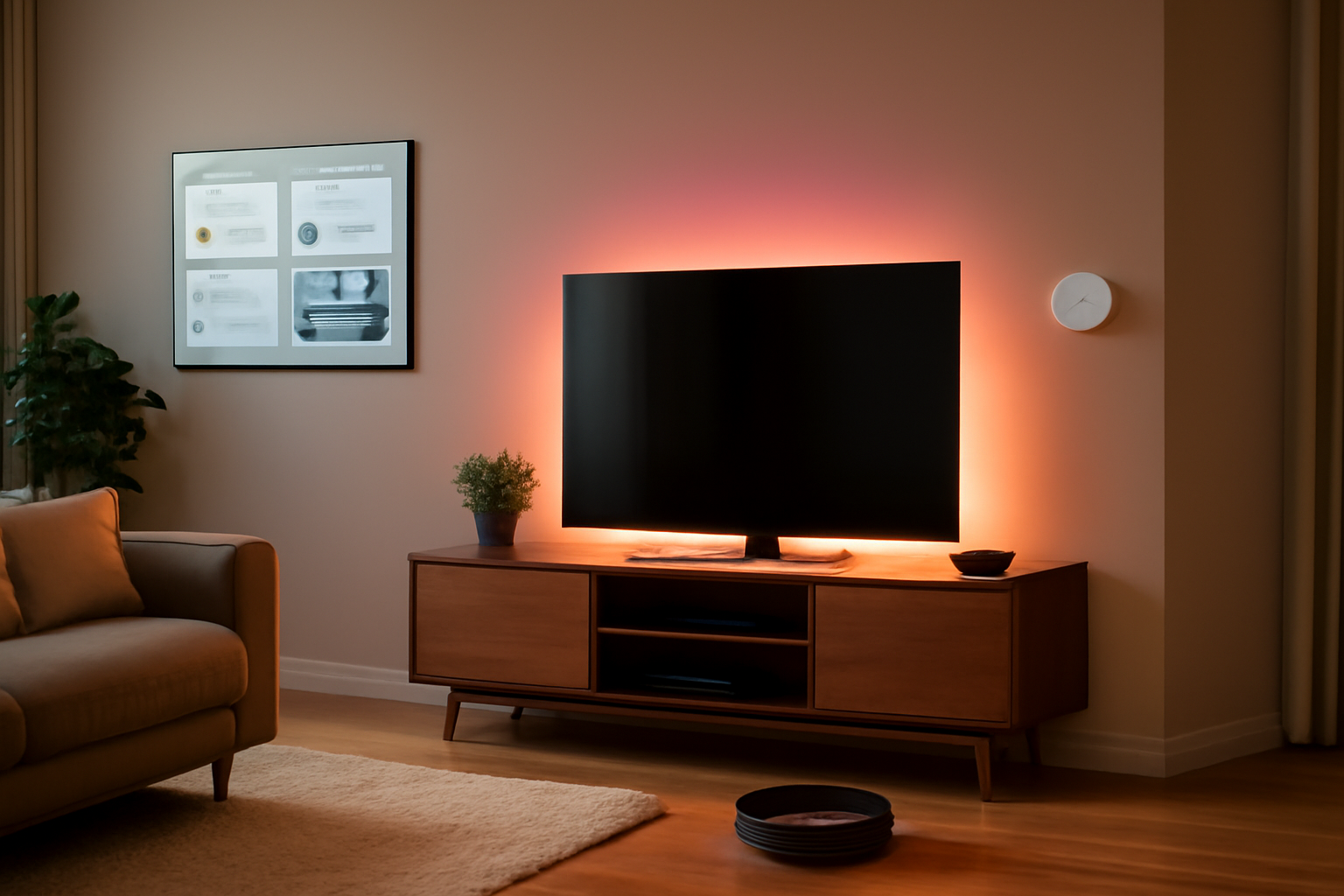
Is Your Home Finally Ready to Get Smart?
Smart home tech has exploded — but not every device deserves a spot in your house.
You’ve probably seen the ads: voice assistants, robot vacuums, smart locks, and thermostats that "learn" your schedule. The promise sounds great. The reality? A lot of smart home devices end up collecting dust after the novelty wears off — or worse, they become security liabilities.
According to Statista, the US smart home market surpassed $47 billion in 2025, with over 63 million households using at least one connected device. That’s impressive growth — but adoption doesn’t equal satisfaction. Consumer complaints about fragmented ecosystems, privacy concerns, and devices that stop working after a software update are at an all-time high.
This guide cuts through the noise. We tested and evaluated the most popular smart home devices across categories — from displays and speakers to security cameras and robot vacuums — so you can make a confident purchase decision in 2026. Whether you’re building a full smart home from scratch or just adding one or two devices, this listicle has you covered.
What Are Smart Home Devices — And Why They Matter in 2026
Smart home devices are internet-connected gadgets that automate, monitor, or control functions in your home — from lighting and temperature to locks and appliances. They’re typically managed through a smartphone app, a voice assistant, or a centralized hub.
What’s changed in 2026 is the rise of Matter, the universal smart home standard backed by Apple, Google, Amazon, and Samsung. Matter-compatible devices can communicate across ecosystems, meaning your Alexa-controlled light bulb can also work with Google Home or Apple HomeKit — without a workaround. This was a massive pain point for years, and Matter has largely resolved it for newer hardware.
According to a Gartner report from late 2025, over 70% of newly released smart home devices now support Matter protocol, up from just 28% in 2023. That’s a signal: the ecosystem wars are cooling down, and interoperability is finally becoming the norm.
Smart home devices matter for several reasons beyond convenience:
- Energy savings: Smart thermostats can reduce HVAC costs by 10–23% annually (EPA estimates)
- Home security: Connected cameras and locks provide real-time monitoring
- Accessibility: Voice-controlled devices help elderly or disabled users maintain independence
- Resale value: Homes with smart upgrades often command higher listing prices
The 7 Best Smart Home Devices of 2026
1. Amazon Echo Show 15 (2nd Gen) — Best Smart Display
The Echo Show 15 second generation brings a 15.6-inch Full HD touchscreen into your kitchen or living room and functions as a command center for your Alexa ecosystem. In our testing, the visual dashboard — showing calendars, sticky notes, Ring camera feeds, and widget shortcuts — was genuinely useful for families.
Amazon added a faster processor and improved far-field microphone array in the 2025 update. Alexa’s responses feel snappier, and the new "Household Hub" mode lets multiple family members pin personalized content. It also works as a digital photo frame when idle.
Best for: Families, Alexa ecosystem users, kitchen command centers
Price: $299
Verdict: If you’re already in the Alexa ecosystem, this is the best smart display on the market right now.
2. Google Nest Learning Thermostat (4th Gen) — Best Smart Thermostat
The Nest Learning Thermostat is the gold standard for energy efficiency. It learns your temperature preferences within a week and auto-adjusts based on occupancy, weather forecasts, and your schedule. According to Google’s own data, users save an average of 15% on cooling and 12% on heating bills annually.
The 4th generation model, released in late 2025, now includes a larger display with real-time energy usage graphs and full Matter support. Setup takes about 30 minutes if you have a C-wire. If you don’t, Google includes an adapter in the box.
Best for: Homeowners focused on energy savings, Google or Apple HomeKit users
Price: $279
Verdict: Worth every dollar if you own your home. Renters should check landlord approval first.
3. Arlo Pro 5S — Best Outdoor Security Camera
Arlo has long dominated the premium home security camera segment, and the Pro 5S continues that trend. It shoots in 2K resolution with color night vision, has a 160-degree field of view, and includes a built-in spotlight and siren. Battery life lasts up to six months on a charge in our real-world testing — well above most competitors.
Arlo’s AI-powered detection differentiates between people, vehicles, animals, and packages — reducing false alerts dramatically. According to IDC, Arlo holds 22% of the US premium home camera market as of early 2026.
Best for: Homeowners, renters with outdoor space, anyone who’s had a package theft
Price: $249 (camera only); $12.99/month for Arlo Secure subscription
Verdict: Premium price, premium results. The subscription is optional but unlocks most of the AI features.
4. Eufy RoboVac X10 Pro Omni — Best Robot Vacuum
Robot vacuums have come a long way from bumping into walls. The Eufy RoboVac X10 Pro Omni uses LiDAR navigation to map your home with precision, avoids obstacles in real time, and self-empties into a base station that holds up to 60 days of debris. It also mops — with auto mop-lifting when it detects carpet.
In our week-long test on a 1,800 sq ft home with hardwood floors and area rugs, it handled transitions seamlessly and missed very few spots after the first full mapping session. Suction power hits 8,000 Pa — strong enough to pull pet hair from low-pile carpet.
Best for: Pet owners, busy households, open floor plans
Price: $799
Verdict: Expensive upfront, but it replaces a lot of manual vacuuming hours. One of the most capable robots you can buy without paying Roomba’s flagship price.
5. Schlage Encode Plus — Best Smart Lock
Smart locks are one of the most practical smart home upgrades, and the Schlage Encode Plus is the one we’d recommend to most people. It supports Apple Home Key (tap to unlock with your iPhone or Apple Watch), has a built-in keypad for codes, and works with Alexa, Google, and HomeKit.
Unlike cheaper alternatives, the Schlage Encode Plus has a Grade 1 ANSI security rating — the highest for residential locks. It runs on AA batteries that last about 6 months. No hub required; it connects directly via Wi-Fi.
Best for: Apple users, Airbnb hosts, households with frequent guests
Price: $299
Verdict: The combination of Apple Home Key and top-tier physical security makes this the smart lock to beat in 2026.
6. Philips Hue Gradient Lightstrip — Best Smart Lighting
If you’re getting into smart lighting, Philips Hue remains the most reliable ecosystem with the widest product range. The Gradient Lightstrip is particularly impressive — it displays multiple colors simultaneously along its length, syncing with your TV or music through the Hue Sync Box.
Hue’s Matter support means these lights now work natively across Alexa, Google, and HomeKit without a third-party bridge. The app-based automation is intuitive, and Hue’s bulbs are rated for 25,000+ hours of use.
Best for: Home theater enthusiasts, mood lighting setups, anyone building a Hue ecosystem
Price: $109–$229 depending on length
Verdict: Not the cheapest option, but Hue’s reliability and ecosystem depth justify the premium.
7. Amazon Echo Pop — Best Budget Smart Speaker
Not everyone needs a $200 smart speaker. The Echo Pop delivers solid Alexa functionality — voice control, smart home integration, music playback, routines — in a compact half-sphere design that fits on a nightstand or bookshelf. Sound quality is decent for its size, though it won’t replace a proper speaker.
At $39.99, it’s the best entry point into a smart home voice assistant. It supports Matter, which means you can use it to control devices from virtually any brand.
Best for: First-time smart home buyers, bedrooms, kids’ rooms
Price: $39.99
Verdict: The easiest and cheapest way to get started with voice-controlled smart home tech.
Pros and Cons of Building a Smart Home in 2026
✅ Pros
- Better interoperability: Matter has drastically reduced ecosystem lock-in, making it easier to mix brands
- Genuine energy savings: Smart thermostats and lighting controls can meaningfully reduce monthly utility bills
- Improved security features: AI-powered cameras now reduce false alerts and improve real threat detection
- More affordable entry points: Devices like the Echo Pop make smart home tech accessible under $40
❌ Cons
- Subscription creep: Many devices lock key features behind monthly plans (Arlo, Ring, Nest Aware), adding up quickly
- Privacy concerns: Always-on microphones and cameras raise legitimate data collection worries — especially with cloud-dependent services
- Setup complexity: Despite progress, some devices still require specific hubs, C-wires, or router configurations that frustrate less technical users
Who Should Build a Smart Home in 2026?
Homeowners: You’ll see the best ROI since you can install thermostats, smart locks, and cameras without landlord approval — and the upgrades may increase property value.
Renters: Stick to renter-friendly devices — smart speakers, plug-in cameras, smart plugs, and portable lightstrips. Avoid anything requiring installation like smart locks or hardwired thermostats without checking your lease first.
Remote workers: Smart lighting and thermostats that react to your schedule can meaningfully improve your home office environment and cut energy costs during off-hours.
Parents and families: Smart displays, robot vacuums, and automated routines reduce household management friction. Monitoring cameras also give parents peace of mind.
Tech beginners: Start with a single Echo Pop or Google Nest Mini. Get comfortable with voice commands before investing in a full ecosystem.
Pricing Overview: What to Expect to Spend
Building a smart home doesn’t have to happen all at once. Here’s a realistic budget breakdown:
- Starter setup (speaker + smart plug + one smart bulb): $60–$100
- Intermediate setup (thermostat + camera + smart lock): $600–$900
- Full home setup (all of the above + robot vacuum + smart display + lighting): $1,500–$2,500+
Watch out for ongoing subscription costs. Ring Protect runs $10–$20/month. Arlo Secure is $12.99–$17.99/month. Nest Aware starts at $8/month. These costs add up — factor them in when comparing devices that "seem" cheaper upfront.
Alternatives to Consider
If you’re fully in the Apple ecosystem: Consider building around Apple Home with HomePod mini as your hub. It’s more private (processing happens on-device) and integrates seamlessly with iPhone, iPad, and Mac. The trade-off is a smaller device catalog compared to Alexa or Google.
If you want local control (no cloud): Home Assistant is an open-source platform that runs on a local server (like a Raspberry Pi or dedicated NUC). It’s free, extremely powerful, and doesn’t send data to third-party clouds. The downside: it requires significant technical setup and ongoing maintenance.
If budget is the priority: TP-Link Tapo devices offer solid smart plugs, bulbs, and cameras at prices significantly below premium brands. They’ve improved their app and added Matter support. Performance isn’t at Arlo or Hue levels, but for basic automation, they’re a legitimate option.
Frequently Asked Questions
Do smart home devices work without internet?
Most require an internet connection for setup and cloud-based features like remote access and AI alerts. However, Matter-compatible devices can still operate locally on your home network for basic functions (turning lights on/off, adjusting thermostat) even during an outage. Home Assistant takes this the furthest with full local control.
Are smart home devices a privacy risk?
They can be. Always-on microphones and internet-connected cameras do collect data. To minimize risk: change default passwords, enable two-factor authentication, keep firmware updated, and review the privacy policy of each device manufacturer. Devices with local processing (like Apple HomePod) generally expose less data than fully cloud-dependent alternatives.
What is Matter and why does it matter?
Matter is a universal connectivity standard developed by the Connectivity Standards Alliance (backed by Apple, Google, Amazon, and Samsung). It allows smart home devices to work across different ecosystems without brand restrictions. If a device is Matter-certified, it will work with Alexa, Google Home, Apple HomeKit, and SmartThings simultaneously.
Can I build a smart home if I rent?
Yes — with limitations. Focus on devices that don’t require permanent installation: smart speakers, smart plugs, plug-in cameras, portable lightstrips, and Bluetooth door sensors. Avoid hardwired thermostats or smart locks unless you have explicit landlord permission.
Which smart home ecosystem is best in 2026?
With Matter leveling the playing field, the best ecosystem is now the one you’re already in. If you use iPhone heavily, lean toward Apple HomeKit. If you’re Android-based, Google Home is seamless. If you just want the broadest device selection and cheapest entry point, Alexa still wins on volume. Any Matter-certified device will work across all three.
Final Verdict: Build Smart, Buy Smart
The smart home space in 2026 is genuinely better than it’s ever been. Matter has reduced the ecosystem headaches that frustrated early adopters, AI-powered detection has made cameras and doorbells actually useful, and entry-level prices have dropped to the point where there’s no good reason not to start small.
Our top pick for most people is simple: start with a Nest Learning Thermostat for immediate savings and an Arlo Pro 5S for security. Add lighting and voice control as your budget allows. If you’re already deep in the Apple ecosystem, swap the thermostat for an Apple-certified alternative and build from there.
Don’t overbuy. One well-chosen smart device that you actually use beats five dusty gadgets that seemed cool in the store. Start with the problem you want to solve — energy waste, security, convenience — and build from there.