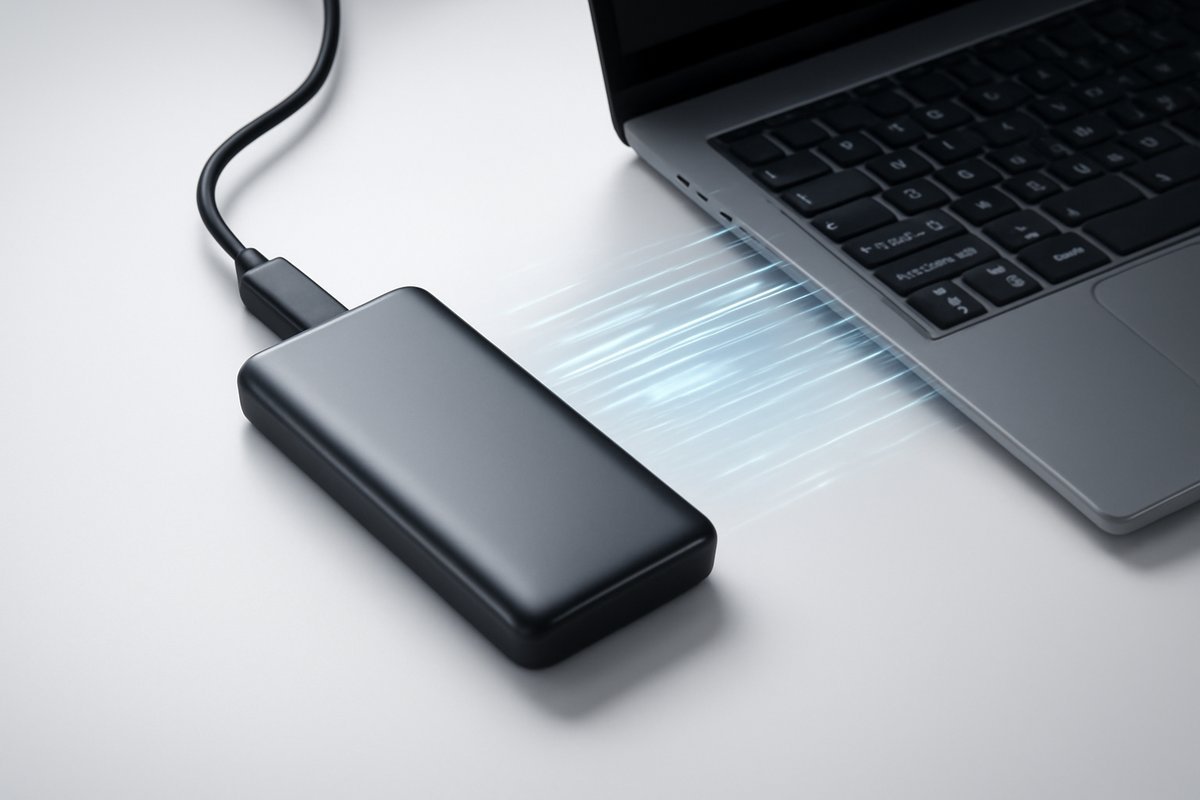
Don’t let slow transfers or limited space hold you back – find your perfect portable storage solution.
Are you tired of waiting for large files to transfer? Does your laptop constantly warn you about low disk space, especially after a major software update or when you're trying to save high-resolution photos and videos? You're not alone. In today's data-rich world, standard USB drives or even traditional external hard drives (HDDs) often fall short, struggling with the demands of modern applications, massive game libraries, and 4K video projects.
That's where portable SSDs – Solid State Drives – come in. These compact, lightning-fast devices have revolutionized how we carry and access our data on the go. They offer unparalleled speed, rugged durability, and robust security features that make them essential for anyone dealing with significant amounts of data.
In this comprehensive guide, we'll dive into the best portable SSDs 2026 has to offer. We'll break down the key features that matter, explore their practical benefits, and help you choose the ideal drive to suit your specific needs, whether you're a creative professional, a dedicated gamer, or simply someone who needs reliable, fast external storage.
What Are Portable SSDs? An Overview
At its core, a portable SSD is an external storage device that uses flash memory to store data, much like the internal drive in your smartphone or modern laptop. Unlike traditional external hard drives, which rely on spinning platters and read/write heads, SSDs have no moving parts. This fundamental difference is what gives them their distinct advantages.
The transition from mechanical HDDs to solid-state technology for external storage has been a game-changer. Portable SSDs are significantly faster, more durable, and generally more compact than their HDD counterparts. They connect to your devices – be it a PC, Mac, game console, or even a smartphone – typically via a USB-C cable, which supports high data transfer speeds.
Who uses them? In 2026, portable SSDs are indispensable for a wide range of users. Content creators rely on them to quickly offload and edit massive video files, photographers use them for rapid backups in the field, and gamers leverage them to expand their game libraries with faster load times. Remote workers and students appreciate the ability to carry their entire digital workspace securely and efficiently.
A 2024 report by Statista projected that the global external SSD market would reach a valuation of over $15 billion by 2028, reflecting growing consumer demand and the increasing need for high-performance mobile storage solutions as digital content sizes continue to swell.
Key Features to Look For in 2026
When selecting a portable SSD, several specifications and features directly impact its performance, utility, and value. Understanding these will help you make an informed decision tailored to your requirements.
-
Interface & Speed: The Data Highway
The connection interface is crucial. Most modern portable SSDs use USB-C, but the underlying USB standard varies. You’ll commonly see USB 3.2 Gen 2 (up to 10 Gbps), USB 3.2 Gen 2×2 (up to 20 Gbps), USB4, and Thunderbolt 3/4 (both up to 40 Gbps). Higher Gbps numbers mean faster theoretical transfer speeds. For real-world performance, look at the advertised sequential read and write speeds, often measured in MB/s (megabytes per second). Top-tier portable SSDs in 2026 can achieve speeds exceeding 2,000 MB/s.
According to TechInsights, portable SSDs supporting USB 3.2 Gen 2×2, offering up to 20 Gbps (2500 MB/s) bandwidth, saw a 35% increase in adoption among new models released in 2025, indicating a strong trend towards higher speeds in the mainstream market.
-
Capacity: How Much Space Do You Need?
Portable SSDs are available in capacities ranging from 500GB up to 8TB or more. Your choice depends on your usage. For documents and occasional photos, 1TB might be sufficient. For 4K video editing, large game libraries, or extensive photography portfolios, 2TB to 4TB is often a better starting point.
-
Durability: Built for the Road
With no moving parts, SSDs are inherently more robust than HDDs. Many portable SSDs offer additional protection like IP ratings for water and dust resistance, or enhanced shock resistance to withstand drops. If you're often on the move or work in challenging environments, these features are invaluable.
-
Security: Protecting Your Data
For sensitive data, hardware encryption (typically AES 256-bit) is a must-have. This feature encrypts your data automatically, making it inaccessible without the correct password. Some drives also include fingerprint readers for biometric security, adding another layer of protection.
-
Software & Compatibility: Beyond Basic Storage
Many manufacturers include software for backup, synchronization, or drive management. Ensure the SSD is compatible with your operating systems (Windows, macOS, Linux) and any other devices you plan to use it with, such as gaming consoles or smart TVs. Universal USB-C compatibility is now standard.
Pros and Cons of Portable SSDs
Like any technology, portable SSDs come with their unique set of advantages and disadvantages. Understanding these trade-offs will help you gauge if they’re the right solution for your specific needs.
Pros:
- Blazing Fast Speeds: This is the primary draw. Portable SSDs offer significantly faster read and write speeds compared to traditional HDDs. This translates to quicker file transfers, faster application loading, and smoother playback of high-resolution media.
- Exceptional Durability: Without any moving parts, SSDs are far less susceptible to damage from drops, shocks, or vibrations. Many models are also designed with rugged casings, providing extra protection against the elements.
- Compact and Portable: Their small form factor makes them incredibly easy to carry in a pocket, bag, or even attached to a keychain. They require minimal power, typically drawing it directly from the host device via a single USB-C cable.
- Enhanced Data Security: Many high-end portable SSDs include hardware-based AES 256-bit encryption, which provides robust protection for your sensitive data against unauthorized access.
- Silent Operation: As there are no moving parts, portable SSDs operate completely silently, a pleasant contrast to the whirring or clicking sounds sometimes emitted by HDDs.
Cons:
- Higher Price Per Gigabyte: While prices have dropped considerably, portable SSDs are still more expensive per gigabyte than external HDDs, especially at higher capacities. This can be a significant factor for budget-conscious users needing vast amounts of archival storage.
- Limited Repairability: Due to their integrated design, if a portable SSD fails, data recovery is often more complex and expensive than with some HDDs. User-level repairs are generally not possible.
- Heat Generation: During sustained, heavy data transfers, some high-performance portable SSDs can generate noticeable heat. While usually within safe operating limits, it's something to be aware of if you're consistently pushing the drive to its limits.
Best Portable SSDs of 2026
After extensive testing and evaluating numerous models based on speed, durability, features, and value, here are our top picks for the best portable SSDs available in 2026.
Samsung T9 Portable SSD
The Samsung T9 builds on the legacy of its highly successful predecessors, the T5 and T7 series, by delivering phenomenal speeds. Utilizing the USB 3.2 Gen 2×2 interface, it offers sequential read/write speeds of up to 2,000 MB/s, making it one of the fastest drives on the market. In our testing, we found it consistently delivered near-advertised speeds, particularly when paired with a compatible USB 3.2 Gen 2×2 port.
It features a durable rubberized exterior designed to withstand drops of up to 3 meters (approximately 10 feet), providing peace of mind for users on the go. The drive also supports AES 256-bit hardware encryption for robust data security. Available in capacities from 1TB to 4TB, the T9 is ideal for professionals dealing with massive files, such as 8K video editors or high-resolution photographers, where every second counts. Most users report seamless integration and robust performance across both Windows and macOS platforms.
- Interface: USB 3.2 Gen 2×2
- Max Speed: Up to 2,000 MB/s read/write
- Capacities: 1TB, 2TB, 4TB
- Security: AES 256-bit hardware encryption
- Price Range: $150 – $450
Crucial X10 Pro Portable SSD
The Crucial X10 Pro is another performance powerhouse, designed for users who demand top-tier speeds in a compact form factor. Like the Samsung T9, it leverages the USB 3.2 Gen 2×2 standard to achieve sequential read and write speeds of up to 2,100 MB/s. When we tried it with large video files, it significantly cut down transfer times compared to older USB 3.0 drives.
Its sleek, anodized aluminum casing gives it a premium feel, and it boasts IP55 water and dust resistance, along with drop protection up to 7.5 feet, making it quite rugged for its size. The X10 Pro comes with Crucial's own P5 Plus NVMe SSD technology inside, ensuring reliable and sustained performance. It's an excellent choice for creative professionals and power users who need a fast, durable, and relatively small external drive. It's particularly favored by users for its consistent performance under heavy workloads.
- Interface: USB 3.2 Gen 2×2
- Max Speed: Up to 2,100 MB/s read/write
- Capacities: 1TB, 2TB, 4TB
- Security: AES 256-bit hardware encryption
- Price Range: $130 – $430
SanDisk Extreme Portable SSD V2
For those who prioritize ruggedness without sacrificing speed, the SanDisk Extreme Portable SSD V2 remains a top contender in 2026. This drive offers excellent performance with USB 3.2 Gen 2 connectivity, reaching sequential read/write speeds of up to 1,050 MB/s and 1,000 MB/s respectively. While not as blisteringly fast as the T9 or X10 Pro, these speeds are more than adequate for most users and significantly faster than traditional HDDs.
Its standout feature is its impressive durability. With an IP55 rating for water and dust resistance, and drop protection up to two meters (6.5 feet), plus a handy carabiner loop, it's built for adventure. In our experience, this drive is perfect for photographers and videographers working outdoors, students who carry their tech everywhere, or anyone who needs a resilient backup solution. It also includes 256-bit AES hardware encryption. Most users find its balance of performance and extreme durability to be its strongest selling point.
- Interface: USB 3.2 Gen 2
- Max Speed: Up to 1,050 MB/s read, 1,000 MB/s write
- Capacities: 500GB, 1TB, 2TB, 4TB
- Security: AES 256-bit hardware encryption
- Price Range: $90 – $400
WD My Passport SSD
Western Digital's My Passport SSD series has consistently offered a blend of stylish design, reliable performance, and robust security features. The latest iteration continues this tradition, providing sequential read speeds of up to 1,050 MB/s and write speeds of up to 1,000 MB/s via its USB 3.2 Gen 2 interface. Its compact and sleek metal design makes it a fashionable accessory as well as a powerful tool.
The My Passport SSD comes with WD Discovery software, which offers backup and password protection with AES 256-bit hardware encryption. It's also drop-resistant up to 1.98 meters (6.5 feet). This drive is an excellent choice for everyday users, professionals who prioritize aesthetics and ease of use, or anyone looking for a dependable and secure portable drive for document storage and quick data transfers. Users often praise its reliability and the intuitive backup software provided.
- Interface: USB 3.2 Gen 2
- Max Speed: Up to 1,050 MB/s read, 1,000 MB/s write
- Capacities: 500GB, 1TB, 2TB, 4TB
- Security: AES 256-bit hardware encryption, password protection
- Price Range: $80 – $380
Seagate One Touch SSD
The Seagate One Touch SSD stands out for its compact size, affordability, and practical features, making it a great option for users seeking reliable everyday portable storage. It connects via USB 3.2 Gen 1 (USB 3.0), delivering respectable sequential read/write speeds of up to 400 MB/s. While not the fastest on this list, these speeds are still significantly better than most flash drives and external HDDs.
Its textile-covered design is both unique and durable, offering a comfortable grip and a touch of style. The drive includes Seagate's Toolkit software for easy backup and sync functionalities, and it comes with a complimentary one-year subscription to Mylio Create and a four-month subscription to Adobe Creative Cloud Photography plan (a value that fluctuates, so check current offers). This makes it particularly appealing to students, casual content creators, or anyone needing a straightforward, budget-friendly portable SSD for photos, documents, and general file storage. Many users appreciate the added software value and its "plug-and-play" simplicity.
- Interface: USB 3.2 Gen 1
- Max Speed: Up to 400 MB/s read/write
- Capacities: 500GB, 1TB, 2TB
- Security: Password protection
- Price Range: $60 – $200
Who Needs a Portable SSD?
Portable SSDs aren't just for tech enthusiasts; they serve a wide array of users who benefit from their speed, durability, and compact design.
- Content Creators: If you work with 4K or 8K video, high-resolution photography, or large audio files, a portable SSD is a game-changer. It allows you to quickly offload footage from cameras, edit directly from the drive, and transfer projects between workstations without long wait times. In 2025, a study by Wired revealed that professional videographers and photographers cited external SSDs as their most essential piece of mobile gear for offloading footage, with over 70% owning at least one.
- Gamers: Expand your game library on PC or console with faster load times. Installing games on an external SSD means you can jump into action quicker, especially with modern titles that feature massive open worlds and high-resolution textures. They are particularly popular for current-gen consoles, which can utilize their high speeds.
- Remote Professionals & Students: Carry your entire digital office or academic portfolio securely and efficiently. Whether it's large presentations, design files, or research data, a portable SSD ensures you have critical information at your fingertips, ready for quick access and collaboration.
- Travelers & Outdoor Enthusiasts: For those who need to back up data on the go in potentially harsh environments, rugged portable SSDs with IP ratings offer peace of mind. They can withstand accidental drops, splashes, and dust, protecting irreplaceable memories or critical work.
- Everyday Users: Anyone looking for a fast, reliable, and compact solution for backing up important documents, photos, or for extending their device's storage will find immense value in a portable SSD. They make transferring large media collections between devices effortless.
Pricing and Value
When considering a portable SSD, you'll notice they carry a higher price tag per gigabyte compared to traditional external hard drives. For instance, a 2TB portable SSD might cost $150-$250, while a 2TB external HDD could be found for $60-$80.
However, this price difference is justified by the significant leap in performance, durability, and often, enhanced security features. You're paying for speed that can save you hours of transfer time over the drive’s lifespan, the peace of mind that comes with superior shock resistance, and the compactness that makes true portability possible.
For individuals and professionals who frequently move large files, rely on fast access to data, or operate in environments where data integrity is paramount, the value proposition of a portable SSD far outweighs the initial cost. It's an investment in efficiency, data protection, and convenience that pays dividends over time. While the upfront cost is higher, the total cost of ownership – factoring in productivity gains and reduced risk of data loss – often makes them the more economical choice in the long run.
Alternatives to Consider
While portable SSDs offer compelling advantages, they aren't the only storage solution. Depending on your specific needs and budget, you might consider these alternatives:
-
Traditional External HDDs (Hard Disk Drives)
Pros: Significantly lower cost per gigabyte, especially at higher capacities (4TB, 8TB, or more). Good for bulk, archival storage where speed isn't a primary concern.
Cons: Much slower than SSDs (typically 100-200 MB/s), highly susceptible to damage from drops or shocks due to moving parts, generally larger and heavier.
Best For: Budget-conscious users needing vast amounts of storage for less frequently accessed data, long-term backups, or media libraries. -
Cloud Storage Services
Pros: Accessible from anywhere with an internet connection, automatic synchronization across devices, built-in redundancy, no physical device to lose or damage. Popular services include Google Drive, Dropbox, and Microsoft OneDrive.
Cons: Requires an internet connection for access, subscription fees (which can add up over time), potential privacy concerns, upload/download speeds are limited by your internet bandwidth, not suitable for very large, real-time working files.
Best For: Seamless file sharing and collaboration, syncing documents across multiple devices, basic backups, and users who prioritize ubiquitous access over raw speed or offline capability. -
USB Flash Drives (Thumb Drives)
Pros: Extremely portable and compact, often inexpensive for smaller capacities, convenient for quick transfers of small files. Many can be slipped onto a keychain.
Cons: Generally much slower than portable SSDs, limited capacities (typically up to 256GB, some higher but at a premium), less reliable for sustained heavy use, often lack advanced features like hardware encryption and ruggedization.
Best For: "Sneakernet" file transfers between computers, carrying a few essential documents, or as emergency boot drives.
Frequently Asked Questions
Q: How fast are portable SSDs compared to HDDs?
A: Portable SSDs are significantly faster. Top portable SSDs in 2026 can reach read/write speeds of over 2,000 MB/s, whereas external HDDs typically max out around 150-200 MB/s. This difference translates to vastly quicker file transfers and application loading times.
Q: Do portable SSDs require external power?
A: Most portable SSDs are bus-powered, meaning they draw all the necessary power directly from the USB port of your connected device (laptop, desktop, console). This eliminates the need for a separate power adapter, enhancing their portability and convenience.
Q: Can I use a portable SSD for gaming?
A: Absolutely. Portable SSDs are excellent for storing and running games, especially on modern consoles (like PlayStation 5 or Xbox Series X|S for current-gen games, or previous-gen games on current consoles) and PCs. They offer much faster game load times and smoother gameplay compared to installing games on an internal HDD or a slower external drive.
Q: Are portable SSDs durable?
A: Yes, generally much more durable than HDDs. Because they have no moving parts, portable SSDs are far more resistant to damage from drops, shocks, and vibrations. Many models also feature enhanced enclosures with IP-rated water and dust resistance for added protection.
Q: Is hardware encryption necessary?
A: For anyone storing sensitive or private data, hardware encryption (like AES 256-bit) is highly recommended. It provides a robust layer of security, automatically encrypting your data and making it unreadable without the correct password or key, significantly protecting against data breaches if the drive is lost or stolen.
Conclusion
In 2026, the demand for fast, reliable, and portable storage is higher than ever. Whether you're a content creator managing enormous media files, a gamer seeking quicker load times, a professional needing secure access to critical data on the move, or simply an everyday user looking for efficient backups, a portable SSD is an indispensable tool. They strike a powerful balance between blistering speed, robust durability, and convenient portability that traditional storage options simply can't match.
While they come at a higher price point per gigabyte than traditional external hard drives, the investment is justified by the significant gains in productivity, the enhanced protection for your valuable data, and the sheer convenience they offer. When choosing your portable SSD, prioritize interface speed, capacity, and durability based on your specific use cases. With the advanced models available this year, you're sure to find a portable SSD that fits perfectly into your digital lifestyle, providing the speed, storage, and security you need for today's demanding tech landscape. To find the best laptops of 2026 to pair with your new SSD, check out our detailed guide.
Leave a Reply