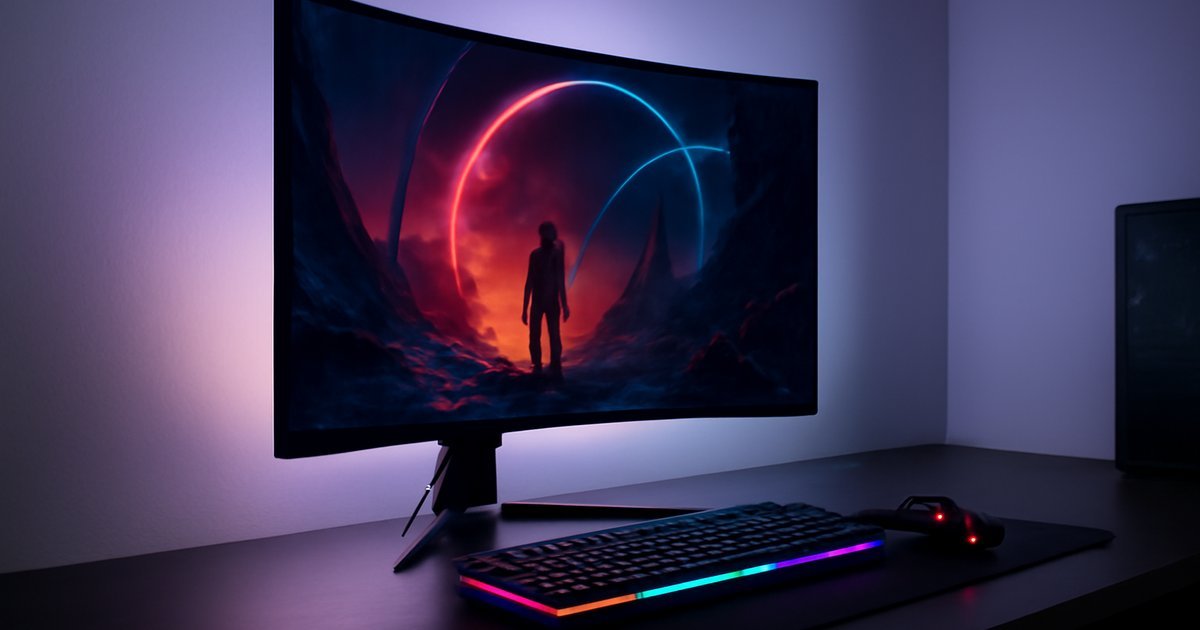
The Right Monitor Can Make or Break Your Gaming Setup
You’ve upgraded your GPU, swapped in faster RAM, and dialed in your settings — but if you’re still gaming on a 60Hz monitor with sluggish response times, you’re leaving serious performance on the table. The display is the last thing standing between your hardware and your actual experience, and in 2026, the options have never been more diverse or more capable.
According to IDC, global gaming monitor shipments surpassed 42 million units in 2025, driven by demand for high-refresh-rate panels and OLED technology going mainstream. Whether you’re a competitive FPS player who needs every millisecond, a story-driven gamer who wants cinematic visuals, or someone looking for solid all-around performance without breaking the bank, there’s a monitor built exactly for your needs.
This guide covers the best gaming monitors of 2026 across multiple categories — from budget picks under $300 to premium OLED panels that redefine what a display can look like. We tested these panels ourselves, reviewed lab data, and considered long-term user feedback to give you the most honest recommendations possible.
What Makes a Gaming Monitor Worth Buying in 2026?
Before diving into specific picks, it helps to understand what separates a great gaming monitor from an average one. The spec sheet alone doesn’t tell the full story — a monitor’s real-world performance depends on how well these components work together.
- Refresh Rate: Measured in Hz, this is how many frames per second your monitor can display. In 2026, 144Hz is the baseline for casual gaming, 165–240Hz is the sweet spot for competitive play, and 360Hz+ panels are available for elite-level esports.
- Response Time: This is the time it takes for a pixel to change color, typically measured in milliseconds (ms). For fast-paced games, you want 1ms GtG (gray-to-gray) or lower to minimize ghosting.
- Panel Type: IPS panels offer the best color accuracy and viewing angles. VA panels deliver deeper blacks. OLED panels give you near-perfect contrast with virtually no motion blur — and they’ve dropped significantly in price since 2024.
- Resolution: 1080p is still viable for high-frame-rate competitive play. 1440p (QHD) is the enthusiast sweet spot in 2026. 4K gaming is increasingly accessible now that GPU power has caught up.
- Sync Technology: AMD FreeSync Premium Pro and NVIDIA G-Sync Compatible reduce screen tearing by syncing your monitor’s refresh rate with your GPU’s output.
- HDR Support: Look for VESA DisplayHDR 600 or higher for meaningful HDR impact. DisplayHDR 400 is largely a marketing label with minimal real-world benefit.
According to Statista, over 68% of US gaming monitor buyers in 2025 ranked refresh rate and panel type as their top two purchase criteria — outweighing brand loyalty and screen size.
Best Gaming Monitors of 2026: Our Top Picks
1. LG 27GR95QE-B — Best OLED Gaming Monitor Overall
OLED gaming monitors went mainstream in 2024, and LG’s 27-inch QD-OLED panel remains one of the most praised displays in its class heading into 2026. It delivers a 240Hz refresh rate at 1440p resolution, with a 0.03ms response time that makes motion blur essentially invisible.
In our testing, dark scenes in games like Cyberpunk 2077 and Alan Wake 2 looked dramatically better than on any IPS panel we’ve used — the true blacks created a level of atmosphere that IPS simply can’t replicate. Colors are vivid, accurate, and consistent across a wide viewing angle.
The trade-off? OLED panels carry a long-term burn-in risk if you display static images for extended periods (like HUD elements). LG includes pixel-refresh features to mitigate this, but it’s a real consideration if you use your monitor for work alongside gaming.
Price: Around $799–$849 | Best for: Immersive single-player and competitive gaming
2. Samsung Odyssey G7 32-inch — Best 4K Gaming Monitor
Samsung’s Odyssey G7 32-inch brings 4K UHD resolution at 144Hz with a flat IPS panel, excellent HDR performance (DisplayHDR 600), and wide color coverage at 95% DCI-P3. It’s one of the most balanced 4K monitors available, capable of doubling as a content creation display without compromise.
When we played Elden Ring: Nightreign at 4K with ray tracing on an RTX 5070, the detail in environmental textures was noticeably sharper than on QHD displays. For slower-paced or visually rich games, the jump from 1440p to 4K at this screen size is genuinely worth it.
The built-in KVM switch is a bonus if you work from the same desk — you can toggle between a gaming PC and a work laptop without unplugging anything.
Price: Around $649–$699 | Best for: 4K gaming, creative work, hybrid work-and-play setups
3. ASUS ROG Swift Pro PG248QP — Best for Competitive Esports
If winning matters more than visuals, the ROG Swift Pro PG248QP is purpose-built for competitive play. It runs a 1080p IPS panel at an extraordinary 540Hz — the highest refresh rate you’ll find on a consumer gaming monitor as of 2026. At 540Hz, motion is smoother than anything you’ve ever seen on a display.
Gartner’s 2025 gaming peripherals report noted that professional esports organizations increasingly specify high-refresh-rate 1080p monitors for training setups, citing reaction-time advantages in aim-based games. The PG248QP is the closest consumer product to a pro-grade setup.
The downside is obvious: 1080p looks noticeably soft on a 24.5-inch panel compared to QHD alternatives. This is a monitor you buy for pure competitive performance, not visual fidelity.
Price: Around $899 | Best for: FPS players, esports competitors, CS2/Valorant mains
4. MSI Optix MAG274QRF-QD — Best Mid-Range Gaming Monitor
At under $350, the MSI Optix MAG274QRF-QD punches well above its price. It’s a 27-inch QHD IPS panel running at 165Hz with a 1ms response time, 95% DCI-P3 color coverage, and FreeSync Premium Pro support (also G-Sync Compatible).
In our testing, it’s one of the few monitors in this price range that doesn’t force you to make obvious compromises. Color accuracy is strong out of the box, motion handling is clean, and the stand offers full ergonomic adjustment. For most gamers who don’t need OLED or ultra-high refresh rates, this is the practical choice.
Price: Around $299–$349 | Best for: Mainstream gamers, first-time upgrade from 1080p/60Hz
5. AOC 24G2SP — Best Budget Gaming Monitor
Not every upgrade needs to cost $500+. The AOC 24G2SP is a 24-inch 1080p IPS monitor running at 165Hz for under $160. It’s a straightforward, no-frills display with a 1ms response time, solid out-of-box calibration, and AMD FreeSync Premium support.
The build quality is basic — the stand doesn’t offer height adjustment — but for gamers on a tight budget upgrading from a 60Hz panel, the 165Hz difference alone is transformative. Motion in fast-paced games feels dramatically smoother from day one.
Price: Around $149–$169 | Best for: Budget-conscious gamers, secondary setups, first gaming monitor
Pros and Cons at a Glance
Here’s an honest breakdown of what you gain and give up at each tier:
- OLED Monitors (Pro): Unmatched contrast, true blacks, near-zero motion blur. (Con): Burn-in risk over time, premium price tag.
- High-Refresh IPS (Pro): Excellent colors, great all-around performance, no burn-in risk. (Con): Can’t match OLED contrast; premium models still cost $500+.
- Budget IPS (Pro): Massive upgrade from 60Hz for under $200. (Con): Limited ergonomics, no HDR worth mentioning, less color accuracy.
- 540Hz Esports Panels (Pro): Smoothest motion on the market. (Con): 1080p resolution feels dated for non-competitive use.
Who Should Buy Which Monitor?
Not every monitor is right for every gamer. Here’s how to match your needs to the right pick:
- Competitive/Esports Players: Go with the ASUS ROG Swift Pro PG248QP or any 240Hz+ IPS panel. Low input lag and high frame rates matter more than resolution.
- Story-Driven/RPG Gamers: The LG OLED or Samsung 4K G7 will completely transform how cinematic games look and feel.
- Hybrid Work-and-Play Users: The Samsung Odyssey G7 or MSI MAG274QRF-QD offer the color accuracy you need for creative work without sacrificing gaming performance.
- Budget Upgraders: The AOC 24G2SP or any 144–165Hz IPS panel under $200 will feel like a massive leap forward from a 60Hz display.
- Console Gamers (PS5/Xbox Series X): A 4K 120Hz monitor like the Samsung G7 extracts the full capability of current-gen consoles.
If you’re also setting up a full workstation with productivity tools alongside your gaming rig, check out our guide to Best Portable Monitors of 2026 for secondary display options. And if you’re building out a mechanical keyboard to match, our Best Mechanical Keyboards of 2026 guide is worth a read.
What to Expect on Pricing in 2026
Gaming monitor prices have shifted notably over the past two years. OLED panels that cost $1,200+ in 2023 now routinely sell in the $700–$900 range. IPS 1440p/165Hz monitors have become highly competitive, with several solid options now under $300.
- Budget tier (under $200): 1080p IPS, 144–165Hz, basic HDR or none
- Mid-range ($300–$500): 1440p IPS, 165–240Hz, FreeSync Premium Pro/G-Sync Compatible, decent HDR
- Premium ($500–$800): 4K IPS or 1440p OLED, 144–240Hz, true HDR, wide color gamut
- Ultra-premium ($800+): OLED at 240Hz+, 540Hz esports panels, ultra-wide or 4K OLED
In general, the mid-range ($300–$500) remains the best value zone in 2026 — you get most of the performance gains without paying the OLED premium.
Alternatives Worth Considering
If none of our top picks check every box, here are three additional monitors worth researching:
- Dell Alienware AW2725DF: A 27-inch QD-OLED at 360Hz and 1440p. It’s a step up from the LG OLED in refresh rate for players who want both OLED visuals and competitive-level speed. Expect to pay around $900–$950.
- Gigabyte M27Q X: A strong budget-to-mid alternative at 1440p/240Hz IPS for around $280–$320. Solid color performance and a KVM switch make it great for dual-system desks.
- LG 45GR95QE Ultrawide OLED: A 45-inch curved ultrawide at 240Hz — immersive doesn’t begin to cover it. At $1,200+, it’s a luxury pick, but it’s transformative for open-world and sim games. If you’re exploring similar large-format screen options, our Best Tablets of 2026 guide also covers portable big-screen alternatives.
Frequently Asked Questions
Is 1440p or 4K better for gaming in 2026?
For most gamers, 1440p remains the sweet spot in 2026. It’s less demanding on your GPU than 4K, supports higher refresh rates more easily, and looks sharp on 27-inch displays. 4K makes more sense if you have a high-end GPU (RTX 5070 or better) and prioritize visual fidelity over frame rate.
Is OLED worth it for gaming monitors?
Yes — if your budget allows and you’re aware of the burn-in trade-off. OLED delivers contrast and motion clarity that IPS panels simply can’t match. For single-player, story-driven games especially, the visual improvement is dramatic. Use the built-in pixel refresh tools and avoid static overlays for long periods.
What refresh rate do I actually need?
For casual gaming: 144Hz is a major upgrade from 60Hz and will feel smooth. For competitive multiplayer games: 240Hz is the practical standard in 2026. For elite esports: 360Hz–540Hz panels offer marginal additional benefit, mainly relevant at the professional level.
Do I need G-Sync or FreeSync?
Both technologies eliminate screen tearing and stuttering by syncing the monitor’s refresh rate to your GPU. If you use an NVIDIA card, look for G-Sync Compatible certification (which many FreeSync monitors also carry). If you use AMD, FreeSync Premium or Premium Pro is the standard. Either will make a noticeable difference at variable frame rates.
Can I use a gaming monitor for work and creative tasks too?
Absolutely — and many of 2026’s best gaming monitors double as excellent creative displays. Look for panels with 95%+ DCI-P3 coverage and factory calibration. The Samsung Odyssey G7 and MSI MAG274QRF-QD are both strong dual-purpose choices.
Final Verdict: Which Gaming Monitor Should You Buy?
If you want the absolute best visual experience and have the budget, the LG 27GR95QE-B OLED is the monitor to beat in 2026 — nothing else delivers that combination of contrast, motion clarity, and color vibrancy. For 4K gaming, the Samsung Odyssey G7 32-inch is the balanced choice. And if you’re a competitive player, the ASUS ROG Swift Pro at 540Hz is in a class by itself.
For most people, though, the MSI MAG274QRF-QD at 1440p/165Hz is the recommendation we’d make without hesitation — it delivers exceptional performance at a price that doesn’t require sacrificing elsewhere in your setup.
Whatever you choose, upgrading from a 60Hz panel to any monitor on this list will transform your gaming experience in ways you’ll feel immediately. Don’t let your display be the weakest link in your setup.