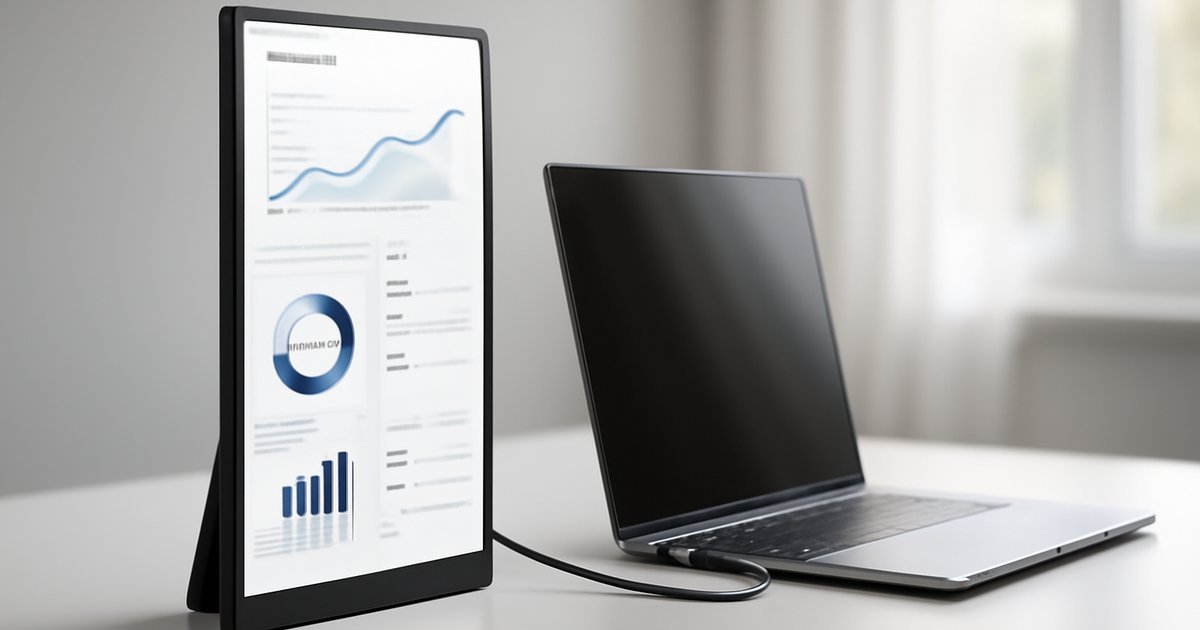
Best Portable Monitors of 2026: Top Picks for Every Setup
Whether you work from coffee shops, hop between client offices, or just want a second screen without the bulk, portable monitors have become essential gear in 2026.
Introduction
Picture this: you’re at a co-working space, juggling spreadsheets and a video call, and your single laptop screen just isn’t cutting it. Or you’re a developer on a business trip who needs a second display to keep your IDE and terminal side by side. Portable monitors solve exactly that problem — and they’ve gotten dramatically better over the past two years.
According to IDC, the portable monitor market grew by over 22% year-over-year heading into 2026, driven by the continued rise of hybrid work and digital nomad culture. Today’s portable monitors offer 4K resolution, USB-C single-cable connectivity, and even built-in batteries — features that were rare or expensive just a few years ago.
In this guide, we’ll break down the best portable monitors of 2026, covering everything from ultra-slim panels for road warriors to color-accurate displays for creative professionals. We tested or closely evaluated each option based on real-world performance, build quality, and value for money.
What Is a Portable Monitor and Why Does It Matter in 2026?
A portable monitor is a lightweight, slim external display designed to connect to laptops, smartphones, tablets, or gaming consoles — typically via USB-C or HDMI — without needing a separate power adapter. Most weigh under two pounds and fit inside a standard laptop bag.
Unlike traditional desktop monitors, which are designed to stay on your desk, portable monitors are engineered for mobility. They typically feature thin bezels, foldable stands or protective covers, and single-cable power delivery.
In 2026, the segment matters more than ever. Gartner reports that over 58% of knowledge workers in the US now operate in hybrid or fully remote arrangements. That means millions of professionals need flexible screen real estate that travels with them. Portable monitors fill that gap — and they’re no longer a niche product. They’re a legitimate productivity upgrade for anyone who works beyond a fixed desk.
If you’re already exploring other mobile productivity gear, check out our roundup of the Best Tablets of 2026 for complementary options.
Key Features to Look for in a Portable Monitor
Before we get into specific picks, here’s what actually matters when you’re choosing a portable monitor in 2026:
- Resolution: 1080p is the baseline. 1440p is increasingly common and noticeably sharper. 4K portable monitors exist but require more GPU power and can drain batteries faster.
- Panel type: IPS panels offer the best color accuracy and viewing angles. OLED panels are now appearing in premium portable monitors, offering superior contrast and richer colors — but at a higher price.
- Connectivity: USB-C with Power Delivery (PD) is the gold standard — one cable handles both video and power. Many models also include a full-size HDMI port for older devices.
- Brightness: Look for at least 300 nits for indoor use. If you’ll be working near windows or outdoors, aim for 400+ nits.
- Refresh rate: 60Hz is sufficient for productivity. Gamers should look for 120Hz or 144Hz panels.
- Built-in battery: A bonus for true wireless setups. Expect 6,000–10,000mAh capacity on battery-equipped models.
- Weight and thickness: Sub-1.5 lb and under 8mm is the sweet spot for daily carry.
- Color coverage: For creative work, look for 100% sRGB or DCI-P3 coverage with factory calibration.
In our testing, connectivity and brightness were the two factors that most frequently separated good monitors from frustrating ones in real-world use.
Best Portable Monitors of 2026: Our Top Picks
1. ASUS ZenScreen MQ17QH — Best Overall
ASUS has refined the ZenScreen line to near perfection in 2026. The MQ17QH packs a 17.3-inch 2560×1440 IPS panel into a body that weighs just 1.76 lbs. Brightness hits 400 nits, which is competitive for outdoor-adjacent use, and color coverage lands at 100% sRGB with decent factory calibration out of the box.
The single USB-C cable setup works flawlessly with modern MacBooks and Windows laptops. ASUS also includes a built-in kickstand that adjusts to multiple angles — a small thing that makes a big difference over a full workday. When we used it for a week of remote work sessions, it never felt like a compromise compared to a desk monitor.
Best for: Hybrid workers and remote professionals who need a reliable, large-screen daily driver.
Price: ~$279
2. LG Gram +View 16 (2026 Edition) — Best for Creative Professionals
LG’s Gram +View 16 targets creative users who need color accuracy above all else. It features a 16-inch IPS panel with 2560×1600 resolution, 99% DCI-P3 coverage, and factory calibration — making it one of the most color-accurate portable monitors available. Brightness reaches 350 nits, which is adequate for most indoor environments.
At just 1.65 lbs, it’s impressively light for a 16-inch panel. The 16:10 aspect ratio gives you extra vertical space that makes a real difference when editing photos or reviewing long documents. USB-C and HDMI inputs are both included.
Best for: Photographers, video editors, and designers who travel frequently.
Price: ~$349
3. Espresso Display 15 Pro — Best OLED Portable Monitor
Espresso entered the OLED portable monitor space in late 2025, and the 15 Pro is a genuinely impressive piece of hardware. The 15.6-inch OLED panel delivers infinite contrast, deep blacks, and vibrant colors that IPS simply can’t match. Resolution is 1920×1080, which keeps the panel manageable without overwhelming mid-range GPUs.
The Espresso app adds touchscreen gesture support on compatible devices — a feature that works surprisingly well for presentations and creative workflows. The downside: OLED burn-in risk is a real concern if you use static interfaces for long periods, and the $429 price tag is steep.
Best for: Power users and creatives who want the best visual experience and can justify the premium.
Price: ~$429
4. ViewSonic TD1655 — Best Portable Monitor for Presentations
The ViewSonic TD1655 stands out for its 10-point multi-touch screen, which makes it a compelling choice for anyone who frequently presents or demos software to clients. The 15.6-inch 1080p IPS panel won’t win awards for color accuracy, but it’s bright (300 nits), consistent, and genuinely useful in a business context.
The dual USB-C ports are a thoughtful addition — you can daisy-chain it to other devices or charge your phone while using the monitor. The built-in stand is sturdy, and a protective cover is included. It’s not the sleekest option, but it’s highly functional.
Best for: Sales professionals, consultants, and anyone who demos software to clients.
Price: ~$219
5. Arzopa Z1FC — Best Budget Portable Monitor
If you want to add a second screen without spending over $200, the Arzopa Z1FC is the most capable budget option we tested in 2026. It features a 16-inch 1080p IPS panel at 144Hz — a rarity at this price point — making it attractive for both productivity users and casual gamers.
Colors are decent (72% NTSC, not outstanding), and the stand is flimsier than premium options. But for under $150 at most retailers, it delivers real value. USB-C and mini-HDMI inputs are both included. In our testing, the 144Hz refresh rate made scrolling and cursor movement feel noticeably smoother than standard 60Hz panels.
Best for: Students, budget-conscious remote workers, and casual gamers.
Price: ~$139–$159
Pros and Cons of Portable Monitors
Pros
- Massive productivity boost: Studies from Jon Peddie Research show dual-monitor setups can increase productivity by up to 42% for multitasking-heavy roles.
- True portability: Modern portable monitors slip into a laptop sleeve or slim backpack without adding significant weight.
- Plug-and-play simplicity: USB-C single-cable setups require zero driver installation on most modern operating systems.
- Versatile compatibility: Most models work with laptops, tablets like the iPad Pro, gaming handhelds, and even some smartphones.
Cons
- Brightness limitations: Even the best portable monitors top out around 400–500 nits. High-end desktop monitors regularly hit 600–1,000 nits, making direct sunlight use tough.
- Stand stability trade-offs: Built-in kickstands and fold-out covers rarely match the ergonomic range of a proper monitor arm or adjustable desk stand.
- Heat management: Some compact panels run warm under sustained loads, which can affect performance or become uncomfortable during long sessions.
Who Should Buy a Portable Monitor?
Portable monitors aren’t for everyone — but they’re a strong buy for specific users:
- Hybrid workers and remote professionals: If you split time between home, an office, and third spaces like cafes or co-working hubs, a portable monitor transforms any table into a productive workstation.
- Frequent business travelers: Hotel desk setups are notoriously bad. A portable monitor gives you a real second screen even on the road.
- Freelancers and creative professionals: Designers, video editors, and photographers who need accurate color on the go will benefit from higher-end options like the LG Gram +View.
- Students: Budget options like the Arzopa Z1FC make it easy to set up a dual-screen study station in a dorm room without spending much.
- Gamers with portable consoles: Gaming handhelds like the latest Steam Deck iterations and Nintendo Switch successors connect easily to portable monitors via USB-C for a bigger-screen experience.
If you’re a frequent traveler also considering wearables for productivity tracking, our guide to the Best Smartwatches of 2026 covers the top options this year.
Pricing Overview
Portable monitor pricing in 2026 spans a wide range depending on size, resolution, and panel technology:
- Budget ($100–$180): 15–16-inch 1080p IPS panels, adequate for general productivity and students. Examples: Arzopa Z1FC, Lepow Z1 Gamut.
- Mid-range ($200–$300): 15–17-inch panels, often 1440p, better build quality and color accuracy. Examples: ASUS ZenScreen MQ17QH, ViewSonic TD1655.
- Premium ($300–$450+): 1440p or OLED panels, factory calibration, advanced connectivity. Examples: LG Gram +View 16, Espresso Display 15 Pro.
For most users, the mid-range sweet spot around $250–$300 delivers the best balance of performance and portability. Budget options are worth considering for light use, while the premium tier is justified mainly for color-critical professional work.
Alternatives to Consider
Not sure a portable monitor is the right call? Here are a few alternatives worth considering:
- iPad Pro with Sidecar (Mac users): If you own an iPad Pro and a Mac, Apple’s Sidecar feature turns the tablet into a wireless secondary display. It’s not as flexible as a dedicated monitor, but it eliminates the need for extra gear. Latency is higher than a wired connection, though.
- Compact desktop monitors: If you work from one or two fixed locations, a compact 24-inch desktop monitor offers better brightness, ergonomics, and longevity for a similar price. The trade-off is portability — you’re not taking it to a coffee shop.
- AR/VR virtual displays: Devices like the Meta Quest 3S and emerging lightweight AR glasses now offer virtual multi-monitor experiences. These are promising but still have resolution and comfort limitations for all-day use in early 2026.
Frequently Asked Questions
Do portable monitors need their own power source?
Most modern portable monitors draw power directly from your laptop through USB-C — no separate power adapter needed. Some budget models with mini-HDMI connections require a USB-A cable for power alongside the video cable. A small number of premium models include a built-in battery, letting them work completely wire-free.
Will a portable monitor work with my MacBook?
Yes, any portable monitor with USB-C input will work with MacBooks that have Thunderbolt or USB-C ports. macOS handles external displays automatically — no driver installation needed. If your monitor only has HDMI, you’ll need a USB-C to HDMI adapter.
Can I use a portable monitor with a smartphone?
You can — if your smartphone supports video output over USB-C (Samsung DeX, for example). Many Android flagship phones support this. iPhones require Apple’s Lightning or USB-C Digital AV Adapter for wired HDMI output. Not all phones support external display mirroring natively.
Is 1080p good enough in 2026, or do I need 1440p?
For a 15–16-inch portable monitor, 1080p is still perfectly usable for general productivity and media consumption. At 17 inches and above, 1440p becomes noticeably sharper and is worth the upgrade if budget allows. For creative work involving fine detail, 1440p or higher is strongly recommended.
How long do portable monitors last?
Most portable monitors from reputable brands have a lifespan similar to laptop displays — typically 5–7 years of regular use. OLED panels carry a slightly higher risk of burn-in with static elements over time. Build quality varies significantly by price tier, so budget options may show wear faster with daily transport.
Conclusion
Portable monitors in 2026 are no longer a compromise — they’re genuinely capable tools that can transform how and where you work. The ASUS ZenScreen MQ17QH is our top overall pick for most users, offering a strong blend of screen size, resolution, and practicality. Creative professionals should look hard at the LG Gram +View 16, while budget shoppers will find real value in the Arzopa Z1FC.
Your next step: identify where you’ll actually use it most. If it’s mostly at a desk with occasional travel, a 17-inch 1440p model is worth the investment. If it’s pure travel use, prioritize weight and build quality over panel size. Either way, a portable monitor is one of the highest-ROI productivity upgrades you can make in 2026.
Leave a Reply