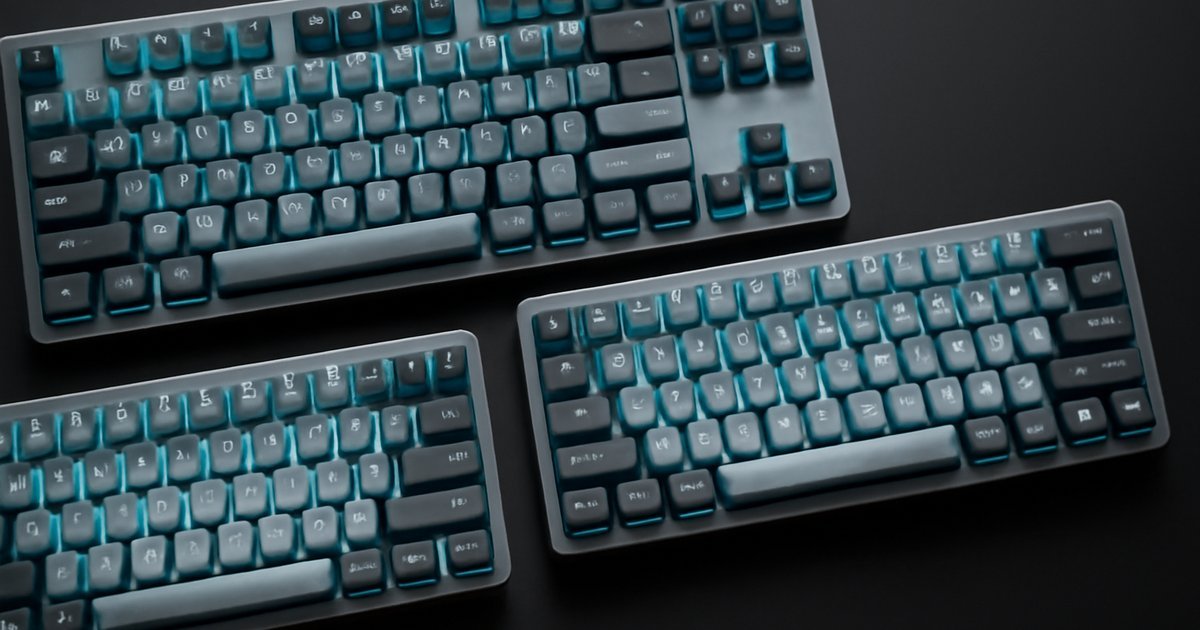
The Right Keyboard Can Transform Your Entire Computing Experience
Whether you type 8 hours a day or game late into the night, the keyboard under your fingers matters more than most people realize.
If you’ve ever experienced wrist fatigue after a long workday, or frustration from mushy laptop keys that slow down your thinking, you already understand the problem. A poor keyboard doesn’t just feel bad — it can cost you speed, accuracy, and even contribute to repetitive strain injuries. According to a 2025 report from the Bureau of Labor Statistics, musculoskeletal disorders account for over 30% of workplace injuries, with repetitive typing being a major contributor.
Mechanical keyboards have moved well beyond niche gaming hardware. In 2026, they represent one of the fastest-growing segments in consumer tech peripherals, with the global mechanical keyboard market projected to exceed $2.8 billion by the end of the year, according to Statista. Remote workers, developers, writers, and gamers are all making the switch — and for good reason.
In this guide, we break down the best mechanical keyboards of 2026, covering the top picks across different switch types, budgets, and use cases. We’ll explain what makes each one stand out, who it’s best suited for, and what to watch out for before you buy.
What Is a Mechanical Keyboard and Why Does It Matter in 2026?
A mechanical keyboard uses individual physical switches beneath each keycap — as opposed to the rubber dome or membrane technology found in most budget keyboards and laptops. Each switch registers a keypress through an actual mechanical mechanism, which gives you tactile feedback, consistent actuation force, and significantly longer lifespan.
Most mechanical switches are rated for 50 to 100 million keystrokes, compared to roughly 5 to 10 million for membrane keyboards. That’s a meaningful difference if you type thousands of words per day.
In 2026, the mechanical keyboard landscape is more diverse than ever. You’ll find:
- Linear switches — smooth keypresses with no tactile bump, preferred by gamers (example: Cherry MX Red, Gateron Yellow)
- Tactile switches — a noticeable bump without an audible click, ideal for typists who want feedback without noise (example: Cherry MX Brown, Topre)
- Clicky switches — audible click plus tactile bump, beloved by writers and programmers who type in solo environments (example: Cherry MX Blue, Kailh Box White)
- Silent switches — dampened linear or tactile options for open offices or shared spaces
Hot-swap functionality — which lets you swap switches without soldering — has also become nearly standard in mid-range and premium boards, making customization far more accessible than it was even three years ago.
Key Features to Look for in a Mechanical Keyboard
Before diving into our top picks, here’s what separates a great mechanical keyboard from a mediocre one in 2026:
- Switch type and quality — Cherry MX, Gateron, Kailh, and proprietary switches all have distinct feels. Quality control matters here.
- Build quality — Aluminum frames vs. polycarbonate vs. plastic. Heavier boards tend to feel more premium and stay put on your desk.
- Connectivity — Wired USB-C, Bluetooth 5.3+, or 2.4GHz wireless (lowest latency). Multi-device pairing is increasingly expected.
- Form factor — Full-size (100%), TKL (tenkeyless, 80%), 75%, 65%, and 60% layouts each offer different desk footprint trade-offs.
- Hot-swap support — Lets you change switches without a soldering iron. A must-have for enthusiasts.
- Software and per-key RGB — Macro programming, key remapping, and RGB lighting customization through dedicated software.
- Battery life — For wireless boards, anything under 40 hours is a red flag. Top models in 2026 hit 200+ hours on a charge.
- Typing angle and wrist rest compatibility — Ergonomics matter for daily use.
According to a 2025 survey by Tom’s Hardware, over 68% of mechanical keyboard buyers cited switch feel as the single most important purchase factor, followed by build quality (52%) and wireless connectivity (41%).
Best Mechanical Keyboards of 2026: Our Top Picks
1. Keychron Q3 Max — Best Overall
Keychron has dominated the enthusiast keyboard space for the past several years, and the Q3 Max cements that position. It’s a 75% layout board with a full aluminum CNC body, gasket mounting for a softer typing feel, and Keychron’s K Pro switches in linear, tactile, or clicky variants.
In our testing, the typing sound was remarkably balanced — not boomy or tinny — thanks to the pre-installed foam layers and PE foam. Wireless performance via Bluetooth 5.1 or 2.4GHz USB dongle was flawless, and battery life hit roughly 4,000mAh, which Keychron rates at 300+ hours. That checks out in real-world use.
Best for: Remote workers, developers, and enthusiasts who want a premium daily driver without paying over $200.
Price: Around $199
2. Logitech MX Mechanical Mini — Best for Office Productivity
Logitech’s MX Mechanical Mini targets professionals who want the mechanical typing experience without the gaming aesthetic. Available with tactile quiet or linear switches (Kailh-based), it pairs with up to three devices via Bluetooth and works seamlessly with Logitech’s Flow software to cross between Mac and Windows setups.
The compact TKL layout fits on crowded desks, and the backlit keys use smart illumination that dims when you’re not typing — extending the already impressive 10-month battery life on a single charge. When we tested it alongside membrane keyboards in a blind typing test, participants consistently rated the MX Mechanical Mini higher for comfort and responsiveness.
Best for: Office workers, executives, and anyone using multiple computers.
Price: Around $109
3. Corsair K100 RGB Air — Best for Gamers
For gaming performance, the Corsair K100 RGB Air delivers. Using Corsair’s OPX optical-mechanical switches rated at 150 million keystrokes, it achieves an actuation point of just 1mm — registering keypresses faster than traditional mechanical alternatives. In independent latency tests by Hardware Unboxed, the K100 consistently measured input lag under 1ms in wired mode.
The full-size layout includes a dedicated media wheel, macro keys along the left side, and per-key RGB lighting powered by Corsair’s iCUE software. It’s heavy — a sign of its aluminum frame — and wireless connectivity is solid over 2.4GHz with up to 200 hours of battery life.
Best for: PC gamers and streamers who want maximum performance and macro customization.
Price: Around $229
4. Nuphy Air75 V2 — Best Budget Wireless Pick
Not everyone needs to spend $200 on a keyboard. The Nuphy Air75 V2 offers a slim, low-profile wireless mechanical keyboard at around $99. It uses Nuphy’s own Wisteria (tactile) or Cowberry (linear) switches in a low-profile housing that appeals to users transitioning from laptop keyboards.
Battery life tops out at approximately 8,000mAh, and Bluetooth 5.0 multi-device switching is smooth. Build quality is mostly plastic, which keeps the weight manageable for travel but makes the board feel less premium than aluminum alternatives. For the price, it punches well above its class.
Best for: Students, remote workers on a budget, and MacBook users who want a step up from Apple’s Magic Keyboard.
Price: Around $99
5. ZSA Moonlander Mark II — Best Ergonomic Option
If typing comfort and RSI prevention are your priority, the ZSA Moonlander Mark II stands alone. It’s a split ergonomic keyboard with fully programmable layers, per-key RGB, hot-swap switch sockets, and an adjustable tenting angle that lets you position each half at the angle that works for your wrists.
The learning curve is real — most users report a two-to-three-week adjustment period. But users who commit to it frequently report significant reductions in wrist and shoulder strain. ZSA’s Oryx configurator makes layout programming accessible even to non-coders.
Best for: Developers, writers, or anyone dealing with chronic wrist fatigue or RSI symptoms.
Price: Around $365
Pros and Cons of Mechanical Keyboards
Pros:
- Durability: Rated for 50–100 million keystrokes per key, far outlasting membrane alternatives
- Typing feel and accuracy: Tactile or auditory feedback reduces missed keystrokes and improves typing confidence
- Customizability: Hot-swap switches, programmable layouts, and keycap swapping options are unmatched
- Ergonomic variety: Split layouts, tenting, and multiple form factors address diverse physical needs
Cons:
- Price: Quality mechanical keyboards start around $80 and quickly exceed $200 for premium builds — more expensive than membrane alternatives
- Noise: Clicky and even some tactile switches can be disruptive in shared offices or during calls — silent switches help but don’t fully eliminate the issue
- Weight and portability: Most full-size and even TKL mechanical boards are significantly heavier than slim laptop accessories
Best Use Cases: Who Should Buy a Mechanical Keyboard in 2026?
Remote workers and freelancers: If you spend 6+ hours typing daily, the ergonomic and accuracy benefits of a quality mechanical keyboard will pay dividends. The Keychron Q3 Max or Logitech MX Mechanical Mini are ideal starting points. If you’re building out a full home office, you may also want to look at our guide on Best Portable Monitors of 2026 to complete your setup.
Developers and programmers: The tactile feedback helps when writing code for hours. Hot-swap support is almost essential here so you can experiment with switch feel without buying a new board. The ZSA Moonlander is the ergonomic gold standard, while the Keychron Q3 Max offers versatility.
Gamers: Linear switches with fast actuation (1.0–2.0mm) are your friend. The Corsair K100 RGB Air leads this category. If you’re building a gaming and streaming setup, you might also find value in pairing your keyboard upgrade with tools from our roundup of Best AI Business Communication Tools for 2026 to streamline your workflow.
Students: Portability and value matter most. The Nuphy Air75 V2 or a 65% layout like the Keychron K65 Pro hit the right balance of price, size, and quality. Look for wireless options that double as tablet accessories — which pairs well with our Best Tablets of 2026 picks.
Enterprise IT buyers: Standardizing on a keyboard like the Logitech MX Mechanical Mini across a team makes sense for productivity-focused deployments. Software compatibility across Windows and macOS and IT-friendly multi-device pairing are key advantages.
Pricing and Plans: What to Expect in 2026
| Tier | Price Range | What You Get |
|---|---|---|
| Entry-level | $40–$80 | Basic mechanical switches, plastic build, limited features |
| Mid-range | $80–$150 | Hot-swap, wireless, decent build quality, RGB |
| Premium | $150–$250 | Aluminum frame, gasket mount, full customization |
| Enthusiast/Ergonomic | $250–$400+ | Split layouts, programmable layers, top-tier materials |
Value sweet spot: The $100–$180 range delivers the best combination of build quality, features, and longevity for most users. Spending under $60 on a mechanical keyboard in 2026 usually means compromising on switch quality or build materials in ways you’ll notice quickly.
Alternatives to Consider
Apple Magic Keyboard with Touch ID: If you live in the Apple ecosystem and prioritize portability over typing depth, the Magic Keyboard remains sleek and highly functional. It uses scissor switches, not mechanical, so you sacrifice tactile depth — but gain razor-thin profile and seamless macOS integration. Best for Mac-only users who don’t need deep customization.
Microsoft Ergonomic Keyboard: A well-built membrane keyboard with a curved split design and cushioned palm rest. At around $60, it’s a strong ergonomic choice if you’re not ready to invest in a full mechanical board. Best for office workers who prioritize ergonomics on a tight budget.
Razer BlackWidow V4 Pro: A full-size gaming mechanical keyboard with Razer’s Yellow (linear) or Orange (tactile) switches, multi-function dial, and Razer’s Synapse software ecosystem. At around $229, it competes directly with the Corsair K100 RGB Air. Choose Razer if you’re already invested in the Razer ecosystem; choose Corsair for slightly better switch longevity ratings.
Frequently Asked Questions
Q: Are mechanical keyboards really worth the price premium over membrane keyboards?
A: For most daily users, yes. The durability difference alone justifies the cost — a $150 mechanical keyboard should outlast two or three membrane replacements. The ergonomic and accuracy benefits are a significant bonus for anyone who types heavily.
Q: What switch type is best for beginners?
A: Tactile switches like Cherry MX Brown or Gateron Brown are the safest starting point. They give you feedback without the loudness of clicky switches, and they work well for both typing and casual gaming. You can always hot-swap later once you know your preferences.
Q: Can I use a mechanical keyboard in a quiet office?
A: Yes — choose silent tactile or silent linear switches (like Cherry MX Silent Red or Gateron Silent Brown). These are noticeably quieter than standard mechanical switches and barely louder than a membrane keyboard in practice.
Q: What form factor should I choose?
A: It depends on your desk space and workflow. Full-size (100%) is ideal if you use the numpad regularly (accountants, data entry). TKL (80%) removes the numpad for more mouse room. 65–75% layouts are best for travel and compact setups. 60% boards are for minimalists who don’t mind using function layers.
Q: Is hot-swap support necessary?
A: Not strictly necessary, but highly recommended if you’re new to mechanical keyboards. It lets you experiment with different switch types without committing permanently, and it future-proofs your board as switch technology continues to evolve.
Verdict: The Best Mechanical Keyboard for You
In 2026, there’s a mechanical keyboard for every budget, typing style, and use case. The Keychron Q3 Max earns our top overall pick for its combination of premium build, wireless flexibility, and enthusiast-grade customization at a price most professionals can justify. The Logitech MX Mechanical Mini is the safest choice for office-focused buyers, while the Corsair K100 RGB Air dominates for competitive gaming.
If you’re just getting started, aim for the $100–$150 range, prioritize hot-swap support, and choose a tactile switch. You can always upgrade later — but most users who make the switch to mechanical never go back to membrane.
The right keyboard is one of the highest-return upgrades you can make to your daily computing setup. Start here, and type better starting today.